|
VOOZH | about |
|
VOOZH | about |
TestNG is a powerful testing framework in Java designed to simplify the creation, execution, and management of test cases. Among its many features, grouping and prioritizing tests are especially useful for managing large test suites effectively. These features help organize test cases into logical categories and control their execution order. This article provides a detailed guide on grouping and prioritizing tests in TestNG with examples, configurations, and best practices.
Core Data Services (CDS) views are a key feature of SAP’s in-memory database technology, specifically SAP HANA. CDS views are used to define semantic data models that can be reused across applications and analytics. These models are expressed in SQL-like syntax and provide several enhancements over traditional database views, making them particularly useful for applications requiring real-time data access and reporting.
CDS views enable developers to define the structure of data within the SAP HANA database, simplifying the integration of data from different sources and ensuring that it is processed in a way that enhances both performance and flexibility.
CDS views are designed to enable efficient data processing and aggregation directly on the database layer. By leveraging the capabilities of the SAP HANA in-memory database, CDS views allow for high-performance analytics, reducing the load on the application layer and speeding up query execution times.
With CDS views, developers can define reusable data models that can be consumed across various applications. These models ensure consistency across systems while providing flexibility to adapt to changing business requirements.
CDS views offer several advanced features:
Since CDS views are optimized for SAP HANA’s in-memory processing, they provide significant performance improvements over traditional database views. Aggregations and calculations are performed directly on the database, making them ideal for handling large volumes of data in real-time.
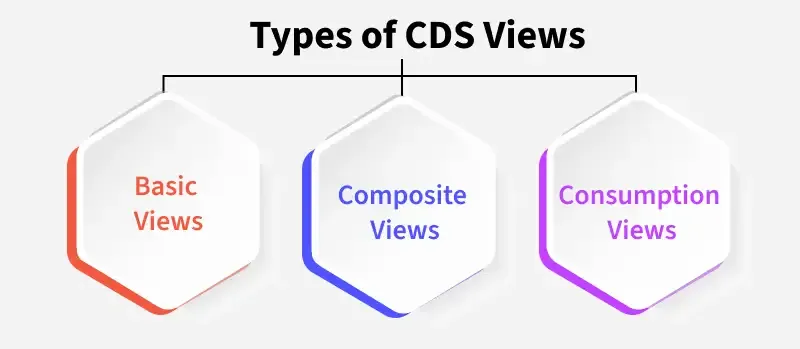
Basic CDS views are the foundation of data modeling in SAP. They are used to create simple data models by querying single tables or views. These views can be used as standalone data sources or extended to create more complex models.
Composite CDS views are built on top of basic views. They combine multiple basic views and add more complex structures. Composite views are used when more intricate data structures are required, such as joining several data sources or applying more advanced logic to the data.
Consumption views are designed specifically for reporting and analytics. These views expose data that can be consumed by other applications, such as SAP Fiori, SAP BW, or external reporting tools. Consumption views are often used to present the data in a user-friendly format, with calculations, aggregations, and filters applied.
CDS views are created using the ABAP Development Tools (ADT) in Eclipse. The process involves writing a Data Definition Language (DDL) script that defines the structure of the data model, including the selection of fields, filters, associations, and aggregations.
Here is a basic example of a CDS view definition:
This defines a simple CDS view ZCustomerData that selects customer-related data from the scustomers table.
Once a CDS view is defined, it can be integrated with other SAP systems, applications, or reporting tools. The view is typically exposed as an OData service or made available for use within SAP Fiori or other SAP front-end tools.
Since CDS views are designed to run on SAP HANA’s in-memory database, they are inherently optimized for performance. However, developers can further optimize views by utilizing HANA-specific features, such as:
One of the most common use cases for CDS views is in reporting applications built with SAP Fiori. SAP Fiori applications leverage CDS views to present structured, actionable insights from data models. Developers can create consumption views specifically tailored to the needs of end users, including features such as:
SUM(), AVG(), and COUNT() are supported directly in CDS views, enabling high-performance reporting.CDS views can also be integrated with SAP BW (Business Warehouse) or third-party applications for advanced analytics. In SAP BW, CDS views can serve as the data source for creating InfoProviders, which then feed into SAP BusinessObjects or external reporting tools like Tableau.
CDS views support dynamic reporting by allowing input parameters that are passed at runtime. These parameters can be used for filtering data based on user input, making the reports more interactive and flexible.
A CDS view might include an input parameter for selecting a specific date range for a report:
This allows the user to dynamically filter sales orders based on a specific date range when running the report.
While CDS views can be highly complex, it’s often best to keep them simple and focused on specific tasks. Avoid creating overly complex views that do too much, as they can become difficult to maintain and optimize.
CDS views leverage annotations to provide additional metadata that can influence how data is consumed and displayed in applications. Use annotations like @Analytics.query and @Consumption.dataCategory to optimize the view for reporting and analytics purposes.
Associations in CDS views allow you to model relationships between different entities. By using associations instead of traditional joins, you can create more flexible and reusable data models that perform better on the SAP HANA database.
Ensure that you use aggregations and filters wisely to avoid unnecessary performance bottlenecks. When working with large datasets, applying filters early in the view definition can drastically improve performance.
CDS views are a powerful and flexible tool for defining and managing data models in SAP systems, especially within the context of reporting and analytics. By using CDS views effectively, developers can enhance the performance of their applications, ensure consistency across data models, and provide end-users with dynamic and actionable insights.
As SAP S/4HANA and SAP Fiori applications become more prevalent in business environments, the ability to leverage CDS views for advanced reporting will be a key skill for developers aiming to build efficient, high-performance business solutions.