|
VOOZH | about |
|
VOOZH | about |
Postman is a widely used API testing tool that helps developers and testers send requests, validate responses, and automate API workflows efficiently.
In web development, CRUD operations represent the four basic actions that can be performed on data:
To get started with API testing in Postman:
We will use a publicly available Pet Store API to demonstrate CRUD operations. The Pet Store API allows you to manage pet data, including adding, retrieving, updating, and deleting pets.
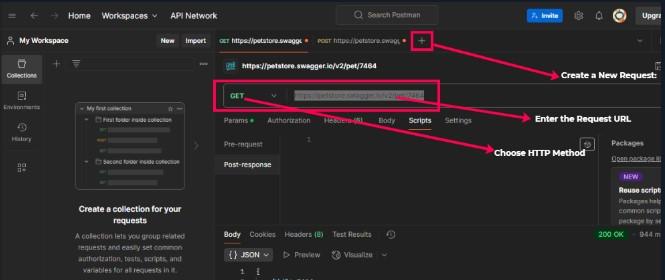
A GET request retrieves data from the server.
Endpoint:
GET /pet/{petId}
To fetch details of a pet, replace {petId} with the actual pet ID (e.g., /pet/1).
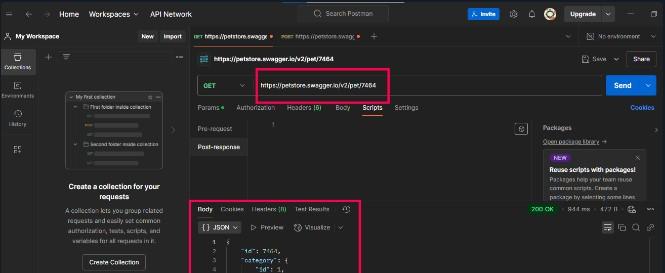
Steps in Postman:
If the pet exists, the server responds with a 200 OK status and the pet's details. If the pet is not found, you will receive a 404 Not Found status.
A POST request adds new data to the server.
Endpoint:
POST /pet
To add a new pet, use the following JSON in the request body:
{
"id": 12345,
"name": "Doggy",
"status": "available"
}
Steps in Postman:
A successful creation will return a 200 OK or 201 Created status.
A PUT request updates existing data on the server.
Endpoint:
PUT /pet
To update details of the existing pet, use the following updated JSON data:
{
"id": 12345,
"name": "Doggy Updated",
"status": "sold"
}
Steps in Postman:
https://petstore.swagger.io/v2/petA successful update will return a 200 OK status.
A DELETE request removes data from the server.
Endpoint:
DELETE /pet/{petId}
To delete a pet, replace {petId} with the actual pet ID.
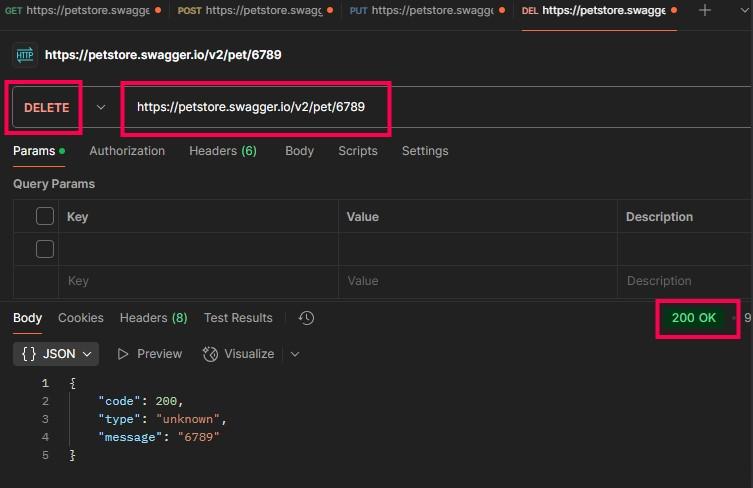
Steps in Postman:
https://petstore.swagger.io/v2/pet/{petId}.The server will respond with a 200 OK or 204 No Content status on successful deletion.
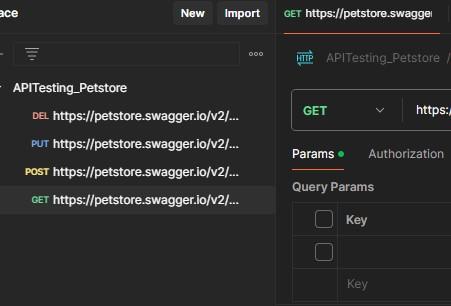
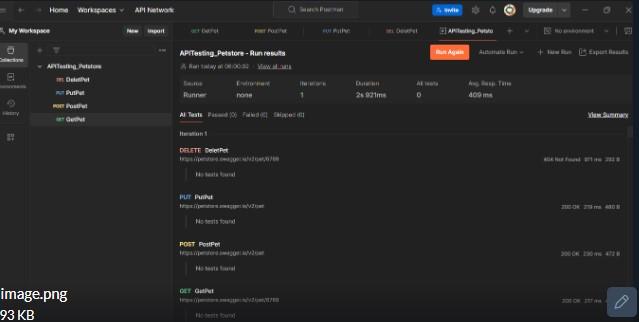
Collections allow you to organize related API requests and make your tests reusable and shareable.
Steps to create a collection:
Postman supports writing automated tests using JavaScript, which can be executed after a request is sent. This helps to validate API responses in an automated manner.
Example Test:
pm.test("Status code is 200", function () {
pm.response.to.have.status(200);
});
This test checks if the response status code is 200.
Postman allows you to define variables to make your requests dynamic, such as for base URLs or authentication tokens.
Defining variables:
Before testing, review the API documentation to understand the available endpoints, parameters, and response formats. This helps you craft effective tests and ensures you test all required functionality.
Always check the status code to ensure that the request was processed correctly:
Ensure that the response body, headers, and response time are correct. Postman provides an easy way to validate these aspects using assertions in the test scripts.
Organize related API requests into collections for easier access and testing. Collections also support running tests in a sequence, making your testing process more streamlined.
Ensure that the API responds within acceptable time limits. Postman allows you to monitor response times to ensure performance is not degraded.