|
VOOZH | about |
|
VOOZH | about |
TestNG is a testing framework that simplifies many testing needs. It stands for Test Next Generation, an open-source test automation framework inspired by JUnit and NUnit. Think of TestNG as an updated version of the other two concepts. It provides additional features not previously available, such as test annotations in code, grouping, prioritization, benchmarking, and process analysis. The TestNG framework not only manages cases but also provides detailed information about these tests. Provides detailed information about the number of failed tests. The report also allows people to test for diseases and treat them at an early stage.
Create a new TestNG XML file or modify an existing file to include the "FailedReporter" listener and set the "rerun failed" property.
Execute the test suite using TestNG and this modified XML file.
testng -testname testng.xml
TestNG will run the test and create a file called testng-failed.xml containing the list of failed tests.
TestNG will create a file named `testng-failed.xml` containing the failed tests. You can now retry only failed attempts using the same XML file.
testng -testname testng-failed.xml
TestNG only executes failed tests specified in the `testng-failed.xml` file.
This method will help in repeating only the failed tests instead of redoing the entire package.
There are two ways to perform a failed test in TestNG:
Below is the sample program:
Execute the above program using below testng.xml file:
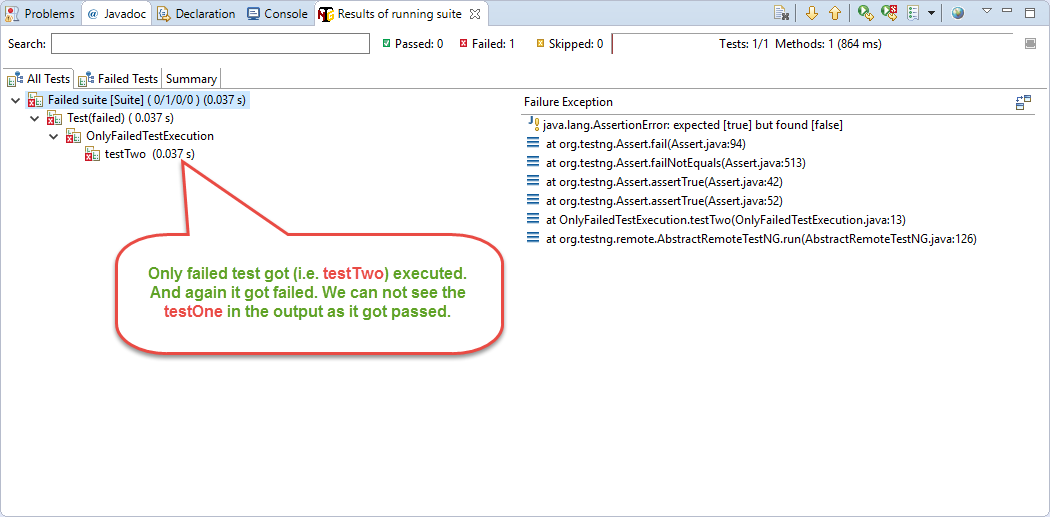
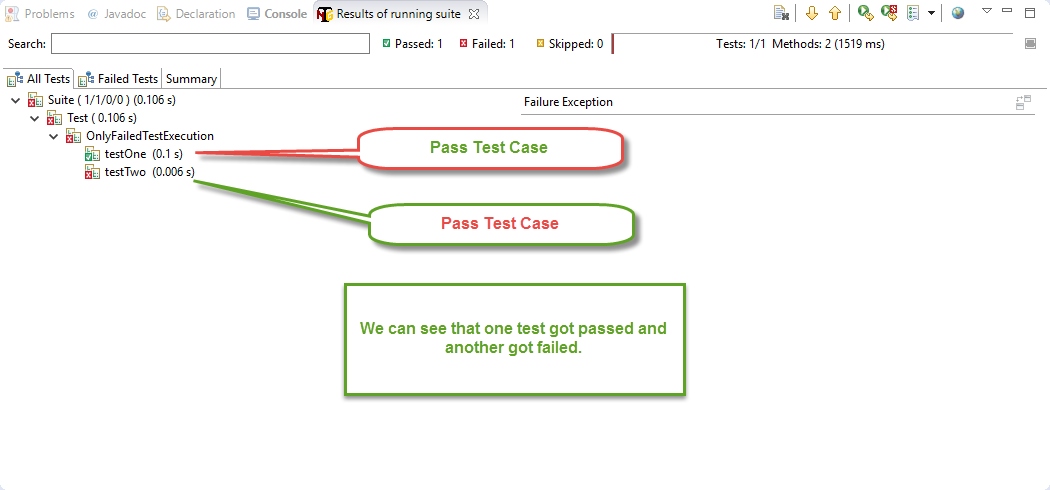
After processing the above xml file we can see the following output:
Now we just want the test to fail. To do this, we will go to the test-failed folder and create the testng-failed.xml file. We can then see the following output.
1. Create a class to implement TestNG IRetryAnalyzer interface:
This interface has only one method: public boolean Repeat(ITestResult result);
An easy-to-use interface is shown below.
We now have a simple implementation of IRetryAnalyzer. Note the implementation of the retry method, which allows the failed test to be repeated 4 times. This is because we set retryLimit = 4;
Let's see how to use it, there are two ways to include retry parameters in the test
2. In Test Method specify Retry Class:
Specifying the value of retryAnalyzer in the @Test annotation. We can do this using the following @Test(retryAnalyzer = "IRetryAnalyzer Implementation class") expression.
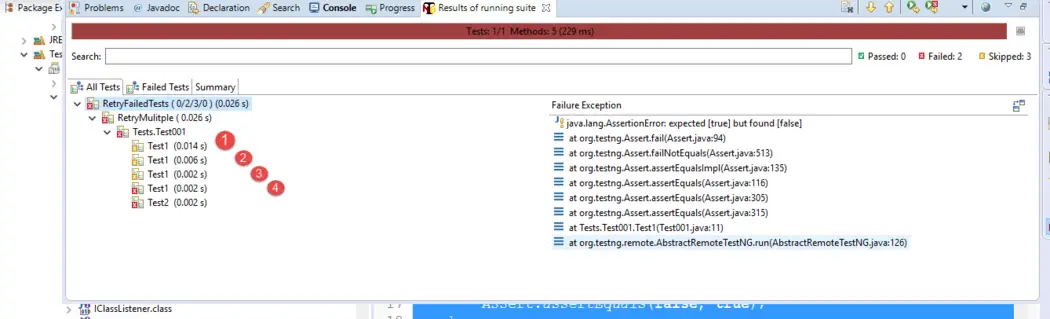
We have two tests here; one tells which category to use as the repeater. If we do this test we get the following results.
Test1 was run 4 times and was marked as failed only on the last run. The counter was run 4 times due to repetition. However, when we look at Test2, we can see that it only runs once.
3. By adding Retry analyser during runtime by implementation of the listener interface.
This interface is used to programmatically annotate test methods at runtime. It calls any attempt to change the path during the test run. An easy-to-use interface helps us create back testing tools.
After implementing IAnotationTransformer, we just need to add it as a listener in the xml test run. like this
We no longer need to specify the retryAnalyzer attribute in the @Test annotation. The new test will look like this
Now you can complete the test and see how TestNG re-executed each of Test1 and Test2 4 times.
Resolving failing test cases is an important part of the testing process. TestNG makes it easy to recover from failed tests by providing easy-to-use methods via the testng-failed.xml file and built-in listeners. Using these resources, testers and developers can effectively identify and resolve issues, thus ensuring the stability and reliability of their testing units. By following the steps outlined in this guide, testers can manage and execute failed tests with TestNG, helping improve test performance and develop better software.

.png)