|
VOOZH | about |
|
VOOZH | about |
In this article, we are going to discuss how to generate the Narrowband and Wideband FM signal using MATLAB.
Frequency Modulation popularly known as FM is a kind of analog modulation technique in which the frequency of the high-frequency carrier signal is varied according to the amplitude of the modulating (message) signal while the amplitude and the phase of the carrier signal remain constant or unchanged.
where; fm = FM signal,
Ac = Amplitude of carrier signal,
fc = Carrier Frequency,
fm = Modulating Frequency,
t = time, & b = Frequency modulation index.
FM signals are classified into two broad categories depending upon the value of the frequency modulation index (b):
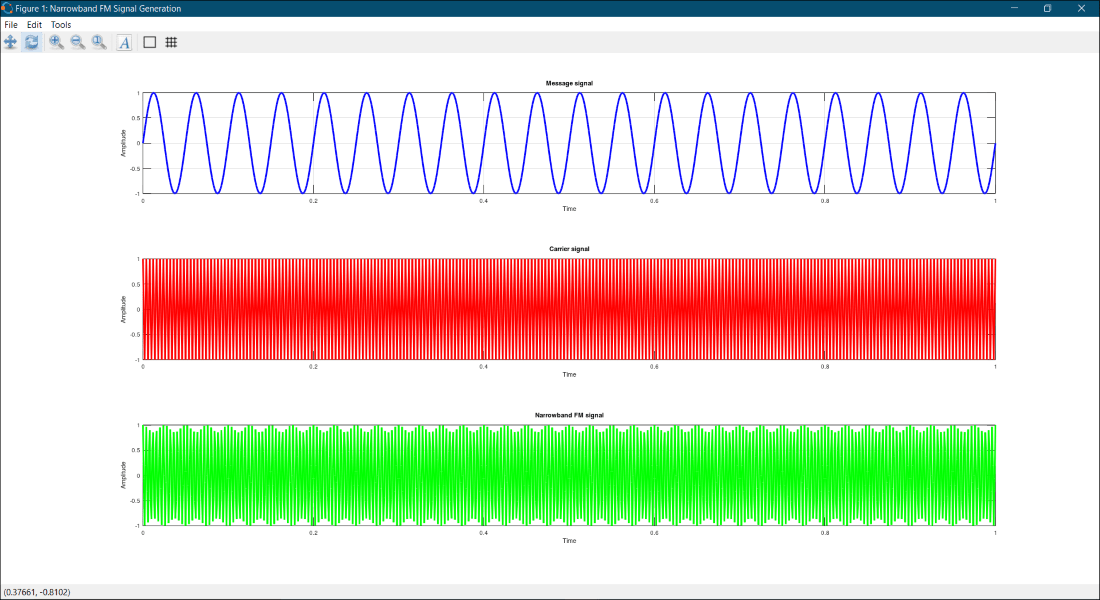
In general, the FM signals which have their frequency modulation index (b<1) less than unity are called Narrowband FM signals. Usually, narrowband FM signals are used in low-cost two-way radio communication systems like a walkie-talkie.
To generate the narrowband FM signal, we will be using the standard equation of the FM signal and pass the value of the frequency modulation index (b) less than unity.
Example:
Output:
Enter the value of b (<1): 0.55
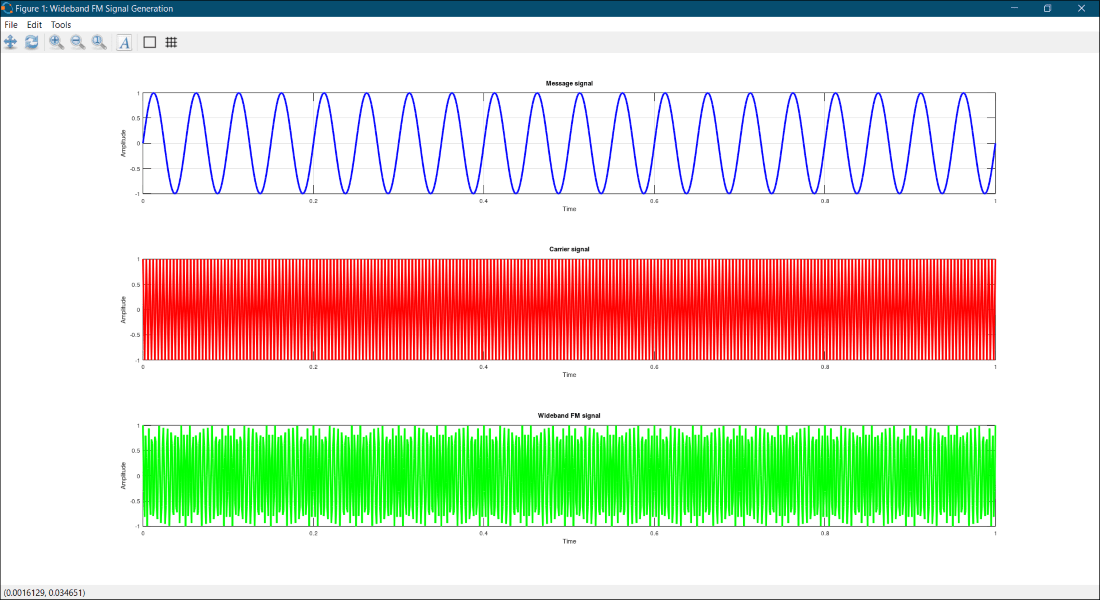
Unlike the narrowband FM signals, wideband FM signals are the FM signals whose frequency modulation index (b>1) is greater than unity. Normally, wideband signals are used for high-quality broadcast transmission.
To generate the wideband FM signal, we will be using the standard equation of the FM signal and pass the value of the frequency modulation index (b) greater than unity.
Example:
Output:
Enter the value of b (>1): 2.5