
Summary
- RTX HDR makes my old SDR games and media look vivid and modern—nostalgia renewed.
- I need Windows 11, an HDR10 display, RTX 20-series+ GPU, and the Nvidia App.
- I accept a small single-digit FPS hit on modern RTX GPUs for a huge visual and mood uplift.
I never thought HDR would end up changing the way I look at PC gaming, but here we are. Ever since I moved to a 4K 144Hz miniLED display a few months ago, I've been unable to stomach SDR the way I used to be able to. HDR content's deeper contrast and brighter highlights are simply the default option in my head for what looks good, which, of course, has ruined SDR forever.
Be that as it may, it doesn't change the fact that more than half of my Steam library is still SDR, considering just how long my collection of older games — and my backlog — is. Thankfully, an HDR10+ panel also meant that I could use my GeForce RTX 4070 Ti to good use, and finally make RTX HDR a part of my daily routine. RTX HDR breathes new life into older titles that never shipped with HDR support, and for decade-old games, it makes all the difference.
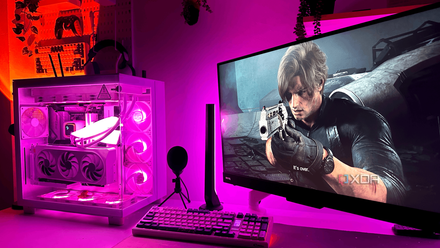
I went back to native resolution for a week, but Nvidia's DLSS still made it feel like the wrong choice
Technically superior no longer means visually better
Most of my favorite classics predate HDR entirely
RTX HDR makes my entire backlog feel modern
The more I revisited older games after upgrading to a proper HDR-capable miniLED display, the more I realize just how much of my Steam backlog comes from an era before HDR implementation was even commonplace in games. Most PC games from the late 2000s and early 2010s were built around SDR displays, because, well, that was simply what everyone had back then. Native HDR support in games only really started becoming common around the later PS4 and Xbox One years, which means that a massive chunk of older classics still look pretty flat on modern displays in 2026.
So, instead of waiting for decade-old games to magically receive HDR patches that are never coming, Nvidia's RTX HDR feature converts SDR games into HDR in real time, and the results are often shockingly good. Nvidia's RTX HDR isn't really a standalone, new HDR format. It's an AI-enhanced SDR-to-HDR tone mapping technology that converts non-HDR games into HDR on displays that support it. Usually, standard HDR requires games to be developed with HDR support from the get-go, while regular SDR-to-HDR conversion just applies a simple tone map. RTX HDR, however, uses machine learning algorithms with the help of Tensor cores in the RTX GPU to make more intelligent decisions about color space expansion and contrast.
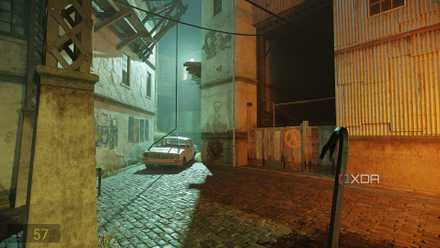
Half-Life 2 RTX is the future of PC gaming, for better or worse
A beautiful remaster with big performance overhead.
How to turn on RTX HDR in Windows 11
Surprisingly simple, as long as you have what it needs
To use Nvidia's RTX HDR, you do need a few things first: an HDR10-compatible display, an RTX 20-series GPU or higher for the Tensor cores, and the Nvidia App installed. This feature also works exclusively on Windows 11, so those still stuck on Windows 10 (25.63% of Steam users) won't be able to use RTX HDR even if they have all the necessary hardware. Before opening the Nvidia App, head into Settings → System → Display → HDR on Windows 11. Here, make sure that you have HDR turned on, but Auto HDR turned off. RTX HDR replaces Auto HDR, and having the latter turned on can lead to conflict between the two functionalities.
Once that's done, just open the Nvidia App, head to the Graphics tab, and click on Global Settings. Click on RTX HDR, and turn it on. Once everything is set up, your older games will suddenly gain a richness they never originally had. Shadows will look deeper, bright skies will pop properly, and nighttime scenes will come with a genuine moodiness that you're simply not ready for if you're still gaming on SDR.
It's important to note that RTX HDR isn't free from a performance standpoint. The overhead is usually pretty manageable on modern RTX GPUs, though. In my experience, the frame rate hit tends to hover in the single-digit percentage range, depending on the game and resolution. Older titles rarely struggle with it, though, since they already run well above playable frame rates on today's hardware, even while pushing 4K resolutions.

Nvidia’s DLSS 4.5 is a huge visual upgrade, but there’s a catch
It's a cost not everyone would be comfortable paying.
RTX HDR makes my gaming nostalgia feel more special
DLSS boosts frame rates for the present, and RTX HDR transforms the past
Using RTX HDR doesn't make DLSS any less important for me. In fact, these two features have absolutely nothing to do with each other. Modern AAA games are becoming absurdly demanding, and features like DLSS are genuinely helping GPUs stay relevant longer than they otherwise would. I use it extensively myself, especially at 4K, where rendering native resolution can bring even the most powerful hardware to its knees. The thing about DLSS, though, is that it mostly matters in newer titles that were already designed around supporting it in the first place. RTX HDR, however, doesn't need any inbuilt support.
Unlike DLSS, RTX HDR isn’t limited to modern AAA releases, making it valuable for anyone playing older PC games.
Of course, that doesn't mean that RTX HDR will work on games from last century and immediately make them look better. Nvidia's HDR conversion feature only supports DirectX 9.0 games and higher, including those built on Vulkan and OpenGL. Sure, some of the results can occasionally clash with the original artistic intent, and I've seen my fair share of UI elements looking overly bright, and dark areas being a little too illuminated. RTX HDR isn't flawless, and I won't pretend otherwise.
And yet, 98% of the time, it truly does transform how my older games feel. My RTX GPU doing overtime duties for games that are thrice as old, feels genuinely rewarding, especially when I revisit a classic over the occasional long weekend.
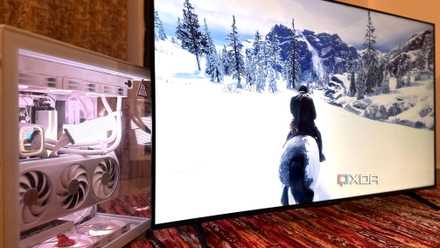
Nvidia just turned my 1440p gaming PC into a 4K capable machine overnight
My RTX GPU is now punching up.
RTX HDR has even transformed my older media
Paired with RTX VSR, all my SDR content looks gorgeous
As much as I love what RTX HDR does for older games, my older movies and anime collection benefit from it even more. Tons of classic SDR movies and TV shows were simply never mastered for the bright and high-contrast displays we use today, and it certainly shows once you get used to proper HDR all the time. Older anime, despite having great visual design and art direction, often look washed out on modern panels. This is what RTX HDR changes by giving brighter whites and deeper blacks to SDR content, bringing in a richness and depth to colors that simply looked muted before.
What I particularly love is pairing RTX HDR with RTX Video Super Resolution on my 4070 Ti. The combination feels like a modern restoration pass happening in real time. RTX VSR upscales older content gracefully to 4K in real time, while lower-bitrate streams look cleaner, and even compressed scenes on streaming platforms carry noticeably better clarity than they otherwise would. It honestly works better than Plex's own SDR-to-HDR tone mapping feature, in my experience. At this point, it’s become one of the biggest reasons I prefer watching content directly on my PC instead of my TV. Once you see older SDR media revitalized this way on a good HDR display, it becomes very difficult to settle for anything less.
Gigabyte GeForce RTX 5070 Ti Eagle OC Ice SFF
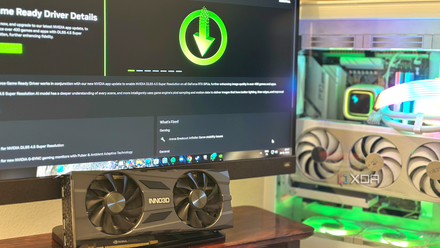
I let the NVIDIA App overclock my GPU, and it left me impressed
For a "conservative" OC tool, the NVIDIA App gave me remarkable results
RTX HDR is less gimmick, and more preservation
As someone with a gigantic backlog and way too much nostalgia, RTX HDR feels truly meaningful.
The older I get, the more I appreciate PC gaming features that help me preserve experiences, instead of simply brute-forcing new ones. I love raw performance upgrades as much as the next guy, but it's an entirely different satisfaction when I can use modern hardware to breathe fresh atmosphere into media that was never designed for displays like these in the first place.
RTX HDR really makes old favorites feel cared for again, instead of technologically abandoned. That's why I can't help but consider RTX HDR more than just a "brightening" tool, so to speak. It has genuinely made revisiting older games, movies, and shows feel exciting again. As someone with a gigantic backlog and far too much nostalgia, it's a rather meaningful feature to have in my suite of GPU tech.