VOOZH about

URL: https://www.geeksforgeeks.org/artificial-intelligence/building-an-ai-agent-using-googles-agent-development-kit-adk/

⇱ Building an AI Agent Using Google’s Agent Development Kit (ADK) - GeeksforGeeks


  • Courses
  • Tutorials
  • Interview Prep

Building an AI Agent Using Google’s Agent Development Kit (ADK)

Last Updated : 28 Oct, 2025

Google’s Agent Development Kit (ADK) is a useful framework for creating autonomous AI agents. Unlike simple chatbot frameworks, ADK allows developers to build agents that can interact with text, images and PDFs, while maintaining session memory and handling multi-modal inputs.

Implementation

We’ll build a StudyBuddy, an AI tutor that can answer questions, analyze PDFs, describe images and provide explanations with examples. The agent will be interactive and session-based, allowing users to ask multiple questions in a single session. Let's build our agent:

Step 1: Install Dependencies

We need to install the necessary packages for our model such as google-adk, google-genai, PyPDF2, pillow.

Step 2: Import Libraries

We need to import the necessary libraries for our agent such as LlmAgent, Runner, InMemorySessionService, types.

Step 3: Setup API Key

We need to setup the our API key for agent, we will be using Gemini API key.

Step 4: Create the StudyBuddy Agent

Here:

  • name: Agent’s name.
  • model: LLM model used.
  • instruction: How the agent should behave.
  • description: Short overview of the agent’s capabilities.

Step 5: Setup Session

We will:

  • Create a persistent session so the agent can remember previous interactions.
  • Useful for a conversational experience with continuity.

Step 6: Create Runner

Runner acts as a bridge between the user and the agent. Handles asynchronous queries and ensures responses are properly formatted.

Step 7: Define Query Handling Function

  • Accepts text, PDF or image input.
  • Converts input into ADK Content objects.
  • Sends it to the agent and collects the final response.

Step 8: Create Interactive Loop

  • Provides an interactive menu for text, image and PDF queries.
  • Ensures multimodal input is handled safely.
  • Users can exit anytime.

Step 9: Run the Agent

Starts the session and begins the interactive AI tutor loop.

a. Text Question:

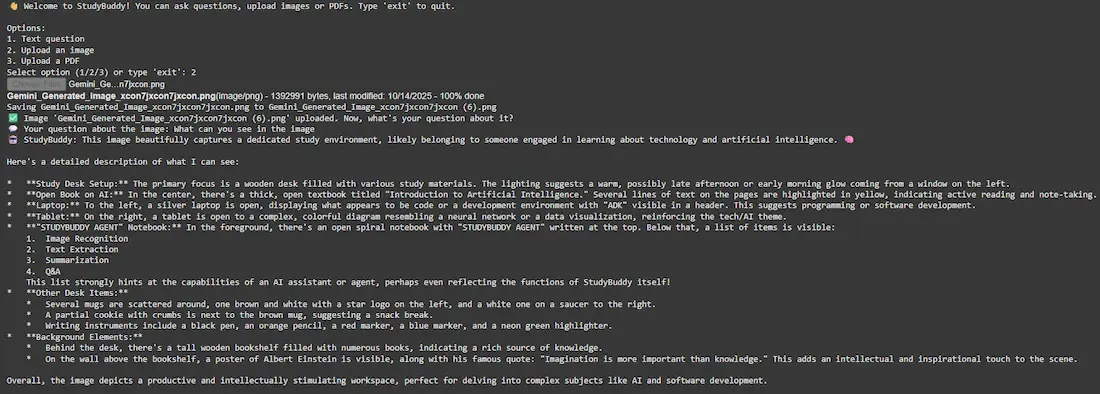
b. Image:

Used sample can be downloaded from here.

👁 Screenshot-2025-10-14-155533
Image

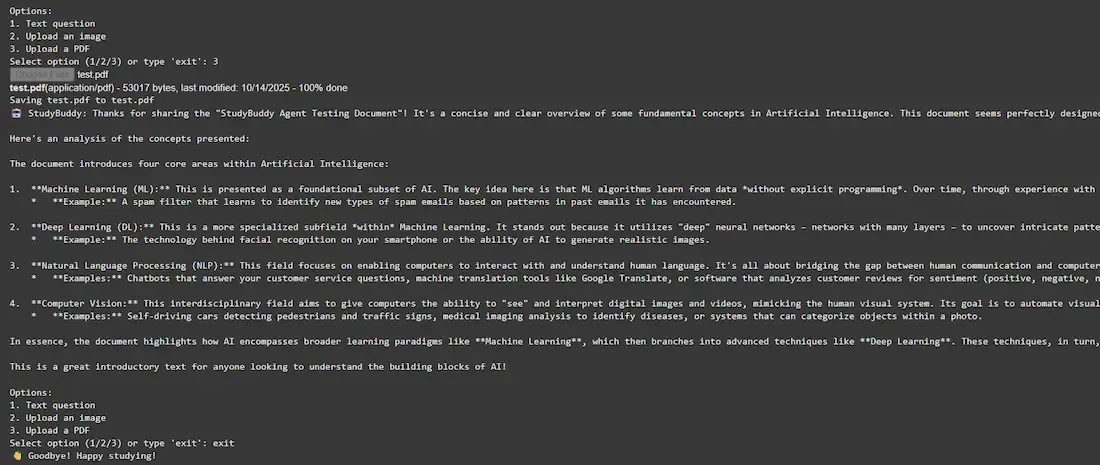
c. PDF:

Used sample can be downloaded from here.

👁 Screenshot-2025-10-14-155648
PDF

The complete code can be downloaded from here.

Advantages

  • Multimodal Support: Handles text, PDFs and images seamlessly.
  • Session Memory: Maintains context across multiple queries.
  • Asynchronous Execution: Non-blocking, efficient handling of queries.
  • Extensible: Easy to add new tools or capabilities to the agent.
  • Developer-friendly: Structured like a real software project rather than a simple prompt.
Comment

Explore