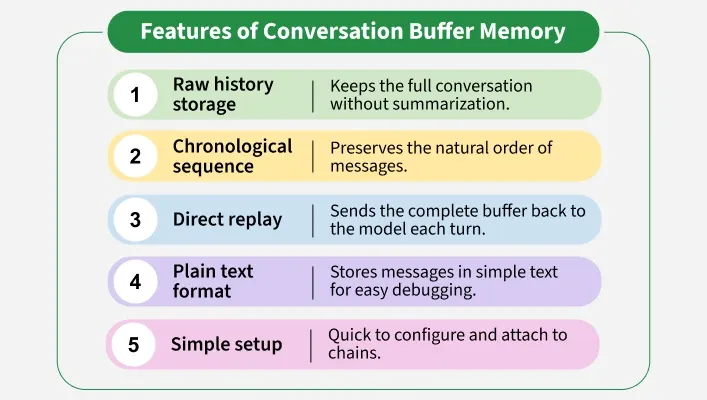
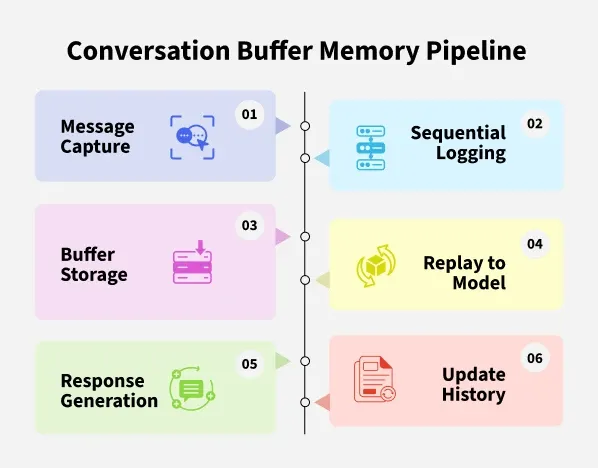
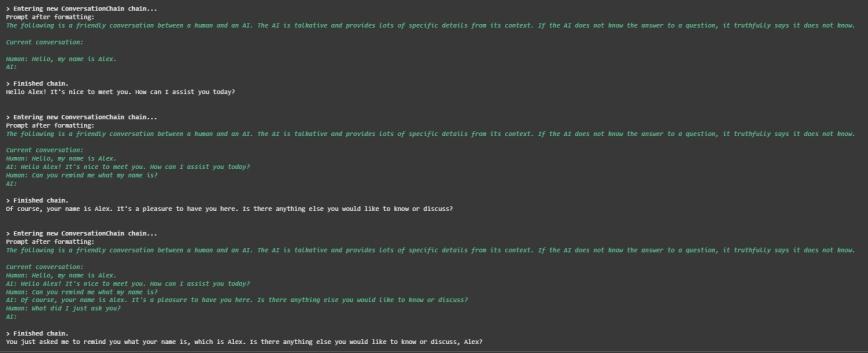
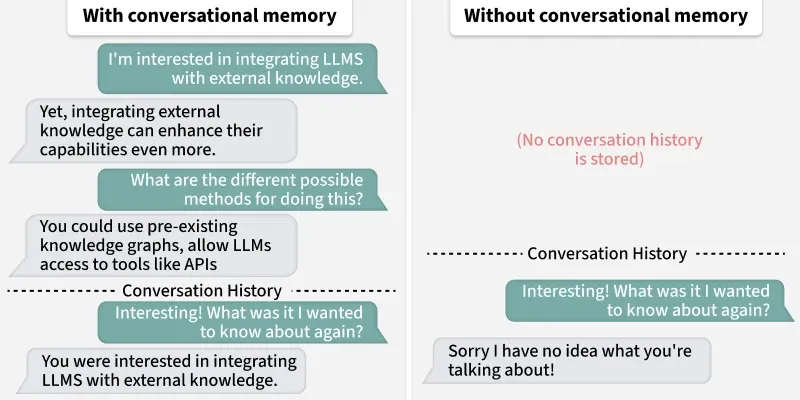
Conversation Buffer Memory is a type of Memory in LangChain that stores the full, unsummarized conversation history as a simple buffer of messages. It helps language models maintain context across multiple turns making chatbots more coherent and context aware. This approach works well for short to medium conversations but can become inefficient with long transcripts.
Here’s a clear comparison table of LLM with vs without Conversation Buffer Memory:
Aspect
Without Memory
With Conversation Buffer Memory
Context Handling
Only sees the latest user input
Sees full past conversation along with new input
Coherence
May give disconnected answers
Produces more coherent and context-aware replies
Setup
Simpler, no memory integration needed
Requires attaching memory to the chain
Use Case
One off questions or single turn tasks
Multi turn dialogues like chatbots and assistants
Limitation
Cannot recall earlier exchanges
Can grow large, causing token overflow in long chats
Applications
Conversation Buffer Memory is used in several areas like:
Customer Support Chatbots: Helps the bot keep track of the entire support session so it can respond based on previous user issues without asking the same questions again.
Personal Assistants: Maintains a short-term memory of user inputs such as reminders, tasks or preferences during an active session.
Educational Bots: Keeps track of lesson progress and past questions so the bot can provide continuity throughout a learning session.
Interactive Prototypes: Useful in testing environments where developers need to show how a chatbot can maintain conversational flow without extra setup.
Survey and Feedback Systems: Allows smooth handling of multi-question forms where the system remembers earlier answers for context.
Advantages
Some of the advantages of Conversation Buffer Memory are:
Easy Setup: Conversation Buffer Memory requires very little configuration making it quick for beginners to implement.
Maintains Context: It preserves the entire conversation history so responses remain coherent across multiple turns.
Transparency: Since it stores dialogue which is not summarized, developers can easily debug and trace the flow of interaction.
Flexibility: It integrates smoothly with different chains and LLMs without the need for complex setup.
Prototyping Friendly: This memory type is ideal for prototypes or early applications that benefit from full conversation tracking.
Disadvantages
Some of the disadvantages of Conversation Buffer Memory are:
Scalability Issues: The conversation history grows with each turn which can make it impractical for very long or continuous sessions.
Token Overflow: Since all text is stored, long chats may exceed the model’s token limit, leading to errors or incomplete responses.
No Summarization: There is no built in mechanism to compress or shorten history so even redundant details remain.
Inefficient for Long Term Use: As the buffer gets larger, processing each response can become slower and costlier.
Context Dilution: Important details may get buried in the middle of a long transcript making retrieval less effective.