|
VOOZH | about |
|
VOOZH | about |
CrewAI is a framework that allows multiple AI agents to work together to complete tasks. One useful feature is the ability to create custom tools that agents can use to perform specific functions. Custom tools allow agents to perform tasks beyond built-in capabilities, such as calculations, API access, or data processing, without hardcoding logic inside the agent.
By creating a tool, we give an agent the ability to handle these tasks automatically, instead of hard-coding everything in the agent’s logic.
Before creating custom tools, we need to set up the environment.
We will use pip to install the CrewAI package:
!pip install crewai
We need to set the API key since some tools require external services like OpenAI.
To know how to extract OpenAI API key refer to: How to find and Use API Key of OpenAI.
We will be making a custom tool in CrewAI using the @tool decorator. This decorator marks a function as a tool that can be used by agents. As an example, we will be making a calculator tool:
Note: eval is unsafe for untrusted input. In production, a safer parser should be used.
Agents are the entities that perform tasks. We can give them access to custom tools to expand their functionality.
Tasks tell agents what to do. Each task is linked to an agent and specifies the expected output.
A Crew groups agents and tasks so they can work together on a goal.
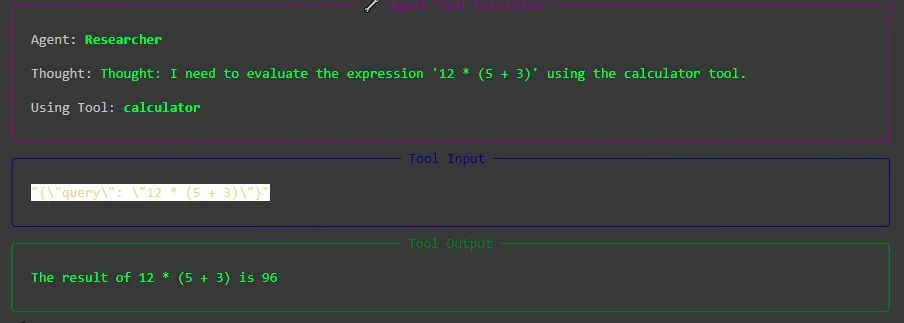
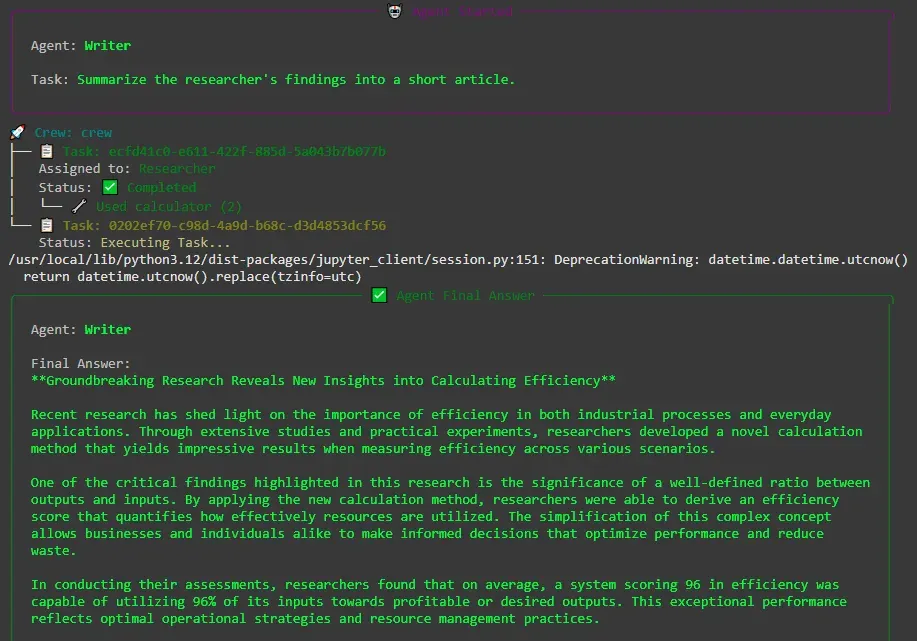
Output:
As we can see, our agent used the calculator tool to solve the given expression and provided the result for the next agent to use.
Creating custom tools allows agents to handle tasks that require specialized logic. Some examples are: