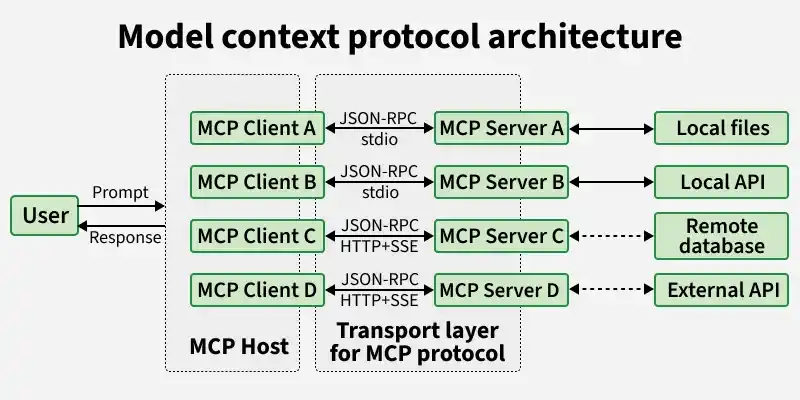
Model Context Protocol (MCP) is a standardized framework by Anthropic that enables AI models to connect with external tools and data sources, providing secure, scalable and real time access without custom integrations.
Standardizes communication between AI systems and data sources.
Enables real time access to up to date information.
Simplifies integration with minimal setup and faster deployment.
Supports a wide range of use cases across different industries.
MCP is designed as a flexible system that connects AI models with external tools and data sources through three main components: servers, clients and hosts, enabling smooth and efficient interaction.
1. MCP Servers
Handle data access and actions by connecting to databases, APIs or tools.
Process requests and return results based on client queries.
Provide resources (data), tools (actions) and prompts (structured workflows).
Integrate with services like GitHub, Slack and cloud platforms.
2. MCP Clients
Act as a communication bridge between the host and server.
Convert user requests into structured protocol messages for processing.
Maintain a 1:1 connection with servers while a host can have multiple clients.
Manage sessions including timeouts, interruptions and reconnections.
Handle responses, errors and ensure outputs remain contextually relevant.
3. MCP Hosts
Provide the interface where users interact with the AI system.
Coordinate communication between multiple clients and servers.
Manage workflows and ensure smooth execution of requests.
Handle orchestration logic for end to end task processing.
Use of MCP in Agent Workflow
MCP helps AI agents manage different types of context efficiently, enabling better coordination, memory handling and secure interactions across tasks. Agents typically handle three types of context:
Ephemeral Context: Temporary data from the current interaction, used only during the task.
Session Context: Short term information that persists across multiple steps in a workflow.
Long-Term Memory: Stored data that the agent can reuse over time for better personalization and continuity.
Implementation
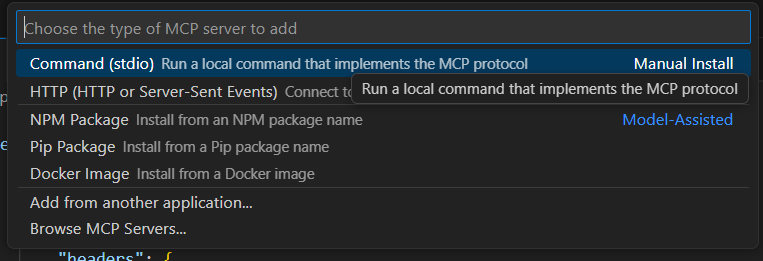
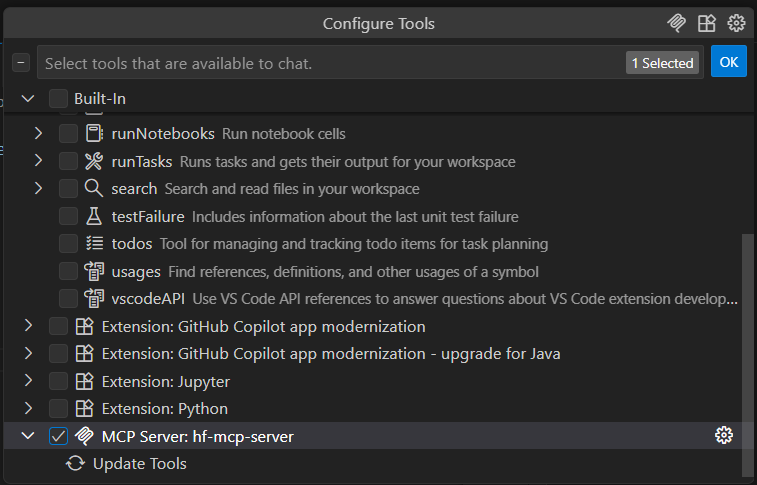
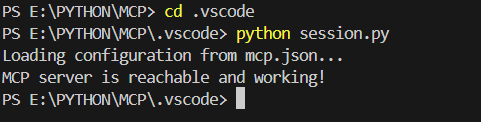
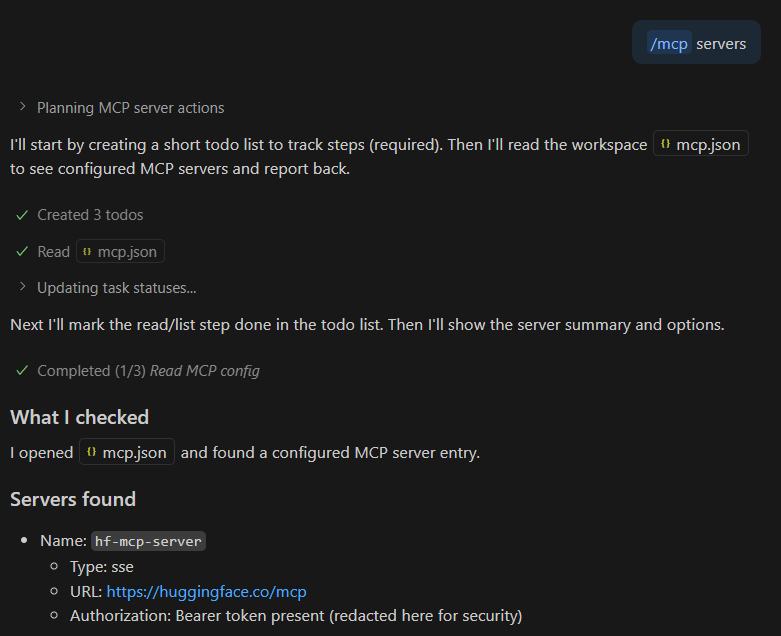
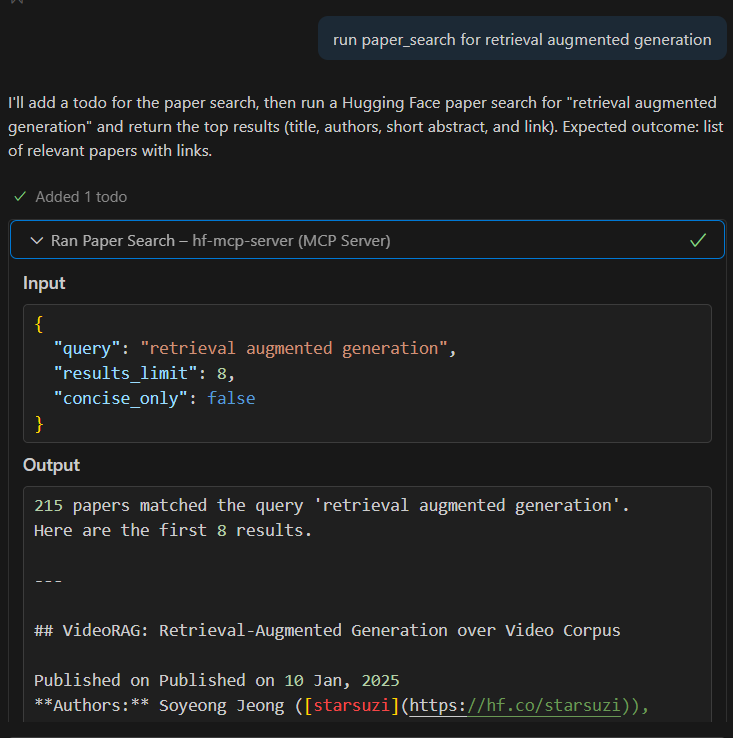
This example shows how to set up a Hugging Face MCP server in VS Code to interact with models and datasets using a standardized API connection.
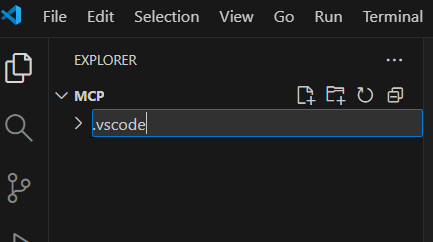
Step 1: Create a .vscode Folder
We stores your VS Code configuration files like settings.json, launch.json and mcp.json.