|
VOOZH | about |
|
VOOZH | about |
Kubernetes is an open-source container orchestration framework that was originally developed by Google. Container orchestration is automation. It can facilitate you to deploy the identical application across different environments like physical machines, virtual machines cloud environments, or perhaps hybrid deployment environments and makes it easier for the management, scaling, and networking of containers.
The original name for Kubernetes (originating from Greek) within Google was Project 7. Within the year 2014, Kubernetes was released for the first time and made open-sourced too after using it to run production workloads at scale for quite a decade. Also, pure open-source Kubernetes is free and might be downloaded from its repository on GitHub.
Kubernetes is an open-source platform that is developed for automating the deployment, scaling, and management of containerized applications. It will orchestrates containers across a cluster of machines, ensuring high availability and efficient resource utilization. It is initally developed by Google, now Kubernetes is maintained by the Cloud Native Computing Foundation (CNCF). It facilitates with simplifying the management of complex microservices architectures, making it a cornerstone of modern cloud-native environments.
Kubernetes is an container orcherstration platform by which you can automate the deployment of the application , scaling of the application by depending on the traffic. Containers are light in weight which can be portable very easily form one server to the another server very easily following makes ideal for running containerized applications in production.
Containers are the lightweighted, portable packaged applications that contains all the dependencies it required to run that application providing the consistency across the environments. It simplifies the automation of deployment, scaling, and management of these containerized applications. It works by orchestrating containers across a cluster of machines, providing high availability and efficient resource utilization. Together, containers and Kubernetes enable seamless application development, deployment, and scaling in cloud-native environments.
Containerization Using Kubernetes is the way of deploying you microservices or monolithic application using container orchestration tool kubernetes. Kubernetes is the best tool to deploy the application in the form of containers because it offers so many features like load balancing, self healing and scaling.
Containerize an application first you need to build the image of the application which can be done by using the docker and it contains all the dependencies required for the application to deploy into the production server after building the image know you need to push the image into the docker-hub registry from where other or kubernetes can pull the image.
Know you need to create the manifest file in the kubernetes to deploy your application in the form of container you can deploy the application by using which kind you want for examples you can use the Deployment.yaml, Demonset.yaml and so on.
Following is the sample manifest file of deployment
apiVersion: apps/v1
kind: Deployment
metadata:
 name: my-deployment
spec:
 replicas: 3
 selector:
 matchLabels:
 app: my-app
 template:
 metadata:
 labels:
 app: my-app
 spec:
 containers:
 - name: my-app
 image: my-app:latest
Using the kubectl apply command, you can deploy your application to Kubernetes after creating the deployment manifest. The resources required to execute your application, including as pods, kubernetes services, and deployments, will then be created by Kubernetes.
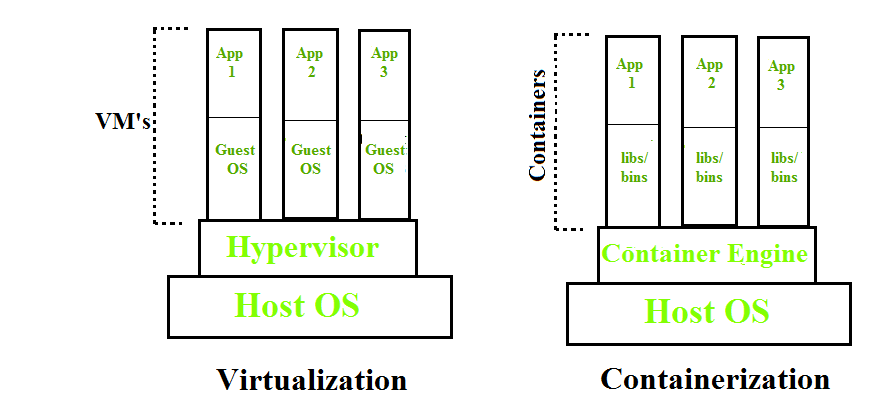
Containerization is OS-based virtualization that creates multiple virtual units in the userspace, known as Containers. Containers share the same host kernel but are isolated from each other through private namespaces and resource control mechanisms at the OS level. Container-based Virtualization provides a different level of abstraction in terms of virtualization and isolation when compared with hypervisors. Hypervisors use a lot of hardware which results in overhead in terms of virtualizing hardware and virtual device drivers. A full operating system (e.g -Linux, Windows) runs on top of this virtualized hardware in each virtual machine instance.
But in contrast, containers implement isolation of processes at the operating system level, thus avoiding such overhead. These containers run on top of the same shared operating system kernel of the underlying host machine and one or more processes can be run within each container. In containers you don’t have to pre-allocate any RAM, it is allocated dynamically during the creation of containers while in VMs you need to first pre-allocate the memory and then create the virtual machine. Containerization has better resource utilization compared to VMs and a short boot-up process. It is the next evolution in virtualization.
👁 Virtualization VS Containerization
Containers can run virtually anywhere, greatly easy development and deployment: on Linux, Windows, and Mac operating systems; on virtual machines or bare metal, on a developer’s machine or in data centers on-premises; and of course, in the public cloud. Containers virtualize CPU, memory, storage, and network resources at the OS level, providing developers with a sandboxed view of the OS logically isolated from other applications. Docker is the most popular open-source container format available and is supported on Google Cloud Platform and by Google Kubernetes Engine.
Docker is container management tool that helps in creating and managing the containers. It facilitates the developers to package an application with all its dependencies into a single bundle known as docker image and make it portable to any system that supports docker and facilitates of running the containerized applications seamlessly. It helps the developers for rapid development and prepare for quick production launch.
Image is an executable package of software that includes everything needed to run an application. This image informs how a container should instantiate, determining which software components will run and how. Container is a virtual environment that bundles application code with all the dependencies required to run the application. The application runs quickly and reliably from one computing environment to another.
Container registries, which are centralised repositories of container images, are where container images are kept. Docker Hub, Amazon Elastic Container Registry (ECR), and Google Container Registry (GCR) are a few well-known container registries.
Container runtimes are software components responsible for running containers and managing container lifecycle on a host system. They provide the necessary environment for container execution, including resource allocation and isolation. Popular container runtimes include Docker, containerd, CRI-O, and Podman, each offering unique features and optimizations. These runtimes are essential for deploying and managing containerized applications efficiently in various environments.
A pod is the smallest unit that exists in Kubernetes. It is similar to that of tokens in C or C++ language. A specific pod can have one or more applications. The nature of Pods is ephemeral this means that in any case if a pod fails then Kubernetes can and will automatically create a new replica/ duplicate of the said pod and continue the operation. The pods have the capacity to include one or more containers based on the requirement. The containers can even be Docker containers. The Pods in Kubernetes provide environmental dependencies which include persistent storage volumes which means it is permanent and is available to all pods in the said cluster and even configuration data that is required to run the container within the pod.
The following are the differences between Docker Images and Docker Containers:
| Aspect | Docker Images | Docker Containers |
|---|---|---|
| Definition | Blueprint for creating containers | Running instance of a Docker image |
| State | Static (read-only) | Dynamic (read-write) |
| Purpose | To provide a consistent environment for applications | To execute applications within a controlled environment |
| Creation | Built from Dockerfiles or other images | Started from Docker images using the docker run command |
| Persistence | Does not change; remains the same across instances | Changes and state persist only for the lifecycle of the container |
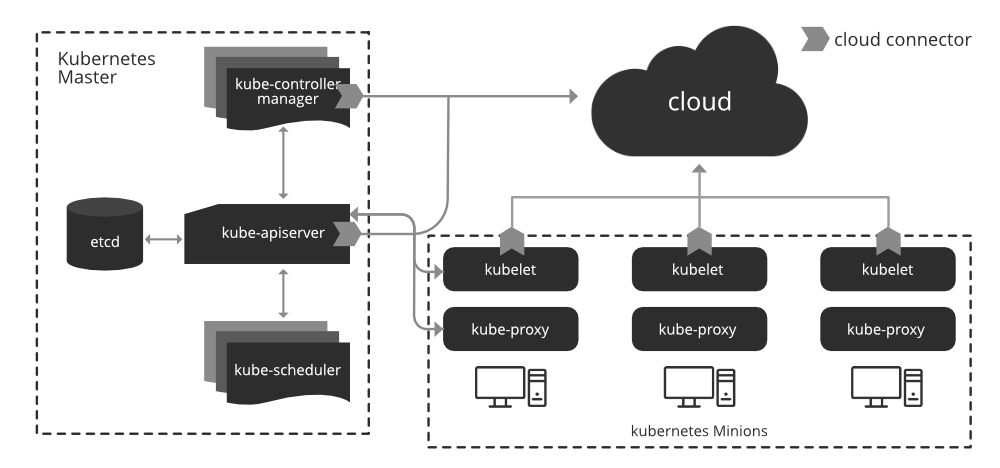
The architecture of Kubernetes includes a master node and one or more worker nodes. The below make in clear understanding of the kubernetes architecture.
Different optional add-ons: DNS, Dashboard, cluster-level resource monitoring, cluster-level logging
We wouldn't get anywhere without Worker Nodes, though. These Worker Nodes are the Nodes where your applications operate. The Worker Nodes communicate back with the Master Node. Communication to a Worker Node is handled by the Kubelet Process.
Containers of an application are tightly coupled together in a Pod. By definition, a Pod is the smallest unit that can be scheduled as deployment in Kubernetes. Once Pods have been deployed, and are running, the Kubelet process communicates with the Pods to check on state and health, and therefore the Kube-proxy routes any packets to the Pods from other resources that might be wanting to communicate with them.
The following are the some of the types of containers supported by the kubernetes:
Along with LXC and rkt, Kubernetes also supports various container runtimes. These container runtimes are not as popular, though, as the ones mentioned above.
In this section, we will learn how to install Kubernetes on the Linux platform. So, follow the given steps for installing the Kubernetes:
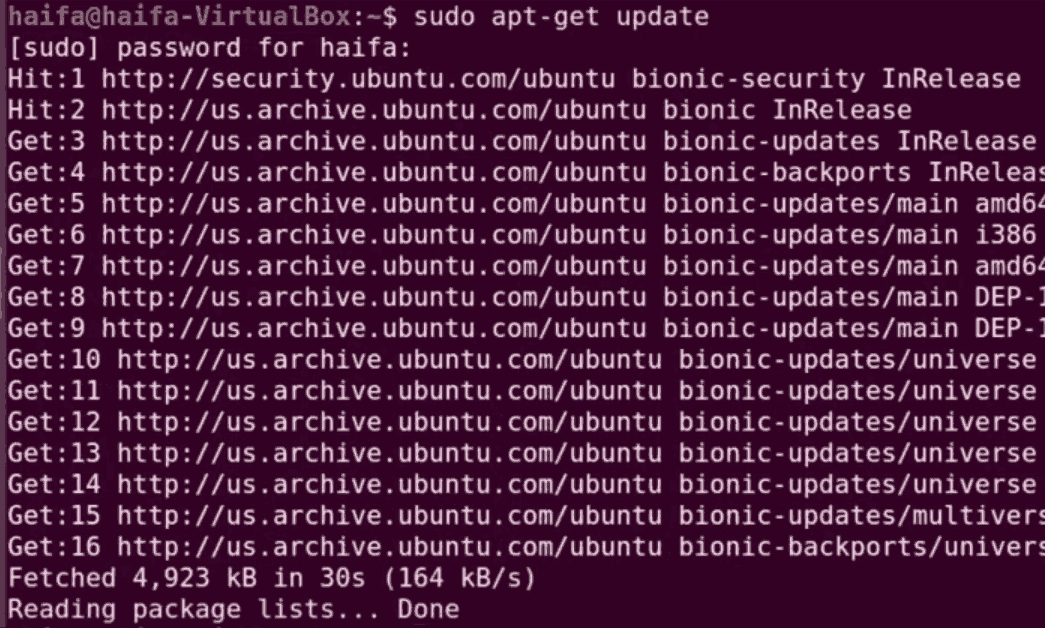
Step 1: First of all, we have to update our apt-get repository.
sudo apt-get update
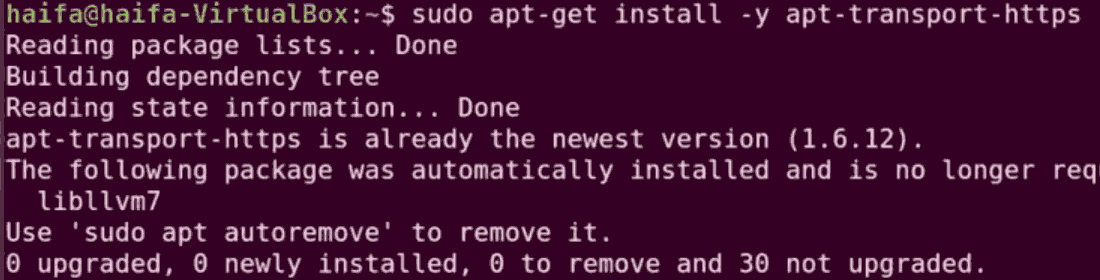
Step 2: Install apt transport HTTPS. This is basically used to make repositories while HTTPS.
sudo apt-get install -y apt-transport-https
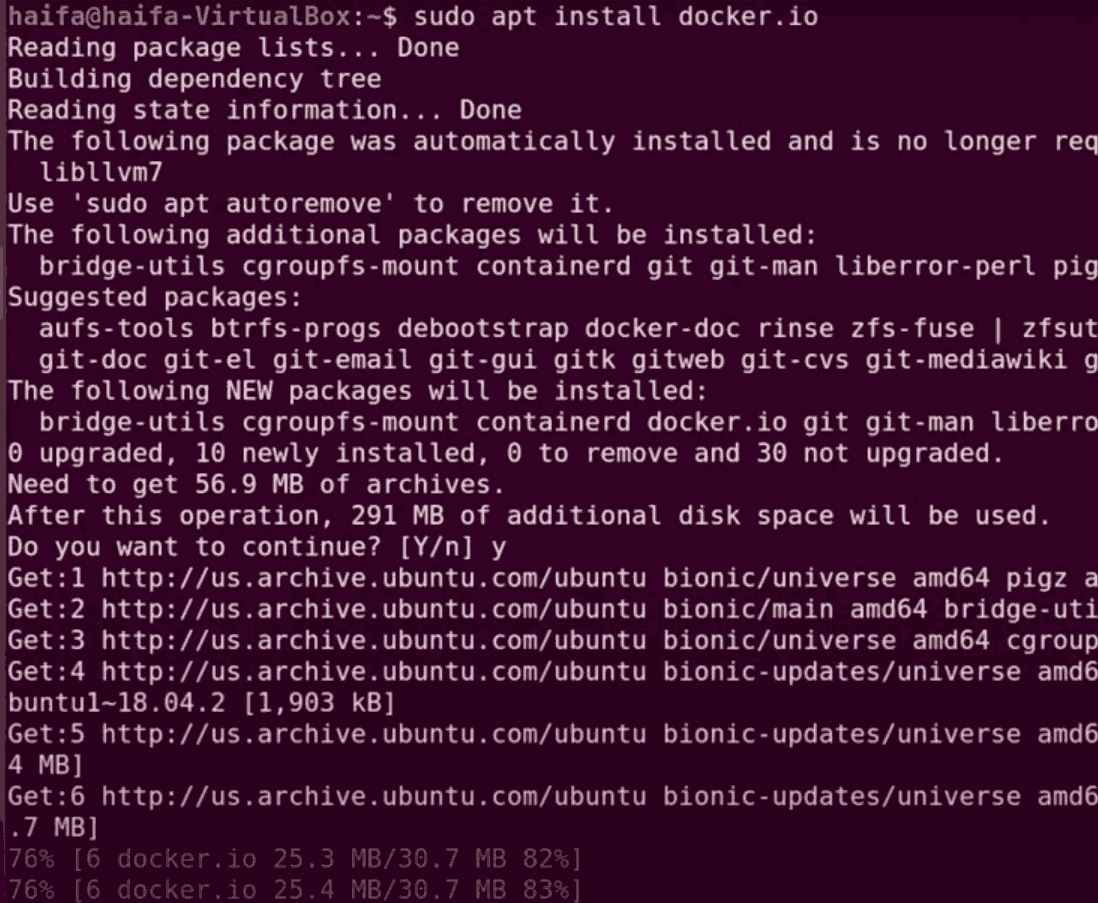
Step 3: Install the docker dependency
sudo apt install docker.io
👁 install docker and its dependencies
Step 4: After installing the docker we have to start and enable the docker.
sudo systemctl start docker
sudo systemctl enable docker
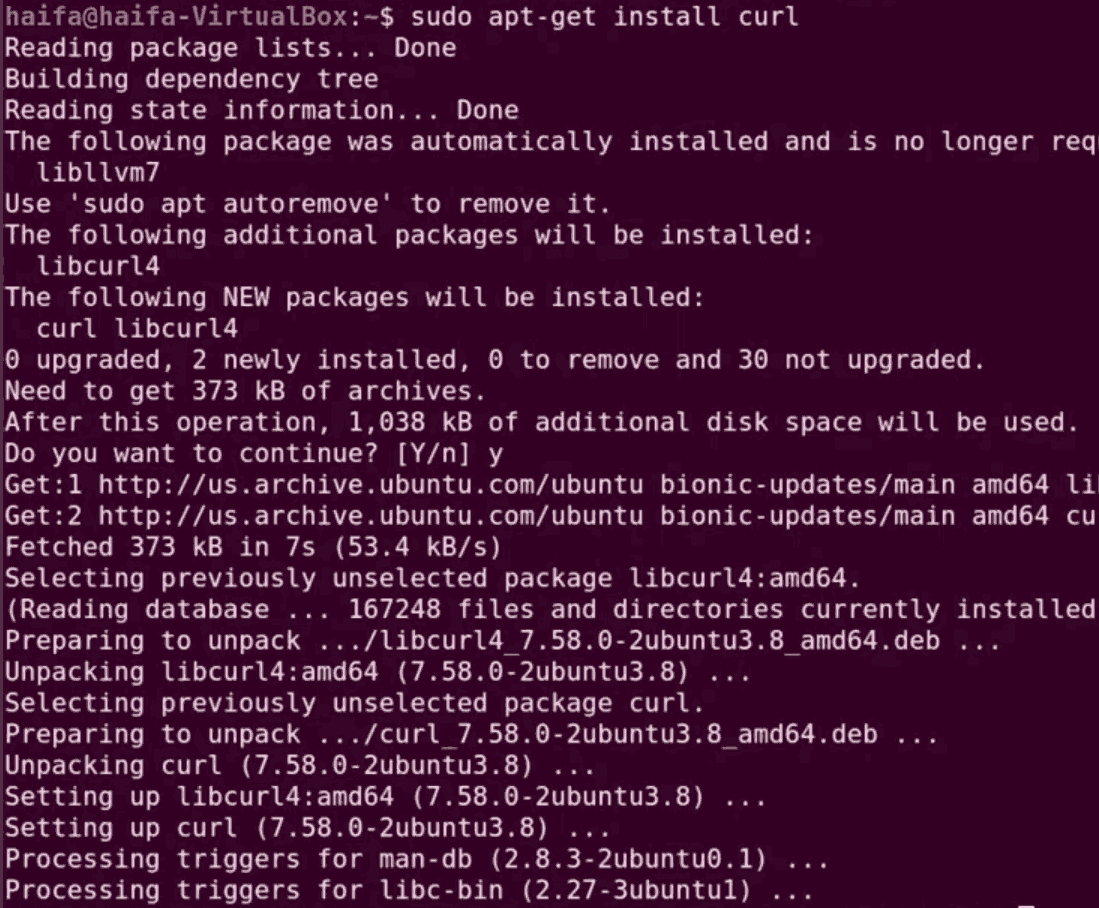
Step 5: We have to install the necessary components for Kubernetes. Before that, we have to install the curl command because the curl command is used to send the data using URL syntax. Let’s install the curl command by:
sudo apt-get install curl
Step 6: Download an add key for Kubernetes installation from a URL.
sudo curl -s https://packages.cloud.google.com/apt/doc/apt-key.gpg | sudo apt-key add
👁 Add key for k8s installation
Step 7: We have to add a repository in a certain location.
echo “deb https://kubernetes.io/blog/2023/08/31/legacy-package-repository-deprecation/ kubernetes-xenial main” | sudo tee -a /etc/apt/sources.list.d/kubernetes.list
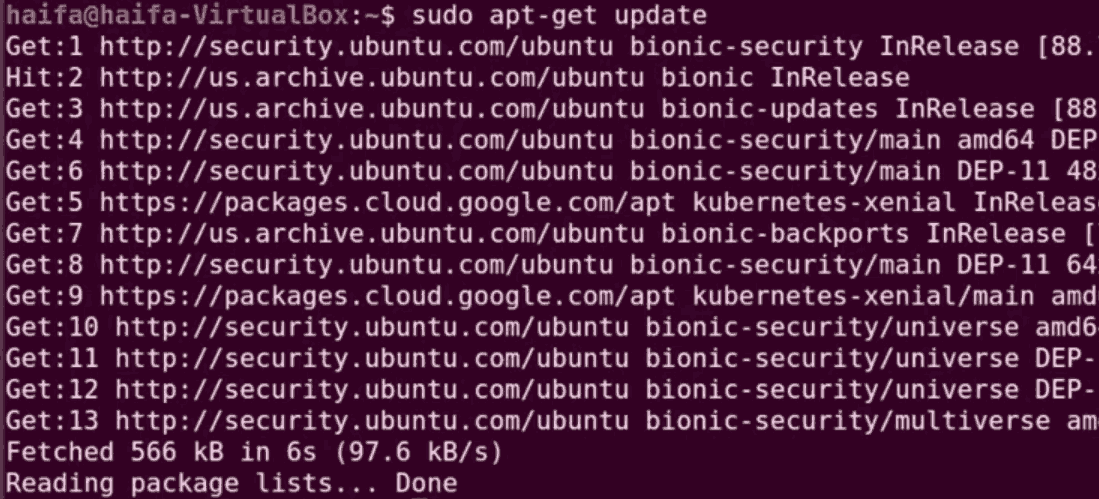
Step 8: Now check for any updates available.
sudo apt-get update
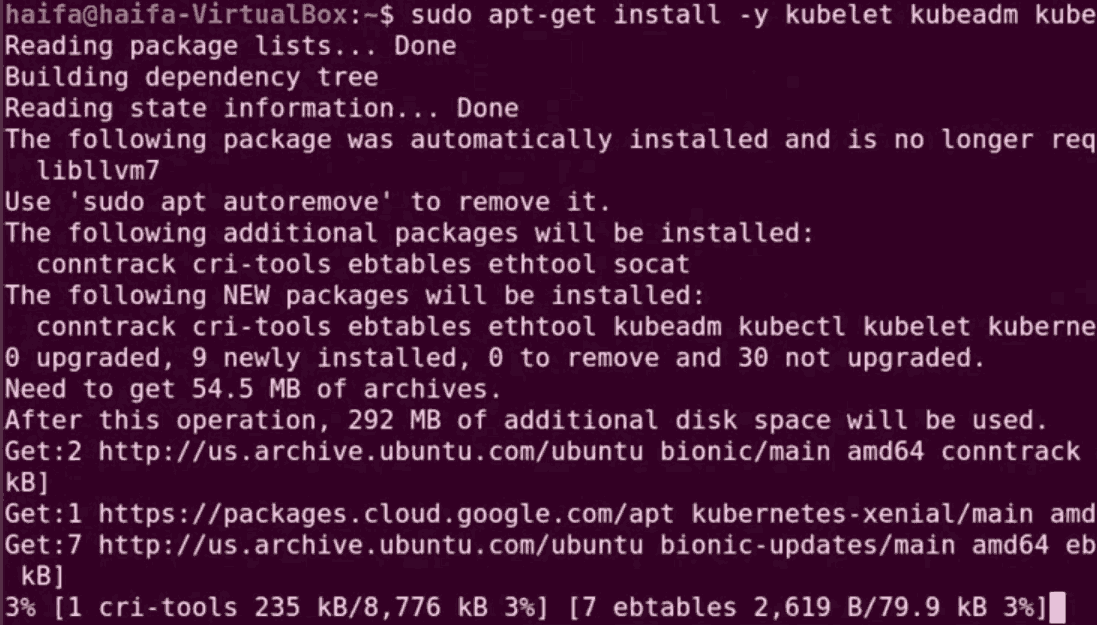
Step 9: Now we are going to install Kubernetes components.
sudo apt-get install -y kubectl kubeadm kubelet kubernetes-cni docker.io
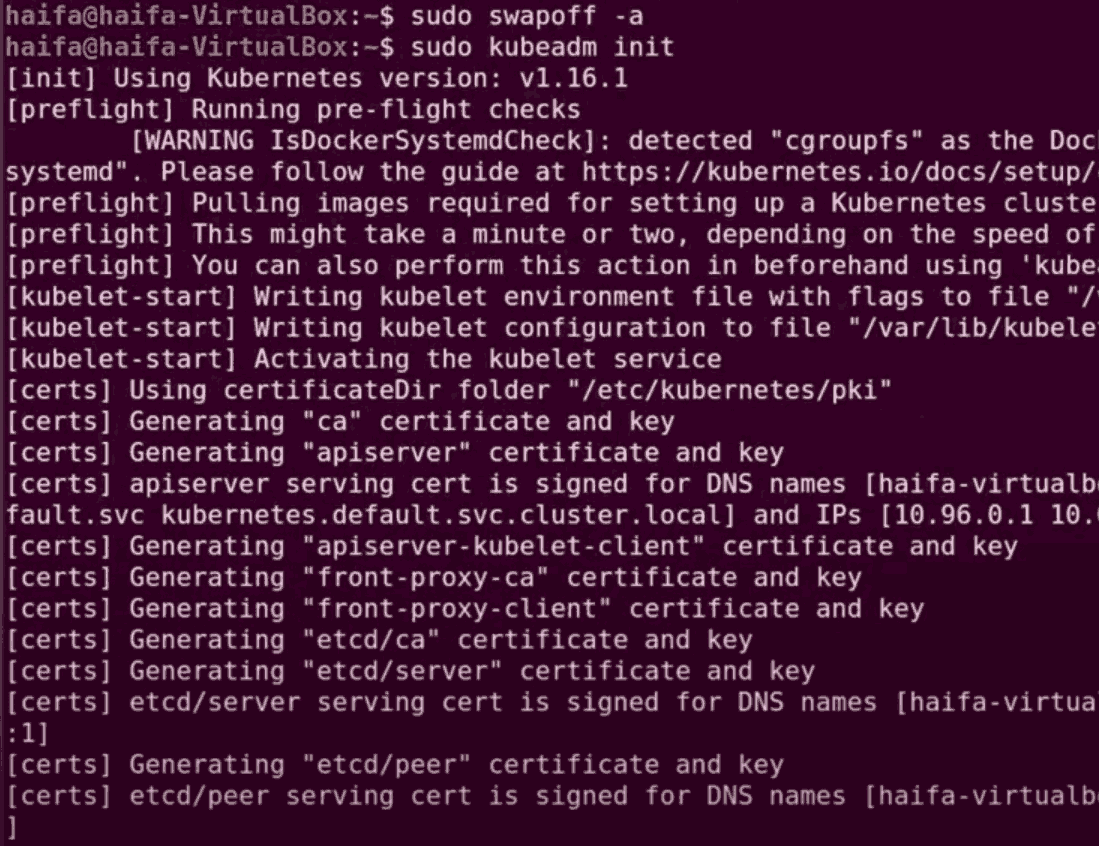
Step 10: We have to initialize the master node and to do this we have to first use a swapoff command to disable the swapping on other devices.
sudo swapoff -a
Step 11: Go ahead with the initialization.
sudo kubeadm init
Step 12: To start using your cluster, you need to run the following as a regular user:
mkdir -p $HOME/.kube
sudo cp -i /etc/kubernetes/admin.conf $HOME/.kube/config
sudo chown $(id -u):$(id -g) $HOME/.kube/config
Step 13: To deploy paths, use the following command:
sudo kubectl apply -f https://raw.githubusercontent.com/coreos/flannel/master/Documentation/k8s-manifests/kube-flannel-rbac.yml
Step 14: To see all the pods you have, use the command:
sudo kubectl get pods --all-namespaces
👁 get pods from all namespaces
The following are the differences between Docker Container and Kubernetes:
| Aspect | Docker Containers | Kubernetes |
|---|---|---|
| Definition | Container management tool for building, running, and managing containers | Container orchestration platform for automating deployment, scaling, and management of containerized applications |
| Purpose | To package applications with their dependencies into containers | To orchestrate and manage containerized applications across a cluster of machines |
| Deployment | Uses Docker CLI or Docker Compose for managing individual containers or multi-container applications | Uses kubectl and manifests (YAML files) for managing containers at scale within clusters |
| Scaling | Manual scaling using Docker CLI commands or Docker Compose | Automated scaling using Kubernetes controllers like Deployments and StatefulSets |
| Networking | Docker networking for linking containers within the same host or network | Advanced networking with built-in service discovery and load balancing |
The following are the differences between kubernetes Ingress and Kubernetes Services:
| Aspect | Kubernetes Ingress | Kubernetes Services |
|---|---|---|
| Definition | Manages external access to services within a cluster | Exposes a set of pods as a network service |
| Purpose | Provides HTTP and HTTPS routing to services based on host and path | Facilitates internal and external connectivity for pods |
| Routing | Supports advanced routing (e.g., URL-based routing, SSL termination) | Basic routing, mainly for internal communication within the cluster |
| Configuration | Requires an Ingress Controller and Ingress resources | Defined using Service resources (ClusterIP, NodePort, LoadBalancer) |
| Load Balancing | Provides application layer (L7) load balancing | Provides network layer (L4) load balancing |
The following are the various features or characteristics of Kubernetes:
The following are the advantages of kubernetes containers:
The following are the benefits of Kubernetes Containers: