|
VOOZH | about |
|
VOOZH | about |
In CSS the border-image-slice property is used to divide or slice an image specified by border-image-source property.
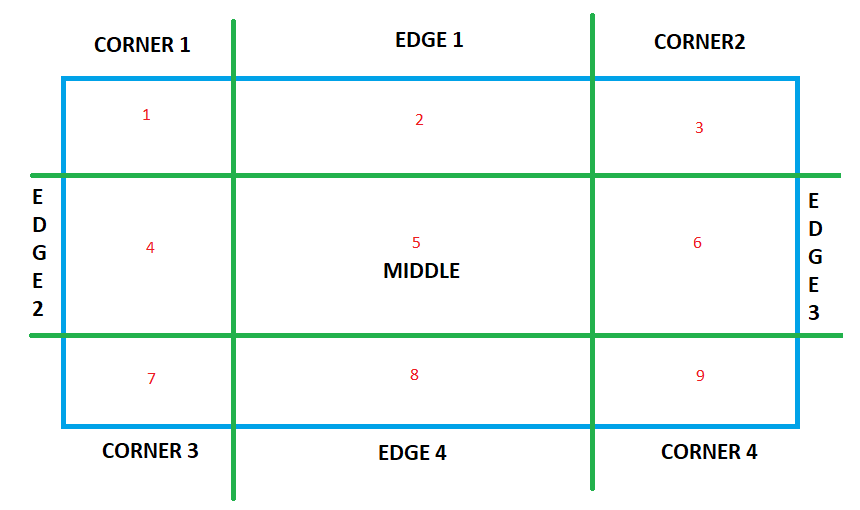
The border-slice property divides a given image into:
Note: The middle region remains transparent as default and fill value is used to make it opaque/translucent.
The below image illustrates the regions mentioned above:
Syntax:
border-image-slice= value;
Default Value: Its default value is 100%.
Property values: This causes
| Value | Effect/Functionality |
|---|---|
| Number | Represents an edge offset in pixels for raster images and coordinates for vector images. (See: vector vs raster graphics) |
| Percentage | Represents an edge offset as a percentage of the source image's size: the width of the image for horizontal offsets, and the height for vertical offsets. |
| Fill | Causes the middle region to be displayed as a background image. |
| Initial | Initializes the property to its default value. |
| Inherit | Inherits the value of the property from its parent element. |
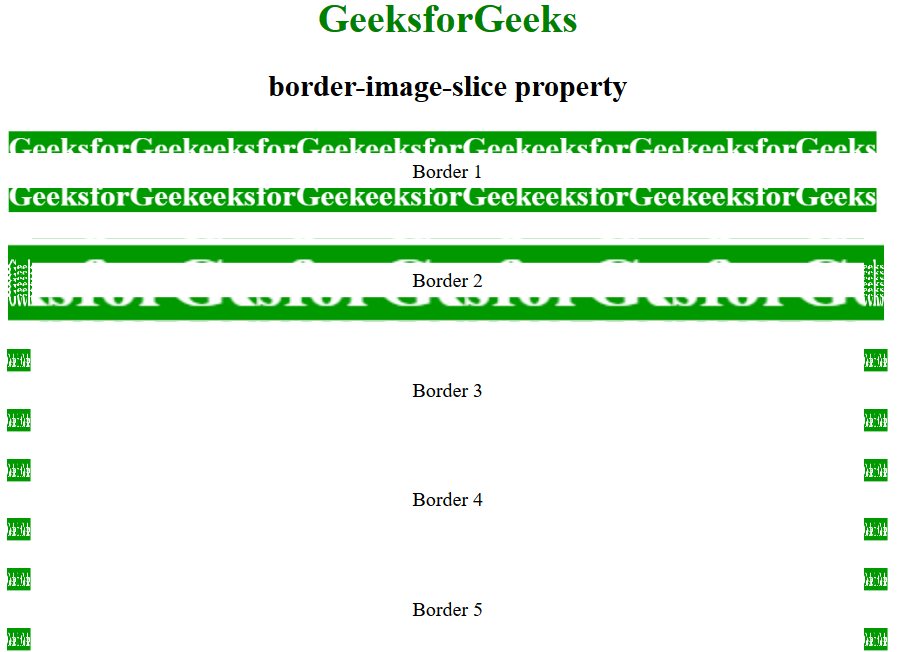
The below program illustrates the border-image-slice Property:
Example:
Output:
Supported Browser: The browser supported by the border-image property are listed below: