VOOZH about

URL: https://www.geeksforgeeks.org/css/primer-css-flexbox-bugs/

⇱ Primer CSS Flexbox Bugs - GeeksforGeeks


  • Courses
  • Tutorials
  • Interview Prep

Primer CSS Flexbox Bugs

Last Updated : 23 Jul, 2025

Primer CSS is a free open-source CSS framework that is built upon systems that create the foundation of the basic style elements such as spacing, typography, and color. This systematic method makes sure our patterns are steady and interoperable with every other.

Flexbox is the flexible box that will change this size according to the resolution of the screen. 

Flexbox bug is when you perform some task and the output is keep changing when you switch the browser. For example, if you are running the code on chrome then it is giving output not the same as when you run the same code on safari.

We will now discuss two major bugs when we use flexbox.

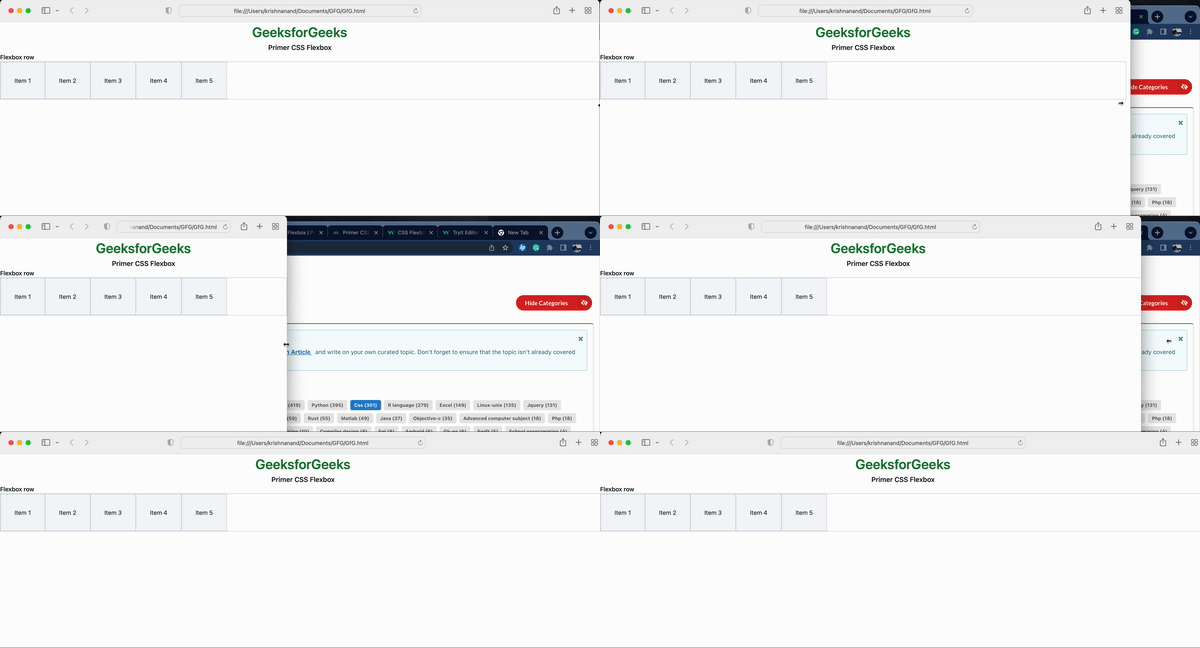
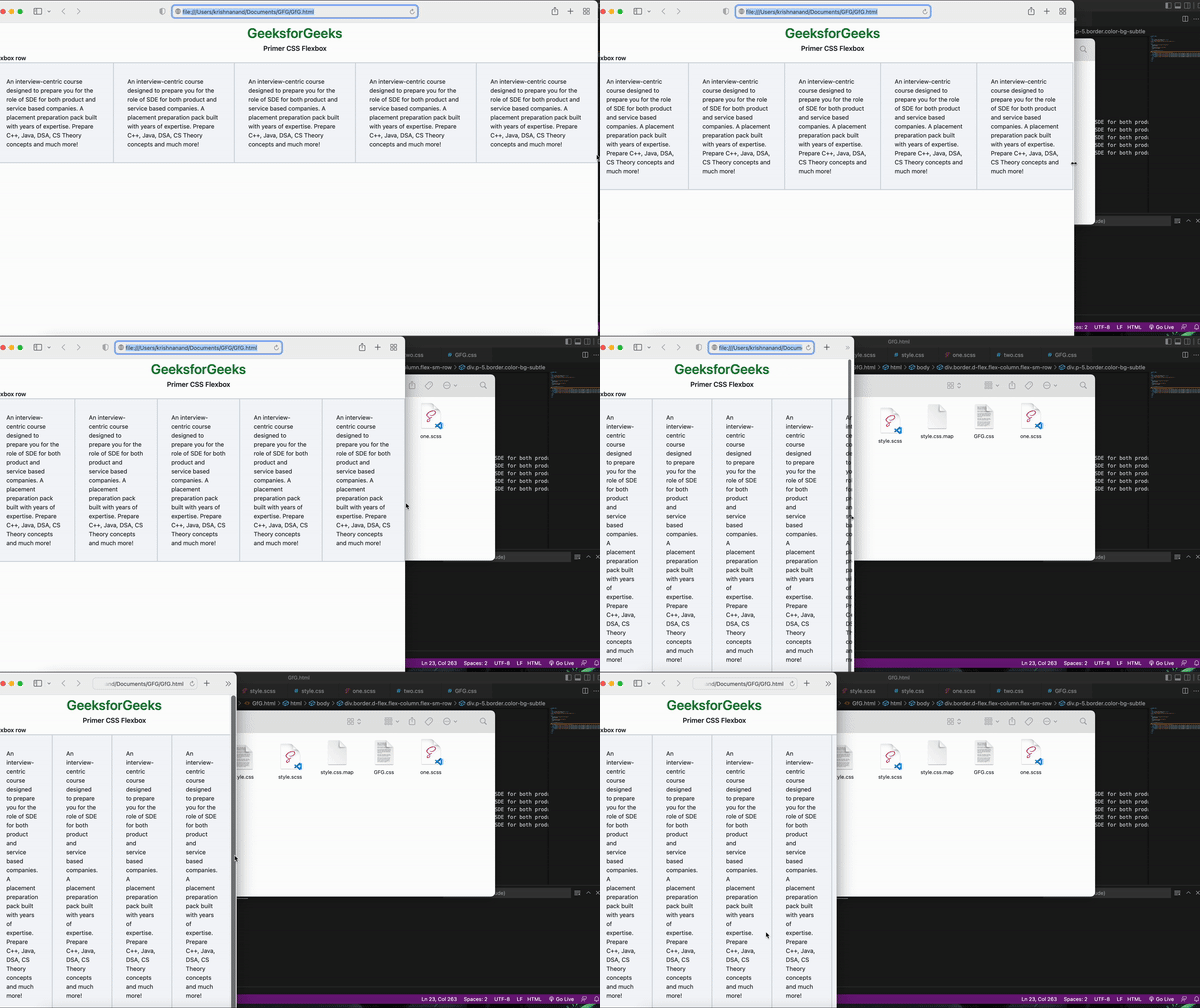
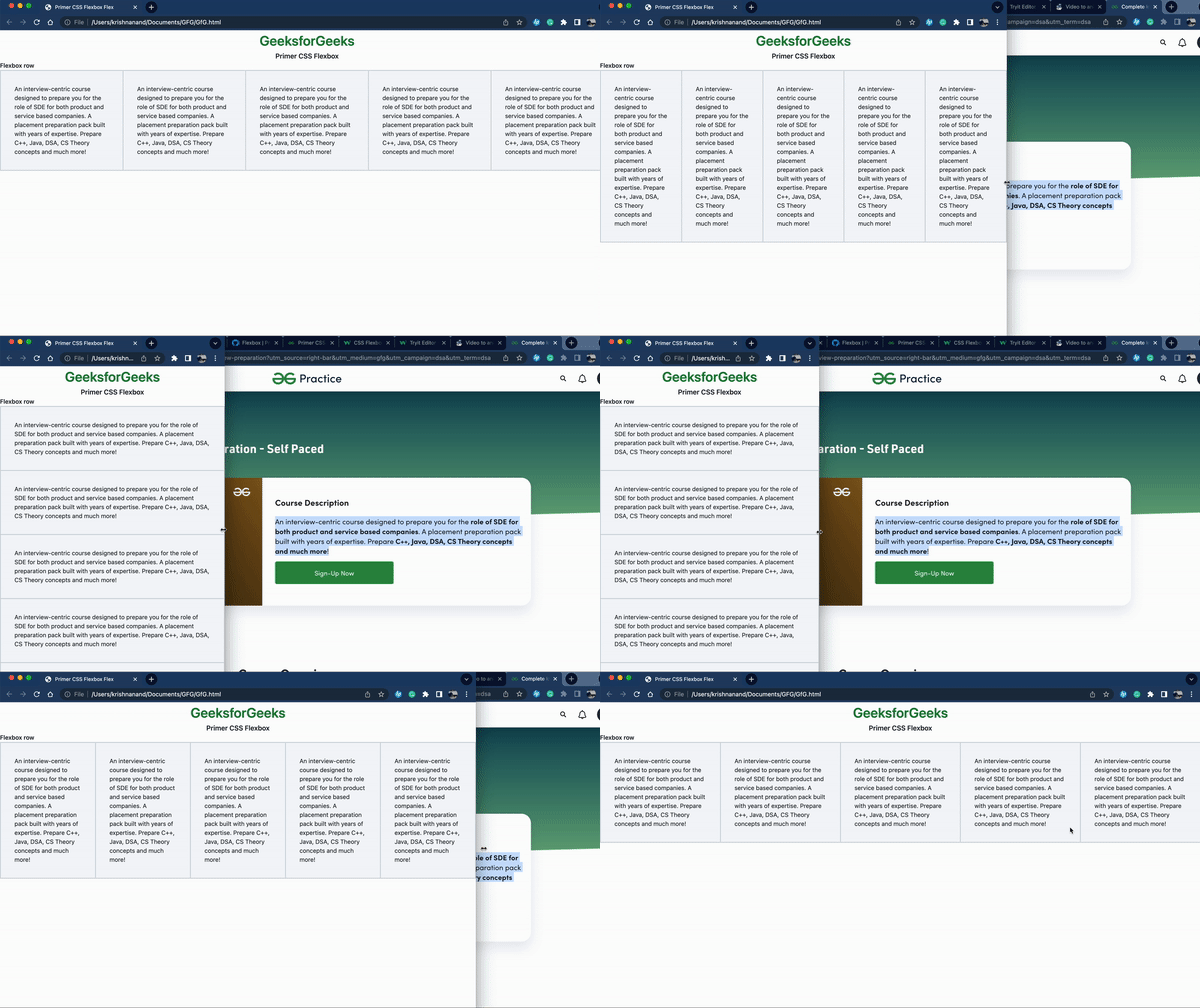
  • Minimum content sizing of flex items not honored: This signifies that when you run the code with any of the flex classes then the output is keep changing when you change the browser. Instead of changing the size of the item, they change the content of the item.
  • Some elements can't be flex containers: This signifies that when you change the browser then the block can't flex according to the resolution. Suppose you have made 12 flex item box in a row and when you change the resolution then the block don't flex and 12 blocks in small resolution will look bad.

Example 1:

Output:

  • When you run the above code in safari:
👁 Image
 
  • When you run the same code on chrome:
👁 Image
 

Example 2:

Output:

  • When you run the above code in safari:
👁 Image
 
  • When you run the same code on chrome:
👁 Image
 

Reference: https://primer.style/product/css-utilities/#flexbox-bugs

Comment