|
VOOZH | about |
|
VOOZH | about |
Primer CSS is a free open-source CSS framework that is built with the GitHub design system to provide support to the broad spectrum of Github websites. It creates the foundation of the basic style elements such as spacing, typography, and color. This systematic method makes sure that our patterns are steady and interoperable with every other. Its approach to CSS is influenced by object-oriented CSS principles, functional CSS, and BEM architecture. It is a highly reusable model.
Sass is the short form of Syntactically Awesome Style Sheet. It is an upgrade to Cascading Style Sheets (CSS). Sass is a CSS pre-processor. It is fully compatible with every version of CSS.
What are the guidelines for using Sass features (WIP)?
Guideline for using Sass feature is all about the three major topics of Sass:
let us discuss these three topics in-depth and see when we should use these variables, mixins, and functions.
Variables: Variables are property allocations in which we store some CSS property and use it as an HTML file. It reduces the repetition of the same thing again and again.
When to use Variables:
Example 1: In the below code, we will see how to use variables in Sass.
SCSS code:
$green: green;
h1 {
 color:$green;
}
Compiled CSS Code:
h1 {
 color: green;
}
Output:
Mixin: It is used in Sass, which is a CSS preprocessor. Mixin works as a function in Sass and helps us to reduce the same code over and over.
When to use mixins:
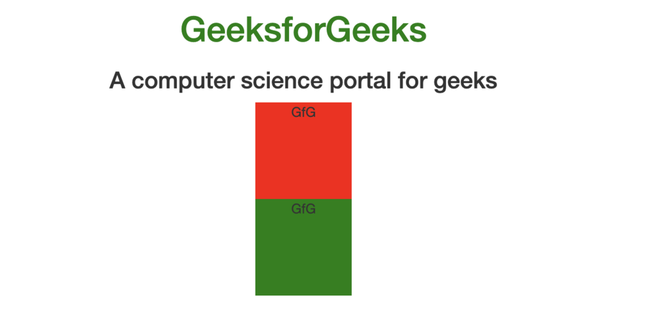
Example 2: In the below code, we will make use of the mixins to demonstrate how it works.
SCSS Code:
@mixin bg-color($color) {
 background-color: $color;
}

.div1 {
 width: 100px;
 height: 100px;
 @include bg-color(red); // mixin call
}
.div2 {
 width: 100px;
 height: 100px;
 @include bg-color(green); // mixin call
}
Compiled CSS Code:
.div1 {
 width: 100px;
 height: 100px;
 background-color: red;
}
.div2 {
 width: 100px;
 height: 100px;
 background-color: green;
}
Output:
Functions: It can define complex operations on Sass Script values that can be reused throughout the stylesheet. It makes it easier to abstract out the common formulas and behaviors in some readable way. Functions can be defined using @function at-rule.
When to use functions:
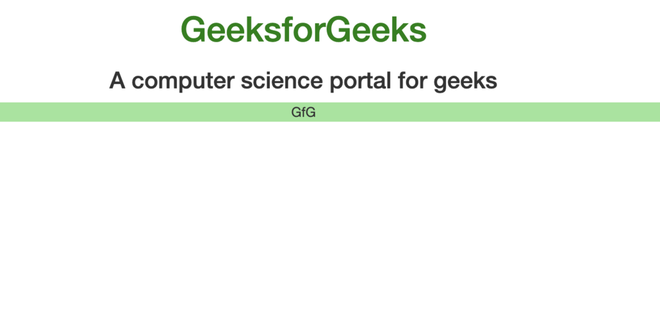
Example 3: In the below code, we will create a function.
SCSS Code:
@function gfg($color, $amount: 100%) {
 $geeks: change-color($color, $hue: hue($color) + 180);
 @return mix($geeks, $color, $amount);
}

$primary-color:lightgreen;

.header {
 background-color: gfg($primary-color, 10%);
}
Compiled CSS Code:
.header {
 background-color: #99e599;
}
Output: