|
VOOZH | about |
|
VOOZH | about |
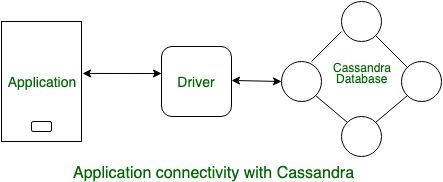
In this article we will learn Basic access to Cassandra with code such that how to set up development environment and how to use code to perform CQL statements. In case of high availability and scalability Cassandra is always the best choice to connect your application with Cassandra database. let's have a look. 👁 Image
Figure - Application connectivity with CassandraTo connect with cassandra there are many Driver available. few are listed below.
In programming language to connect application with database there is a programming Pattern. Three Easy steps are following :
Let's understand with example one by one. In Java programming language to connect application with Cassandra Database using Cloud used the following steps:
try (DseSession session = DseSession.builder()
 .withCloudSecureConnectBundle
 ("/path/to/secure-connect-database_name.zip")
 // Database Credentials
 .withAuthCredentials("DBUserName", "DBPassword")
.build()) { session.execute(
SimpleStatement.builder("SELECT password
FROM keyspace-name.Table-name
WHERE email = ?")
.addPossitionalValues("name@datastax.com")
.build()); // Close happens automatically here // - otherwise use session.close() session.close()
In Python programming language to connect application with Cassandra Database using Cloud used the following steps:
cluster = Cluster(
 cloud = {'secure_connection_bundle'
 : '/path / to / secure-connect-database_name.zip'},
 auth_provider = PlainTextAuthProvider('DBUsername', 'DBPassword'))
 # Database Credentials
session = cluster.connect() session.execute(("SELECT password
FROM keyspace-name.Table-name
WHERE email = % s, ('name@datastax.com')) session.shutdown()