|
VOOZH | about |
|
VOOZH | about |
A database schema defines the structure and organization of data within a database. It outlines how data is logically stored, including the relationships between different tables and other database objects. The schema serves as a blueprint for how data is stored, accessed, and manipulated, ensuring consistency and integrity throughout the system. In this article, we will explore the concept of database schema, its types, and how it plays a crucial role in designing efficient and scalable databases
A schema is the blueprint or structure that defines how data is organized and stored in a database. It outlines the tables, fields, relationships, views, indexes, and other elements within the database. The schema defines the logical view of the entire database and specifies the rules that govern the data, including its types, constraints, and relationships.
A database schema is the design or structure of a database that defines how data is organized and how different data elements relate to each other. It acts as a blueprint, outlining tables, fields, relationships, and rules that govern the data.
Key points about a database schema:
In simple terms, the schema provides the framework that makes it easier to understand, manage, and use data in a database. It’s created by database designers to ensure the data is consistent and efficiently organized.
A conceptual schema describes the overall structure of the entire database at a high level.
It focuses on the meaning of data and captures how different entities relate to each other—without worrying about how data is stored physically.
Key Points:
Example:
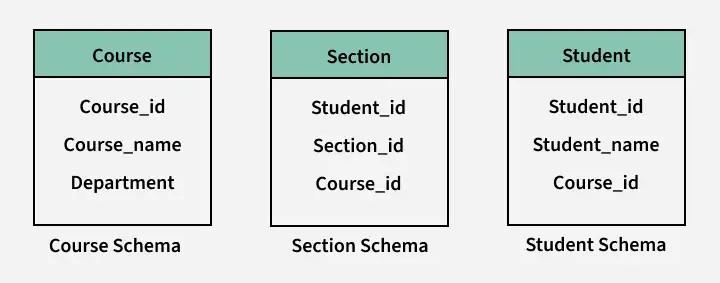
A conceptual schema for a school system includes entities such as:
Students, Courses, Teachers, Departments, and shows how they are related.
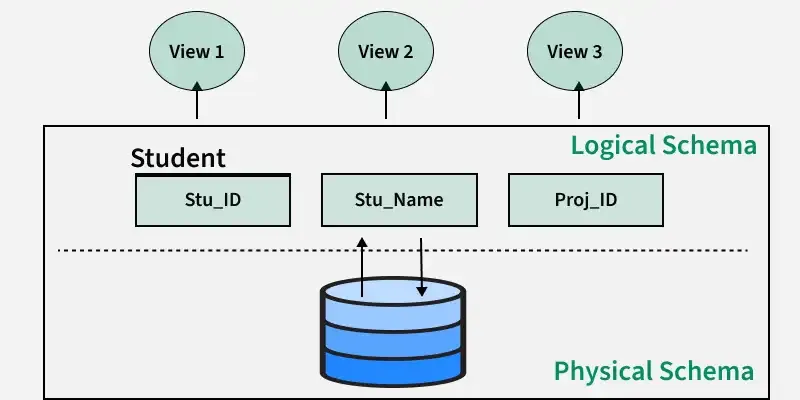
It represents the lowest level of abstraction, focusing on performance, storage optimization, and data retrieval efficiency.
It ensures:
This schema represents a higher level of abstraction and is independent of physical storage details.
Users interact with these views without knowing about the underlying logical or physical structures.
Example:
Both are different view schemas derived from the same logical structure.
For creating a schema, the statement "CREATE SCHEMA" is used in every database. But different databases have different meanings for this. Below we'll be looking at some statements for creating a database schema in different database systems:
1. MySQL: In MySQL, we use the "CREATE SCHEMA" statement for creating the database, because, in MySQL CREATE SCHEMA and CREATE DATABASE, both statements are similar.
2. SQL Server: In SQL Server, we use the "CREATE SCHEMA" statement for creating a new schema.
3. Oracle Database: In Oracle Database, we use "CREATE USER" for creating a new schema, because in the Oracle database, a schema is already created with each database user. The statement "CREATE SCHEMA" does not create a schema, instead, it populates the schema with tables & views and also allows one to access those objects without needing multiple SQL statements for multiple transactions.
There are many ways to structure a database and we should use the best-suited schema design for creating our database because ineffective schema designs are difficult to manage & consume extra memory and resources.
Schema design mostly depends on the application's requirements. Here we have some effective schema designs to create our applications, let’s take a look at the schema designs:
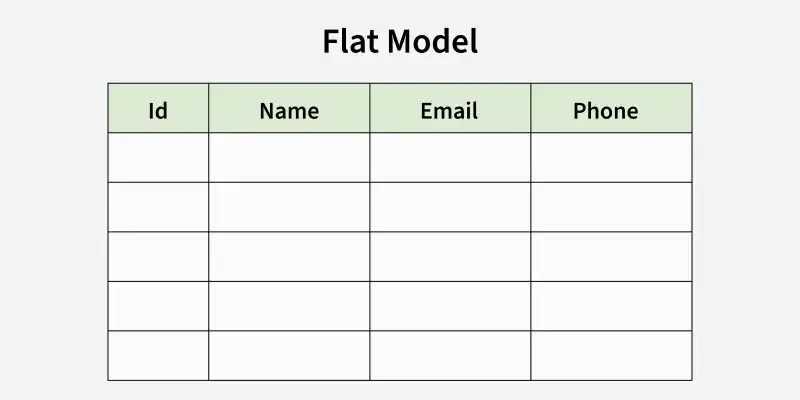
A flat model schema is a 2-D array in which every column contains the same type of data/information and the elements with rows are related to each other. It is just like a table or a spreadsheet. This schema is better for small applications that do not contain complex data.
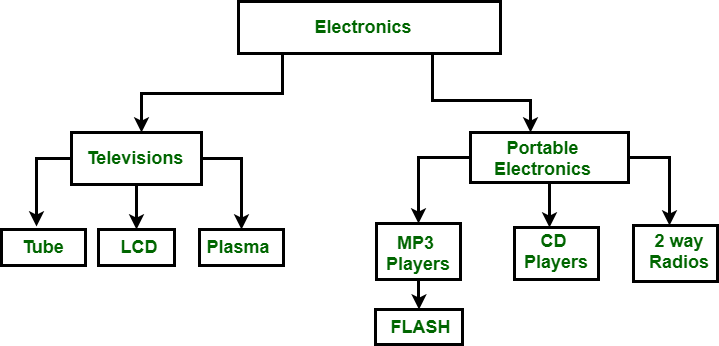
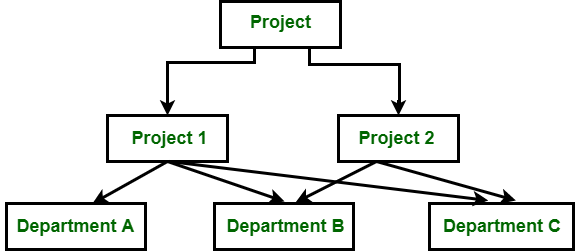
Data is arranged using parent-child relationships and a tree-like structure in the Hierarchical Database Model. Because each record consists of several children and one parent, it can be used to illustrate one-to-many relationships in diagrams such as organizational charts. A hierarchical database structure is great for storing nested data.
The network model is similar to the hierarchical model in that it represents data using nodes (entities) and edges (relationships). However, unlike the hierarchical model, which enforces a strict parent-child relationship, the network model allows for more flexible many-to-many relationships. This flexibility means that a node can have multiple parent nodes and child nodes, making the structure more dynamic.
The network model can contain cycles which is a situation where a path exists that allows you to start and end at the same node. These cycles enable more complex relationships and allow for greater data interconnectivity.
The relational model is mainly used for relational databases, where the data is stored as relations of the table. This relational model schema is better for object-oriented programming.
Star schema is better for storing and analyzing large amounts of data. It has a fact table at its center & multiple dimension tables connected to it just like a star, where the fact table contains the numerical data that run business processes and the dimension table contains data related to dimensions such as product, time, people, etc. or we can say, this table contains the description of the fact table. The star schema allows us to structure the data of RDBMS.
Just like star schema, the snowflake schema also has a fact table at its center and multiple dimension tables connected to it, but the main difference in both models is that in snowflake schema – dimension tables are further normalized into multiple related tables. The snowflake schema is used for analyzing large amounts of data.
Physical Schema | Logical Schema |
|---|---|
| Physical schema describes the way of storage of data in the disk. | Logical schema provides the conceptual view that defines the relationship between the data entities. |
| Having Low level of abstraction. | Having a high level of abstraction. |
The design of database is independent to any database management system. | The design of a database must work with a specific database management system or hardware platform. |
| Changes in Physical schema effects the logical schema | Any changes made in logical schema have minimal effect in the physical schema |
| Physical schema does not include attributes. | Logical schema includes attributes. |
| Physical schema contains the attributes and their data types. | Logical schema does not contain any attributes or data types. |
| Examples: Data definition language(DDL), storage structures, indexes. | Examples:Entity Relationship diagram, Unified Modeling Language, class diagram. |
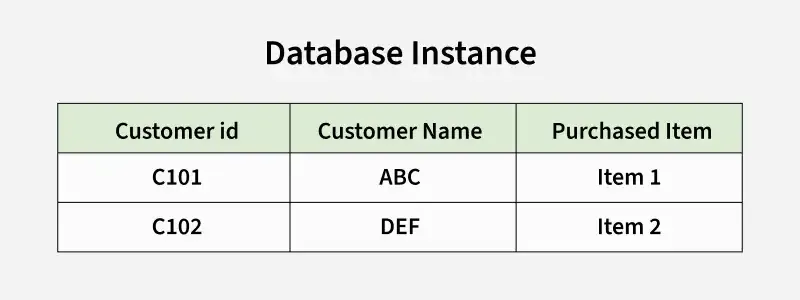
A database instance is a snapshot of a database at a specific moment in time, containing all the properties described by a database schema as data values. Unlike database schemas, which are considered the "blueprint" of a database, instances can change over time whereas it is very difficult to modify the schema because the schema represents the fundamental structure of the database. Database instance does not hold any information related to the saved data in database.
Aspect | Database Schema | Database Instance |
|---|---|---|
Definition | Blueprint or design of the database structure | Actual data stored in the database at a given time |
Nature | Static (does not change frequently) | Dynamic (changes with every data modification) |
Represents | Structure (tables, columns, data types, relationships) | State of the data in the database |
Example | Table definitions, data types, constraints | Actual rows of data in the tables |
Change Frequency | Changes infrequently (e.g., during schema design changes) | Changes frequently with transactions |