|
VOOZH | about |
|
VOOZH | about |
In this tutorial, we'll create a Flutter app that fetches movie data from an API, displays details such as ratings and reviews, and allows users to save their favorite movies locally using SQLite. This Application will demonstrate API integration, state management, and local data persistence.
For this app, we’ll use the OMDb API to fetch movie data. OMDb is a free API that provides movie information like titles, posters, IMDb ratings, etc. You can get an API key from OMDb after signing up.
Create a new Flutter application using the command Prompt. To create a new app, write the below command and run it.
flutter create app_nameTo know more about it refer this article: Creating a Simple Application in Flutter
Add these dependencies in your pubspec.yaml file:
Run the following command to install the dependencies:
flutter pub get
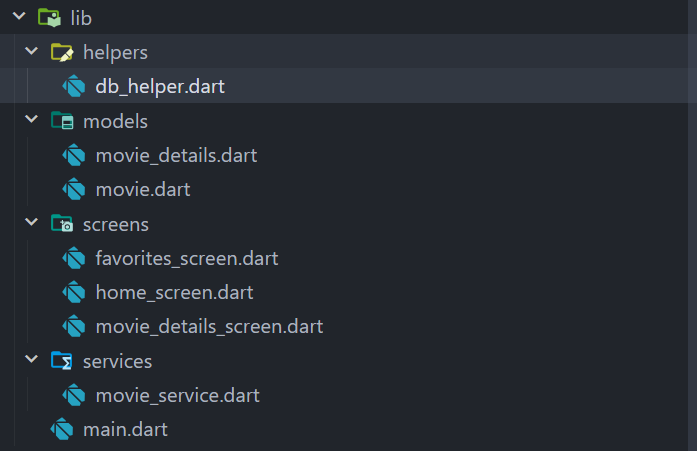
Create the following folder structure for better organization of your files:
This structure keeps database logic, models, services, and UI separated, making the code modular and easy to maintain.
The Application is divided into the following packages:
Let's start by creating a model for our movie data in movie.dart.
movie.dart
Now create another Model movie_details.dart; .this will store the movie details.
movie_details.dart
Create the movie_service.dart file to handle the API calls using the http package.
movie_service.dart
Next, we’ll create the db_helper.dart file to manage saving favorites using SQLite to our local storage.
db_helper.dart
Our Application contains three main UI Components Screens, as mentioned below:
Now let us Observe all them.
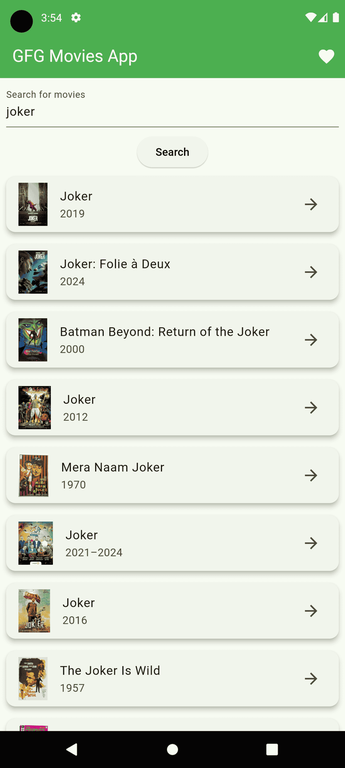
The home_screen.dart is where users can search for movies:
home_screen.dart
-
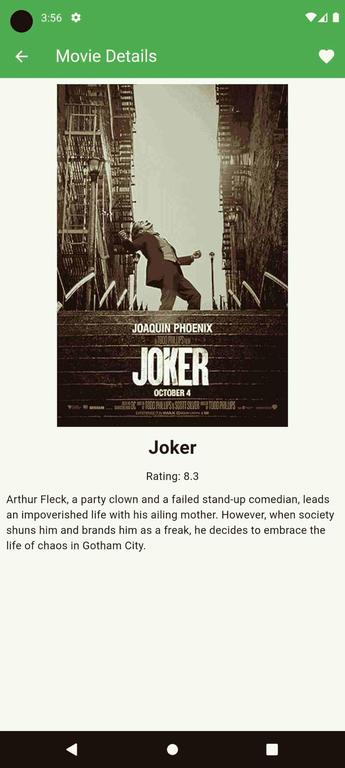
The movie_details_screen.dart is where users can see the movie details :
movie_details_screen.dart
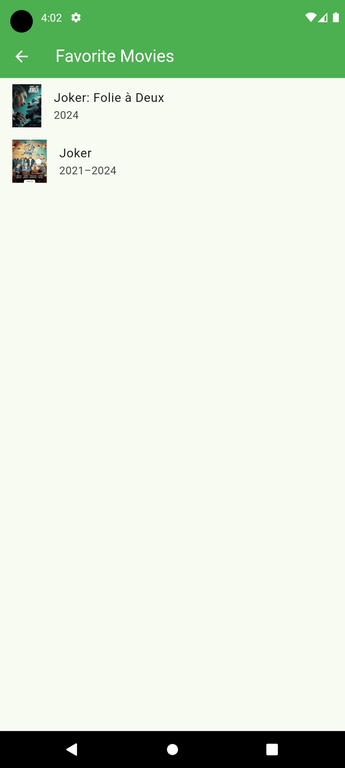
The favorites_screen.dart displays the movies added to favorites and stored in the local database :
favorites_screen.dart
After successfully creating Models, Service, and Helper files, we can finally utilize them to create a fully functional Application.
Finally, let's Call Our HomeScreen from the main.dart file.
main.dart
Complete code for the Application Here : Movie_Database_Application