|
VOOZH | about |
|
VOOZH | about |
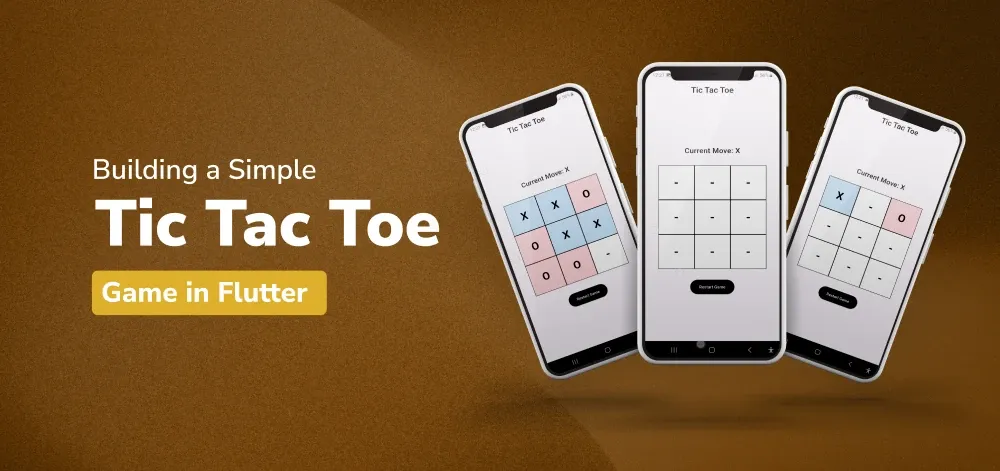
Tic Tac Toe is a two-player game that anybody of any age can play and understand are rules in a matter of minutes. In this tutorial, we are going to show you how to create a simple Tic Tac Toe game in Flutter step by step. I tried my best to make this guide easy to understand, and preferably for new users who are unfamiliar with Flutter or programming. Once at the end of the video, you will have a complete, fully working Tic Tac Toe game!
Another game frequently played by two people is Tic Tac Toe or Noughts and Crosses, as it is also called. The game aims to be the first to get your marks in a row, either parallel to the surface of the game, perpendicular to the surface of the game, or in any other direction you try. We will be building a basic version of this game in Flutter in this tutorial.
Before going any further, ensure that you have Flutter up and running. If it has not been installed already, here you will follow the official Flutter installation process. Once you have Flutter installed, create a new project by running the following commands in your terminal:
flutter create tic_tac_toe
cd tic_tac_toe
To know more about it refer this article: Creating a Simple Application in Flutter
Open the project in your favourite code editor (like VS Code or Android Studio).
Open the main.dart file and replace its content with the following code to set up the basic structure of the Flutter app:
This sets up the main structure of our Flutter app with a title and a home page.
Now, it is time to design the Tic Tac Toe game page.
First of all, let’s start writing a stateful widget for the Tic Tac Toe game. This will enable us to control the state of the game in order to have the best chance of emerging as the ultimate winner.
- APPEND the following code to the main below the MyApp class. dart file:
Next, we define the state for the TicTacToePage. This includes initializing the game board, keeping track of the current move, and a counter for the number of moves.
- Building the Scaffold:
Now, we build the scaffold for the game page. This includes an AppBar and the main content area.
- Creating the Game Board:
We create a 3x3 grid for the game board using a GridView.builder. Each cell in the grid is a clickable GestureDetector.
- Adding the Reset Button:
Finally, we add a button to restart the game.
- Putting it all together, the complete code for the Tic Tac Toe page looks like this:
First, we'll add a method to reset the game. This method will reinitialize the game board, set the current move to "X", and reset the move count.
- Checking for a Winner:
Next, we'll add a method to check if there's a winner. This method will go through all possible winning combinations and check if any of them have been achieved.
- Showing a Dialog:
Lastly, we'll add a method to show a dialog when the game ends. This method will display a dialog with the game's result (either a win or a draw) and provide an option to restart the game.
- Putting It All Together:
Add the above methods to the _TicTacToePageState class. Here's the complete code for the state class with all the methods included:
main.dart:
Now, you can run your app on an emulator or a physical device. Use the following command to run your Flutter app:
flutter runYou'll see your Tic Tac Toe game in action! Click on the cells to make moves and see who wins or if it’s a draw.
Note :To access the full android application check this repository:Simple Tic Tac Toe Game in Flutter