|
VOOZH | about |
|
VOOZH | about |
In Flutter, layout is all about constraints. Every widget in the widget tree is built using a constraint-based layout system:
At the core of this system is the BoxConstraints class, which defines the minimum and maximum width/height that a widget can have. Understanding BoxConstraints is key to mastering Flutter layouts.
BoxConstraints is a built-in widget in Flutter SDK. Its functionality is to add size constraints on its child widget. It is usually taken as the object of constraints property in ConstrainedBox widget. It comes packed with many properties for customization. Below we will see all its properties with an example.
It paints a box with the mentioned constraints.
const BoxConstraints(
 {double minWidth: 0.0,
 double maxWidth: double.infinity,
 double minHeight: 0.0,
 double maxHeight: double.infinity}
)
It paints a box which expands to fill its parent BoxConstraints widget.
const BoxConstraints.expand(
 {double? width,
 double? height}
)
It created a box which does not grow beyond the mentioned size.
BoxConstraints.loose(
 Size size
)
It will create a box which does not change its size.
BoxConstraints.tight(
Size size
)
It will paint a box on the screen by just mentioning its height and width.
const BoxConstraints.tightFor(
 {double? width,
 double? height}
)
Here we get a box whose height and width are set to infinity if not mentioned.
const BoxConstraints.tightForFinite(
 {double width: double.infinity,
 double height: double.infinity}
)
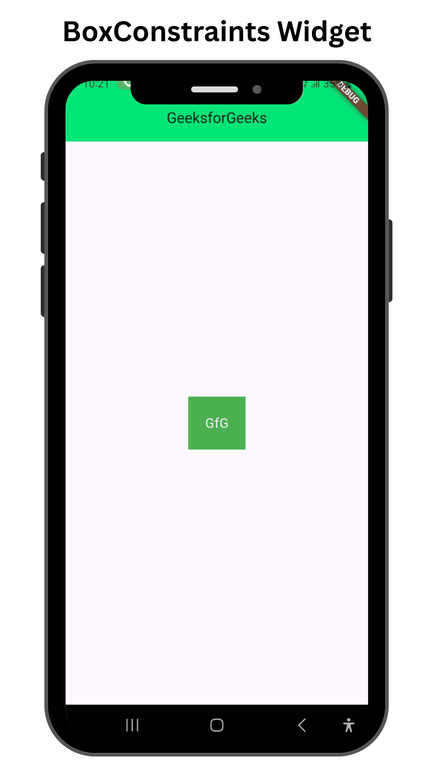
Inside the Container widget which is a child of Center widget (Parent widget in the body) the constraints property is holding BoxConstraints widget. Inside that the minHeight and minWidth are set to 50 px and maxHeight and maxWidth is set to 80 px. The Container is green colored and is holding white colored text. The constraints that are set will not allow the container to have a height and width greater than 80 px and less than 50 px.
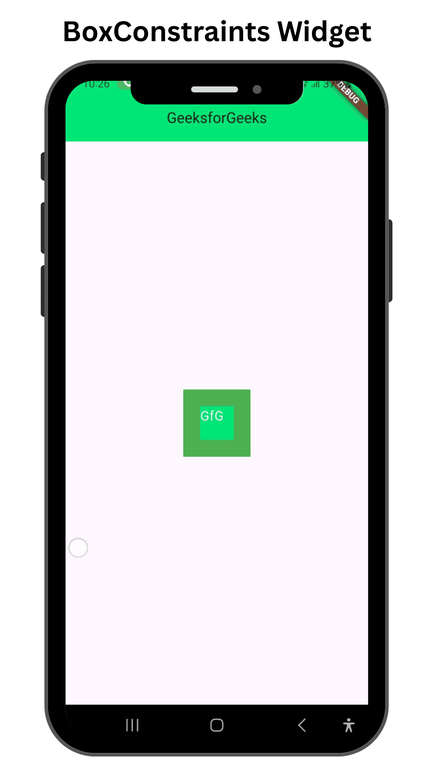
This flutter app is similar to the previous one, except the fact the child widget in the Container which was a Text is replaced by another Container widget. The second container is assigned a color of greenAccent[400], and the child is a Text widget. The constraints property in the second container is taking BoxConstraints.expand as the object, with its height and width property set to 50 px each. The BoxConstraints.expands is expanding in its parent BoxConstraints to a height and width of 50 px. And because of the fact it expands, it always starts from the center.