|
VOOZH | about |
|
VOOZH | about |
SharedPreferences is a package that enables the Application to store a small amount of data in your local storage. Like user name, id, etc. You don't need other databases for it like SQLITE, FIREBASE, etc. So in this article, we will see How to install the Shared Preferences package in Dart/Flutter and How to use it in Flutter. Installation of packages in flutter is pretty easy. Just follow the steps below.
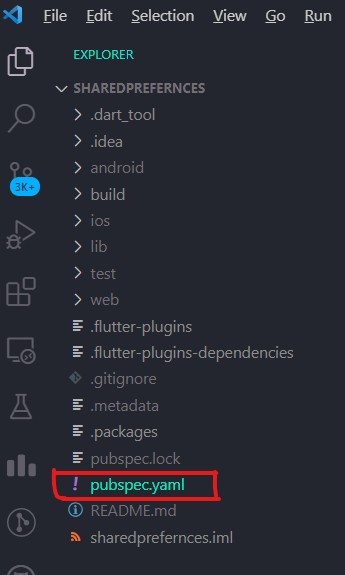
Step 1. Go to the pubspec.yaml file in your project.
Step 2. Now add your package under the dependencies section.
Note: Make sure you have provided the correct Indentation.
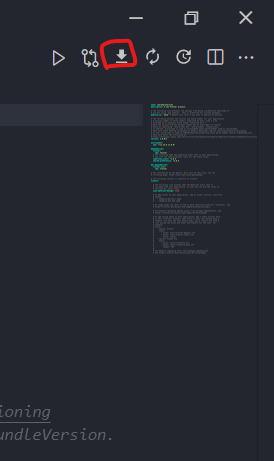
Step 3. Now In the Top right click on the get packages. This will add your package.
Step 4. Confirmation of Installation
If you get the exit code 0, that's means you successfully added your package.
Step 5. Now finally import the package into your working file.
import 'package:shared_preferences/shared_preferences.dart';
Hope you successfully install the SharedPreferences Package in your flutter project.