|
VOOZH | about |
|
VOOZH | about |
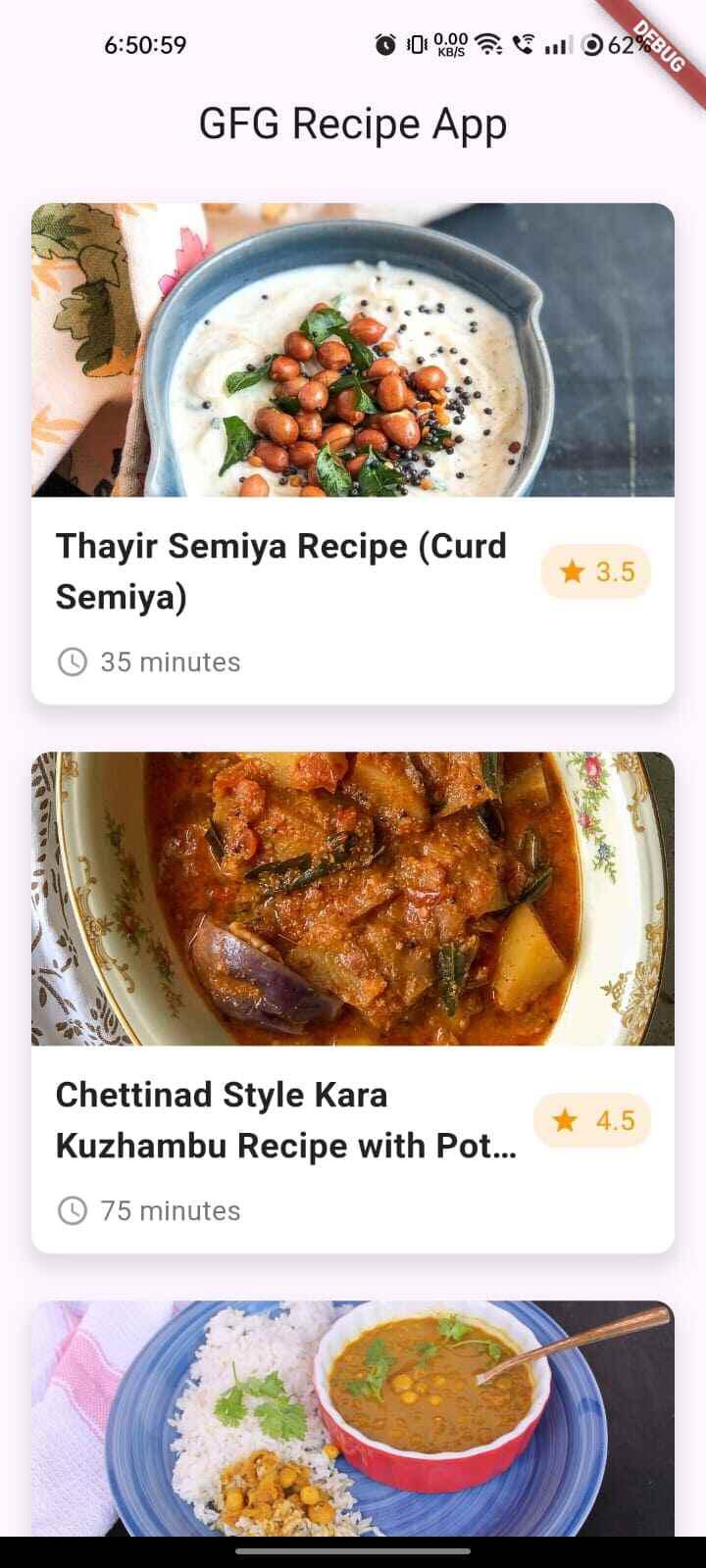
This app will display a list of recipes in a card format, each containing the recipe title, a rating, the cooking time, and a thumbnail image to give users a visual preview. The app is dynamic and flexible, allowing you to easily update the recipe list or modify the UI as needed.
By the end of this tutorial, you will have a fully functional recipe app that you can extend with features such as detailed recipe pages, filtering options, etc. Let's dive into the core components of this Flutter app and break down the steps to create your own recipe showcase!
In this article, we’ll guide you through building a simple yet elegant recipe app using Flutter.
To develop an app that can Display Recipes using Flutter, you need to follow these steps carefully:
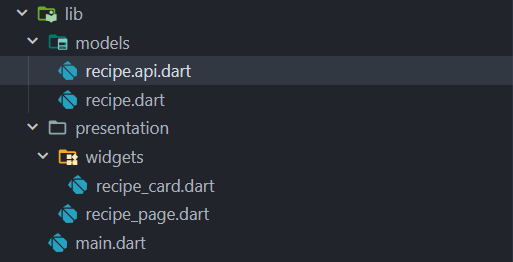
Before diving into the code, let's take a look at the directory structure of our project:
Open your terminal and create a new Flutter project by running the following command:
flutter create recipe_appNavigate to the project directory:
cd recipe_appThis will help us to connect with api :
dependencies:
 http:
The RecipeCard is a reusable widget that displays a recipe’s thumbnail, title, rating, and cook time. Create the Widget Inside the widgets/recipe_card.dart file, define the RecipeCard widget. This widget will handle the layout and display of individual recipe details.
Next, we’ll create the RecipePage that will display a list of recipes using the RecipeCard widget. Inside the presentation/recipe_page.dart file, create the RecipePage that shows a list of recipes.
The RecipePage dynamically displays a list of recipes using ListView.builder. The recipe object is passed to the RecipeCard widget. We have defined the recipe details in a list , this simulates the real world scenario when we receive the data from API.
The main.dart file serves as the app's entry point. It loads the RecipePage when the app starts. Inside the lib/main.dart, add the following code to set up the app’s basic structure:
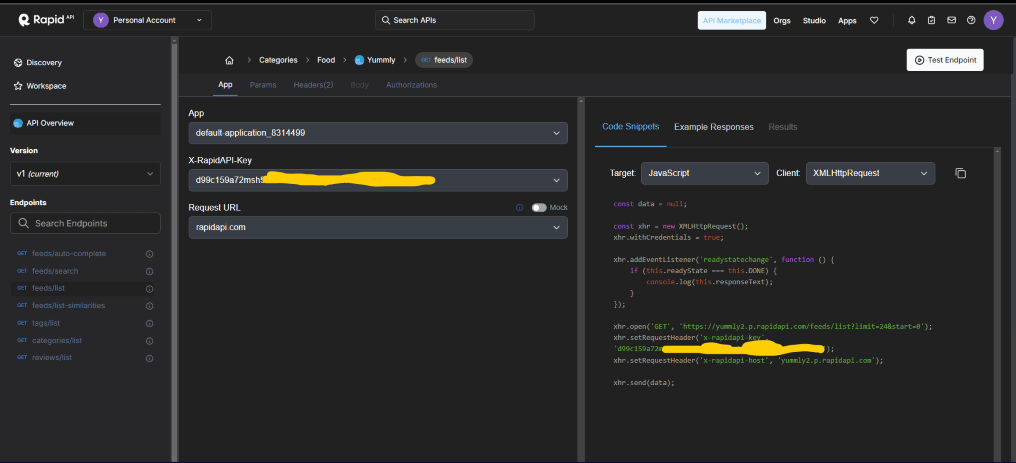
We are using Yummly API to receive recipes.
Create a file called Recipe.dart :
Create a file recipe.api.dart and use it for communication with Yummly api , don't forget to replace "YOUR_API_KEY" with your original api key :
Save all the files and ensure that your project is correctly set up.
Run the app in the terminal:
flutter runThis will launch the app and show a list of recipe cards on the screen.
You can find the link for the app here : Recipe_Finder_App_Flutter