|
VOOZH | about |
|
VOOZH | about |
SQLite is a very popular choice of local storage database. It is an SQL lightweight and serverless SQL database engine that is highly efficient and user-friendly. Flutter, Google's UI toolkit for building natively compiled applications, doesn't come with built-in support for local data storage but provides robust support for integrating SQLite databases. Therefore, SQLite can be easily integrated into Flutter projects to store and retrieve structured data locally.
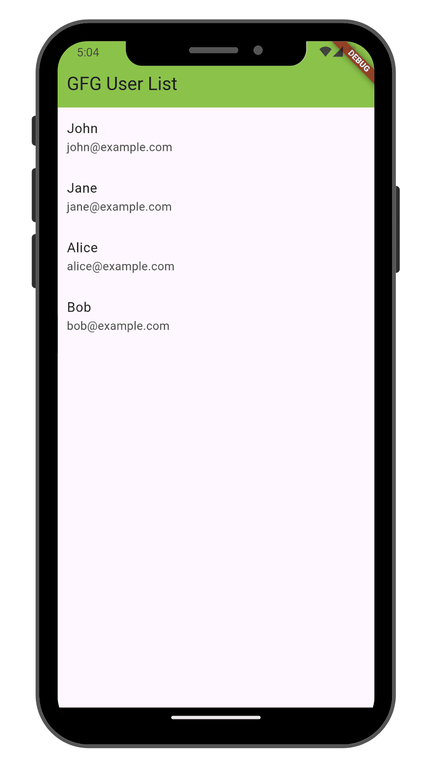
In this article, we will get to know how we can integrate and use the SQLite database with the Flutter project, Stepwise with an example of the user management database of GeeksforGeeks.
Before we dive in, there are a few things you'll need to have:
Having these prerequisites in place will set you up for success as we move forward. So, make sure you have them ready before we get started.
Create a new Flutter application using the command Prompt. To create a new app, write the following command and run it.
flutter create app_nameTo know more about it refer this article: Creating a Simple Application in Flutter
To get started, open up your pubsec.yaml file in the project structure. Now, you'll want to add the following dependencies:
dependencies:
 flutter:
 sdk: flutter
 sqflite: ^2.4.2
Now, run the command below in the terminal.
flutter pub getOr
Run the below command in the terminal.
flutter pub add sqfliteCreate a file in the 'lib/user.dart' to define a model class to represent user data. Here's an example of a simple gfg user model class that has a user ID, a username, and an email, along with a constructor that initializes the data members :
In the Database helper class, we have all the functions implemented here, The Database class has the following methods
Thus, by following these steps, we can integrate SQLite in a Flutter project.