|
VOOZH | about |
|
VOOZH | about |
Implementing internationalization (i18n) in a NextJS application enhances its accessibility and usability by catering to users who speak different languages. With i18n, your app becomes multilingual, ensuring that users from diverse linguistic backgrounds can navigate and understand its content effortlessly.
Step 1: Create a nextjs application
npx create-next-app <-foldername->Step 2: Move to the project directory
cd <-foldername->Step 3: Install necessary dependencies in next application
npm install react-intl👁 Screenshot-2024-04-02-224221
Updated dependencies in package.json:
"dependencies": {
 "next": "14.1.4",
 "react": "^18",
 "react-dom": "^18",
 "react-intl": "^6.6.4"
 },
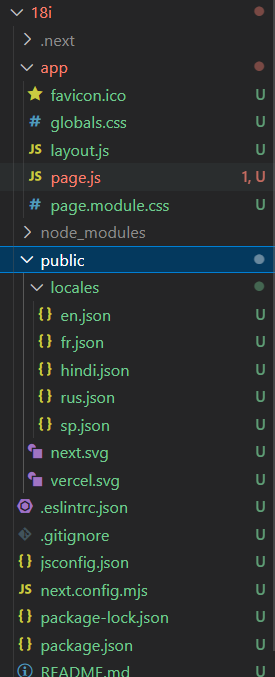
Example: Below is an example of Implementing Internationalization in Next JS Application.
Start your application suing the following command:
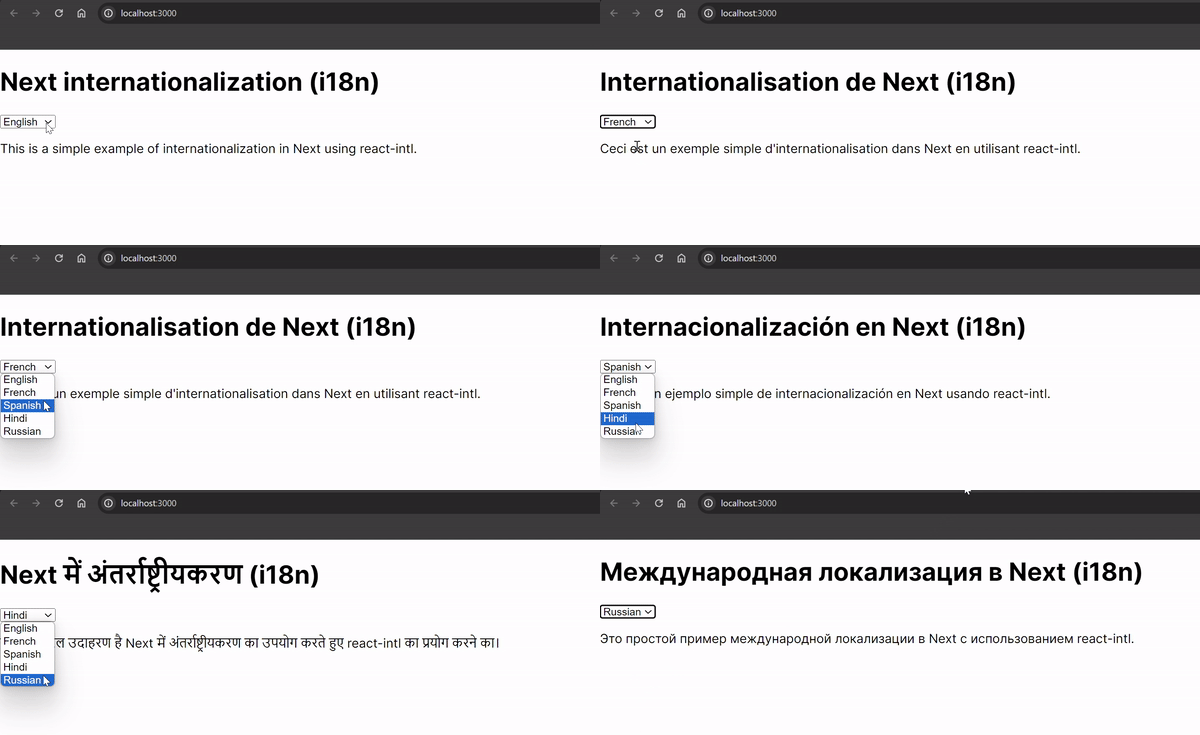
npm run devOutput:
👁 Recording2024-04-02224945-ezgifcom-video-to-gif-converter
In conclusion, internationalization remains a fundamental aspect of Next.js development, empowering developers to create applications that transcend borders and embrace diversity. With Next.js, incorporating support for multiple languages becomes not only achievable but also seamless, allowing developers to cater to a global audience effortlessly. By implementing internationalization in Next.js applications, developers can ensure that users from various linguistic backgrounds feel included and valued. Through the utilization of tools like react-intl, Next.js developers can efficiently manage translations and provide localized content, thus enhancing accessibility and user experience.
Internationalization is essential for Next.js apps to cater to a global audience, providing a seamless user experience for users who speak different languages. It helps in breaking down language barriers and making the app accessible to a wider range of users.
You can add internationalization to your Next.js app by using libraries like react-intl or next-i18next. These libraries provide tools and utilities to manage translations, handle locale switching, and format localized content.
Yes, Next.js allows you to support multiple languages by organizing translations into separate language JSON files and dynamically loading the appropriate translations based on the user's locale.
While Next.js supports various routing approaches, including file-based routing and dynamic routing, there isn't a one-size-fits-all solution for multilingual apps. The preferred approach depends on factors like the complexity of your app and your specific requirements for language handling and SEO.