 |
VOOZH | about |
|
VOOZH | about |
Building a Tooltip Component with React Hooks is straightforward and effective. Tooltips are a common UI element used to provide additional information when a user hovers over or focuses on an element. In this article, we'll build a Tooltip component using React Hooks.
Step 1: Create a reactJS application by using this command
npx create-react-app myappStep 2: Navigate to project directory
cd myappThe updated dependencies in package.json file will look like:
"dependencies": {
 "@testing-library/jest-dom": "^5.17.0",
 "@testing-library/react": "^13.4.0",
 "@testing-library/user-event": "^13.5.0",
 "react": "^18.3.1",
 "react-dom": "^18.3.1",
 "react-scripts": "5.0.1",
 "web-vitals": "^2.1.4"
 }
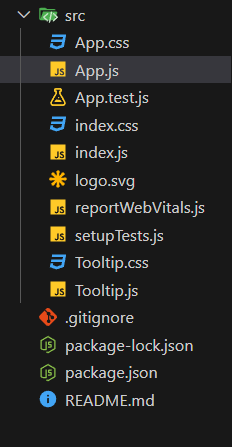
Example: Implementation to design a tooltip component.
Step to Run Application: Run the application using the following command from the root directory of the project
npm startOutput: Your project will be shown in the URL http://localhost:3000/

.gif)