|
VOOZH | about |
|
VOOZH | about |
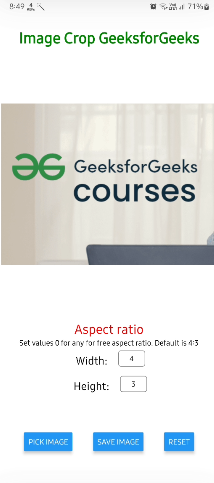
In this tutorial, we are going to build an Image crop tool using React-Native. The Image Crop tool is a very important tool for cropping the Images. It will allow the users to pick an image from storage, crop it, and later save it locally.
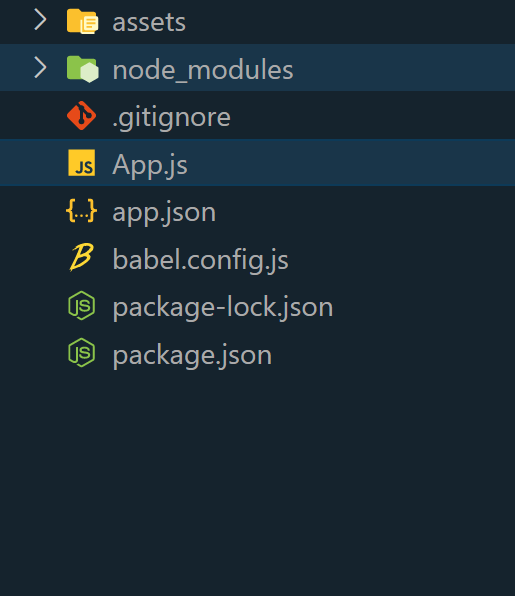
Step 1: Create the project
npx create-expo-app image_crop
Step 2: Navigate to the project
cd image_crop
Step 3: Install the required packages.
npx expo install expo-file-system expo-image-picker
package.json for dependencies and respective versions.
{
 "name": "image_crop",
 "version": "1.0.0",
 "main": "node_modules/expo/AppEntry.js",
 "scripts": {
 "start": "expo start",
 "android": "expo start --android",
 "ios": "expo start --ios",
 "web": "expo start --web"
 },
 "dependencies": {
 "expo": "~49.0.11",
 "expo-file-system": "~15.4.4",
 "expo-image-picker": "~14.3.2",
 "expo-status-bar": "~1.6.0",
 "react": "18.2.0",
 "react-native": "0.72.4"
 },
 "devDependencies": {
 "@babel/core": "^7.20.0"
 },
 "private": true
}
Example: This example shows the creation of the image crop tool using React-Native.
Step 4: Run the application
npx expo start
To run on Android:
npx react-native run-android
To run on iOS:
npx react-native run-ios
Output: