VOOZH about

URL: https://www.geeksforgeeks.org/reactjs/event-booking-application-using-next-js/

⇱ Event Booking Application using Next.js - GeeksforGeeks


  • Courses
  • Tutorials
  • Interview Prep

Event Booking Application using Next.js

Last Updated : 5 Aug, 2025

In this article, we’ll explore the process of building an Event Booking System using NextJS. Event Booking System allows users to view, book, and manage events.

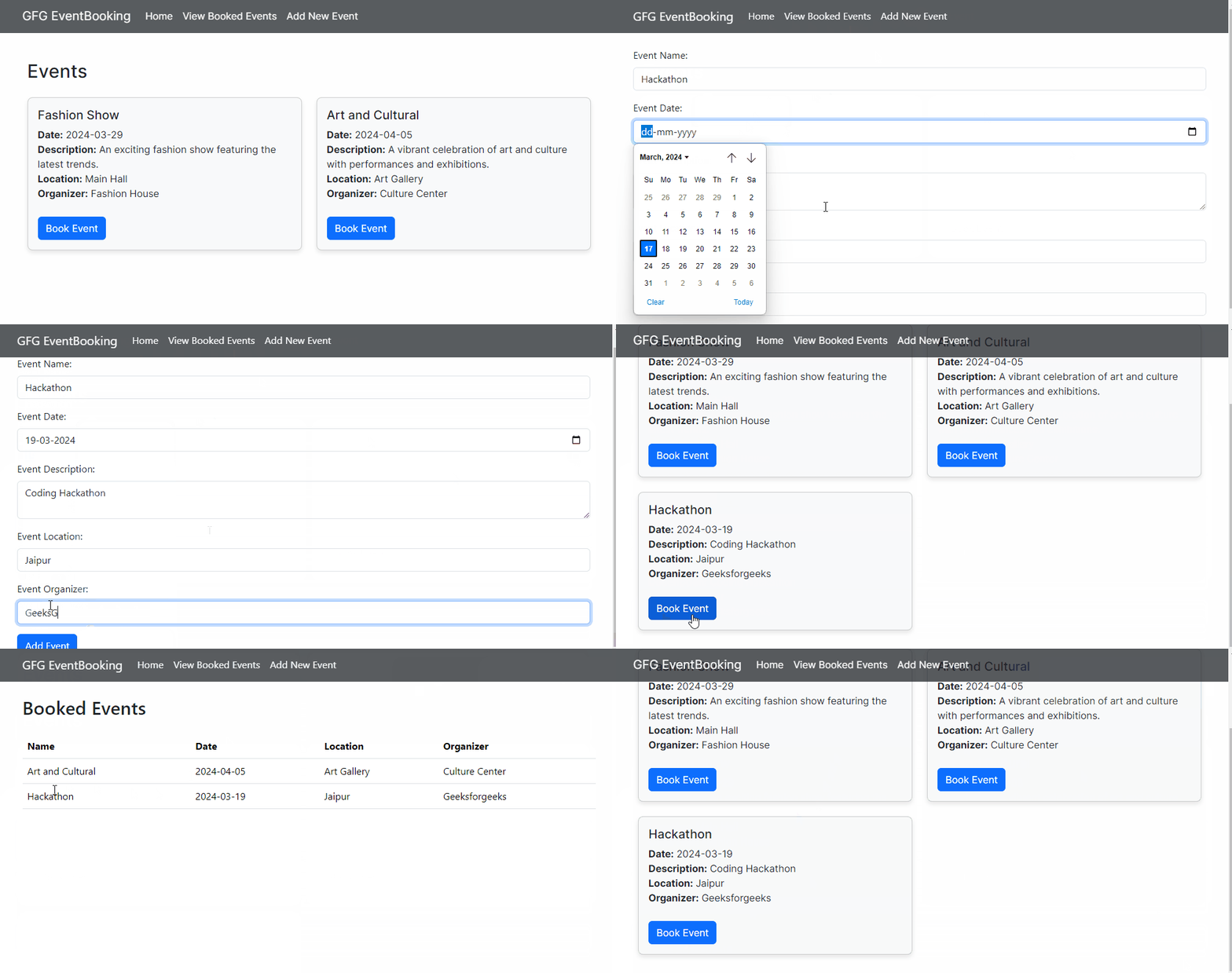
Output Preview: Let us have a look at how the final output will look like.

👁 gfgev

Prerequisites:

Approach to Create Event Booking Application:

  • To Create Event Booking System with NextJS we will begin by setting up project and necessary dependencies.
  • We will be creating essential components like EventLists, AddEvent, BookedEvents etc.
  • We will utilize React's useState to manage event data and booking information. And useEffect to fetch dynamic data.
  • Use local storage to store booked events and booking details.
  • page.js: Renders EventList component.
  • EventList.js: Displays list of events, allows booking with local storage updates, shows toast notifications. Imports and renders Navbar.
  • Navbar.js: Renders navigation bar with links.
  • AddEvent.js: Lets users add new events via form, submits to local storage, displays toast notification for success. Imports and renders Navbar.
  • BookedEvents.js: Shows list of booked events from local storage. Imports and renders Navbar.

Steps to Create the Event Booking Application:

Step 1: Create a application of NextJS using the following command.

npx create-next-app event-booking-system

Step 2: Navigate to project directory

cd event-booking-system

Step 3: Install the necessary package in your project using the following command.

npm install bootstrap
npm install toastify

Project Structure:

👁 Screenshot-(54)

The updated dependencies in package.json file will look like:

"dependencies": {
"bootstrap": "^5.3.3",
"next": "14.1.3",
"react": "^18",
"react-dom": "^18",
"react-toastify": "^10.0.5"
}

Example: Below are the components which describes the implementation Event Booking System

Start your application using the following command:

npm run dev

Output: Naviage to the URL http://localhost:3000:

👁 gfgevg

Comment