|
VOOZH | about |
|
VOOZH | about |
React provides an excellent platform for creating interactive and engaging web applications. In this tutorial, you will be guided to build a classic Hangman game using React. Hangman is a word-guessing game that is not only entertaining but also a great way to practice your React skills.
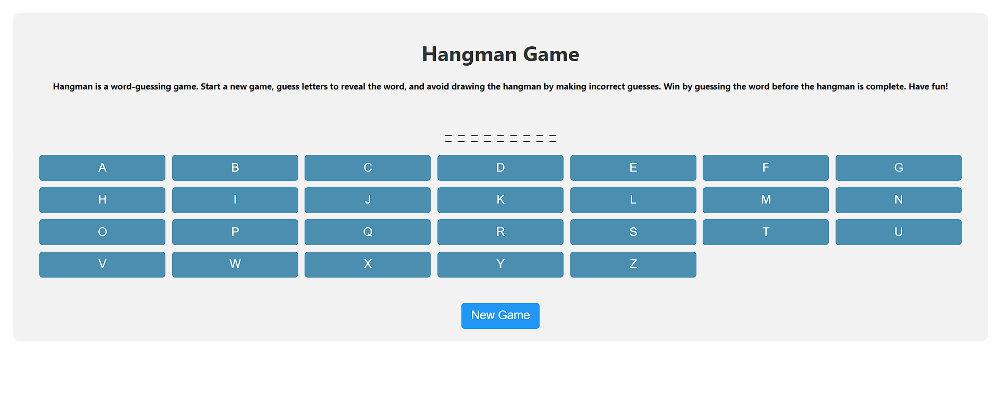
Preview of final output: Let us have a look at how the final output will look like
Step 1: Set up a new React project using Create React App.
npm create vite@latest hangman-game --template react
cd hangman-game
Step 2: Install dependencies
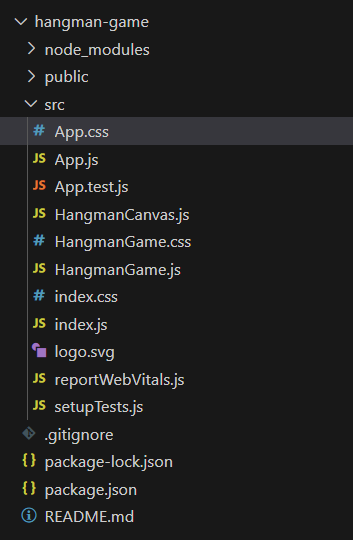
npm installFolder structure:
👁 swqThe updated dependencies in package.json file will look like:
{
 "name": "hangman-game",
 "version": "0.0.1",
 "scripts": {
 "dev": "vite",
 "build": "vite build",
 "serve": "vite preview"
 },
 "dependencies": {
 "react": "^18.2.0",
 "react-dom": "^18.2.0",
 "vite": "^4.0.0"
 },
 "devDependencies": {
 "@vitejs/plugin-react": "^3.0.0"
 }
}
Example: Create the required files according to the folder structure and write the following code.
To start the application type the following command:
npm run devOutput: