|
VOOZH | about |
|
VOOZH | about |
Adding Google Analytics to a Next.js application allows you to track and analyze your website's traffic and user actions. This can provide valuable insights into how users interact with your site, helping you make informed decisions to improve user experience and drive business goals. This article helps you to go through the process of adding Google Analytics to a Nextjs application.
To add Google Analytics to a Next.js application we will use next/script, First, set up the Google Analytics and then embed the script in _app.js and configure it to track page views on route changes, ensuring analytics initialization and data collection across all pages.
Step 1: Create a nextJS application by using this command
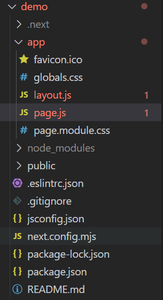
npx create-next-app <-project-name->Step 2: Navigate to the project directory
cd <-project-name->Step 3: Create a repository in github, initialize git in project and push the code in that repository. From vercel account, deploy this nextjs application, so next we can implement Google analytics in this NextJs.
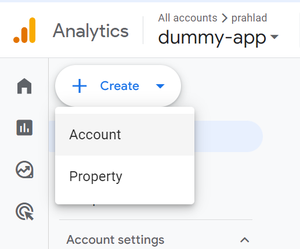
Step 4: Now Open your Google Analytics console and create a account for adding analyics to nextjs account. You should have an account. if not, create one.
In the process of Account creation, create a property as well, In Google Analytics, a property is a group of data from a website, app, or device that we want to track separately from other sites or apps. We can use properties to gain insights into how people engage with them, improve our website performance, and drive more traffic.
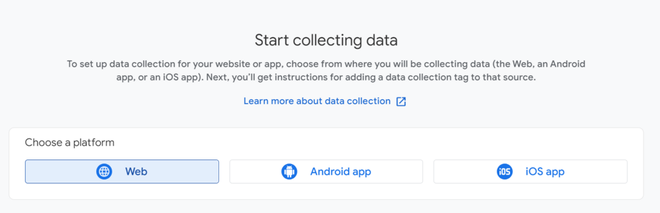
Step 5: Now, We choose web as next next.js will be a web application.
Step 6: Next, we have to provide our nextjs application URL, and a stream name.
Step 7: After property creation, below interface appear with some necessary details. Keep the tab open of Google analytics. and come back to our project in Code editor.
Step 8: Open page.js of your nextjs application and the update page.js file with following code.
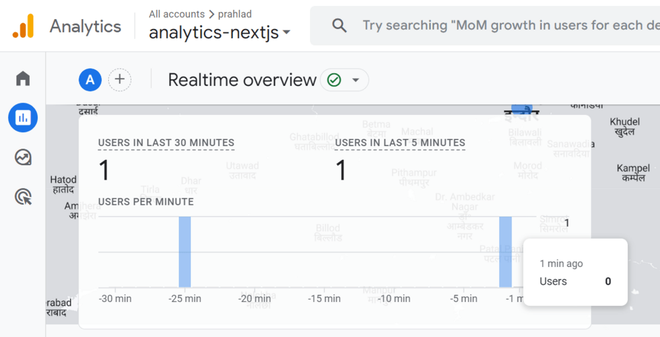
Step 9: Now save and push the code again for deployment, vercel deploy your nextjs application again. Now, when we visit the website through URL, we can clear see the real time update of active user.
Adding Google Analytics to a Next.js application can be done through various approaches, including using the Next.js Script component, modifying the custom _document.js file, or using Google Tag Manager. Each method provides a way to integrate analytics and track user interactions on your site. By following the outlined steps, you can successfully set up Google Analytics and start gathering valuable insights.


-660.png)