|
VOOZH | about |
|
VOOZH | about |
Progress bars are a key part of user interfaces that shows the progress of tasks such as uploads, downloads, or data loading. In ReactJS, creating a custom progress bar component gives you the flexibility to control its design and functionality to match your application's needs.
In this article, we’ll walk through the process of creating a custom progress bar component in React from scratch.
Building a custom progress bar can enhance user feedback in your applications. To create a custom progress bar component in ReactJS we will use the HTML div's. The Progress component will take the parameters as progress, color, and height. The progress will be displayed using the width of the div element.
The <Progressbar /> component should do the following:
Basically, the progress bar consists of a parent div, which represents the whole progress bar, and a child div in which the completed part of the bar along with the span will show the completed percentage number.
Props:
Step 1: Create a React application using the following command
npx create-react-app progress_barStep 2: After creating your project folder i.e. folder name, move to it using the following command:
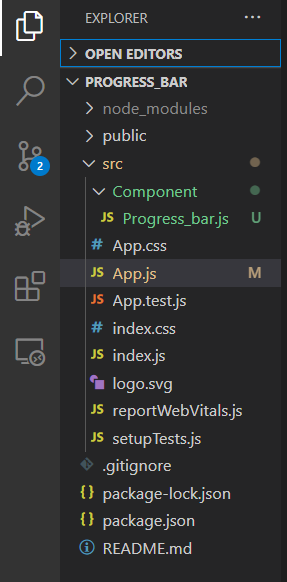
cd Progress_barProject Structure
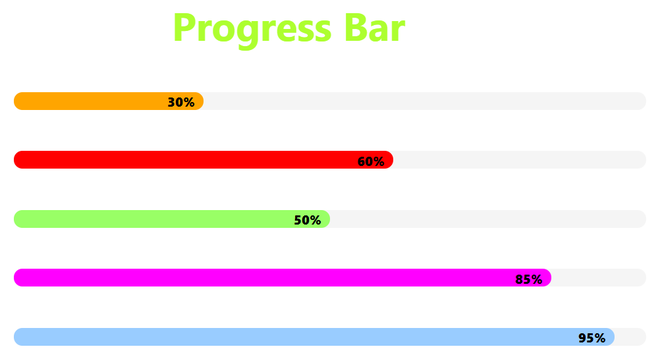
Example: This example implements multiple progress bars with different color and progress provided as parameters.
Run the application using the following command:
npm startOutput: Now open your browser and go to http://localhost:3000/, you will see the following output: