|
VOOZH | about |
|
VOOZH | about |
Tables are used to display a set of data. In some projects, you need to implement the dynamic table with editable/non-editable modes where a user can add or delete any row. Also, Material UI for React has a customizable Table Component available, and it is very easy to integrate, but there is no such functionality to handle rows addition and deletion individually. We will use React.js and Material UI and implement these functionalities in it.
To create an Editable table in react with add, delete, and search filters we will manage row data using useState, implement form inputs for editing, handle add/remove operations with buttons, and use controlled components for real-time editing, deletion, and filtering.
Step 1: Create a React application using the following command.
npx create-react-app foldernameStep 2: After creating your project folder i.e. foldername, move to it using the following command.
cd foldernameStep 3: After creating the React.js application, install the material-ui modules using the following command.
npm install @material-ui/core @material-ui/icons
The updated dependencies in the package.json file are:
"dependencies": {
 "@material-ui/core": "^4.12.4",
 "@material-ui/icons": "^4.11.3",
 "@testing-library/jest-dom": "^5.17.0",
 "@testing-library/react": "^13.4.0",
 "@testing-library/user-event": "^13.5.0",
 "react": "^18.3.1",
 "react-dom": "^18.3.1",
 "react-scripts": "5.0.1",
 "web-vitals": "^2.1.4"
},
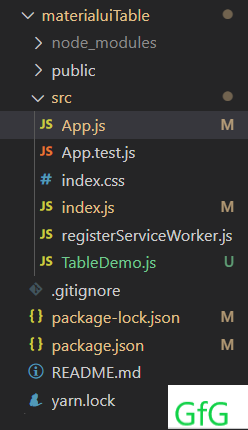
Example: Now write down the following code in the App.js and TableDemo.js files accordingly.
Step to Run Application: Run the application using the following command from the root directory of the project.
npm startOutput: Now open your browser and go to http://localhost:3000/, you will see the following output.
Explanation: