|
VOOZH | about |
|
VOOZH | about |
We'll learn how to create new elements in React JS using the map() function and props. It's suitable for both beginners and those looking to improve their React skills. The tutorial offers a step-by-step walkthrough, helping you create adaptable and reusable components by effectively using props and the map() function.
Following is the example of the map method:
// Sample array
const array1 = [1, 4, 9, 16];
// Pass a function to map
const map1 = array1.map(x => x * 2);
console.log(map1);
// Expected output: Array [2, 8, 18, 32]
Step 1: Create a React application using the following command:
npx create-react-app foldernameStep 2: After creating your project folder i.e. foldername, move to it using the following command:
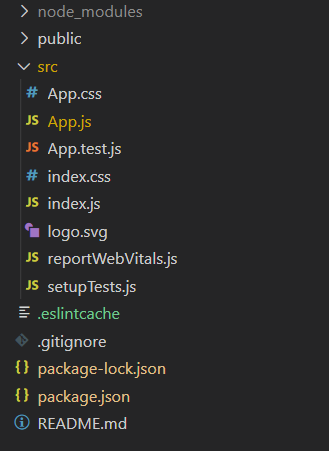
cd foldernameProject Structure:
👁 ImageThe updated dependencies in package.json file will look like:
"dependencies": {
 "react": "^18.2.0",
 "react-dom": "^18.2.0",
 "react-scripts": "5.0.1",
 "web-vitals": "^2.1.4",
}
Example: Now write down the following code in the App.js file.
Step to Run Application: Run the application using the following command from the root directory of the project:
npm startOutput: Now open your browser and go to http://localhost:3000