|
VOOZH | about |
|
VOOZH | about |
Asynchronous actions are very important in web development, particularly in tasks such as fetching data from API. Redux Thunk is a middleware using which you can write action creators that return a function instead of an object. This function can perform asynchronous operations and dispatch actions to try and catch blocks.
Redux Thunk is like a co-worker for Redux, giving it the power to handle asynchronous actions. It’s that extra tool that allows your Redux store to deal with things like fetching data from a server or performing tasks that take some time. With Redux Thunk, your app can smoothly manage both synchronous and asynchronous operations.
export const fetchData = createAsyncThunk(
 'data/fetchData',
 async () => { } // runs when fetchData is dispatched
);
The approach is very simple. We will use the `createAsyncThunk` function provided by Redux Toolkit to create asynchronous action creators. This function will wrap an asynchronous function that will run when the parent function is dispatched.
Step 1: Create a new React JS app and enter into the directory by running the following commands
npx create-react-app my-app
cd my-app
Step 2: Install the required modules
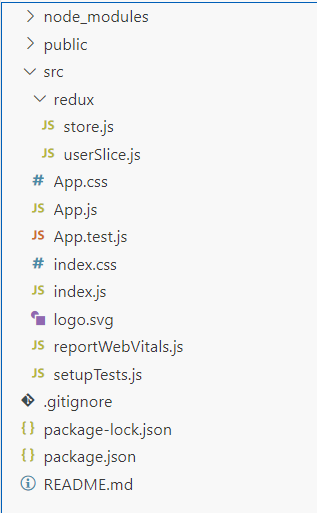
npm install @reduxjs/toolkit react-redux redux-thunkProject Structure:
👁 1
Dependencies: The updated package.json file should look like this.
"dependencies": {
 "@reduxjs/toolkit": "^2.2.1",
 "@testing-library/jest-dom": "^5.17.0",
 "@testing-library/react": "^13.4.0",
 "@testing-library/user-event": "^13.5.0",
 "react": "^18.2.0",
 "react-dom": "^18.2.0",
 "react-redux": "^9.1.0",
 "react-scripts": "5.0.1",
 "redux-thunk": "^3.1.0",
 "web-vitals": "^2.1.4"
}
Example: Here is an working example of the approach. We have created and updated the following files.
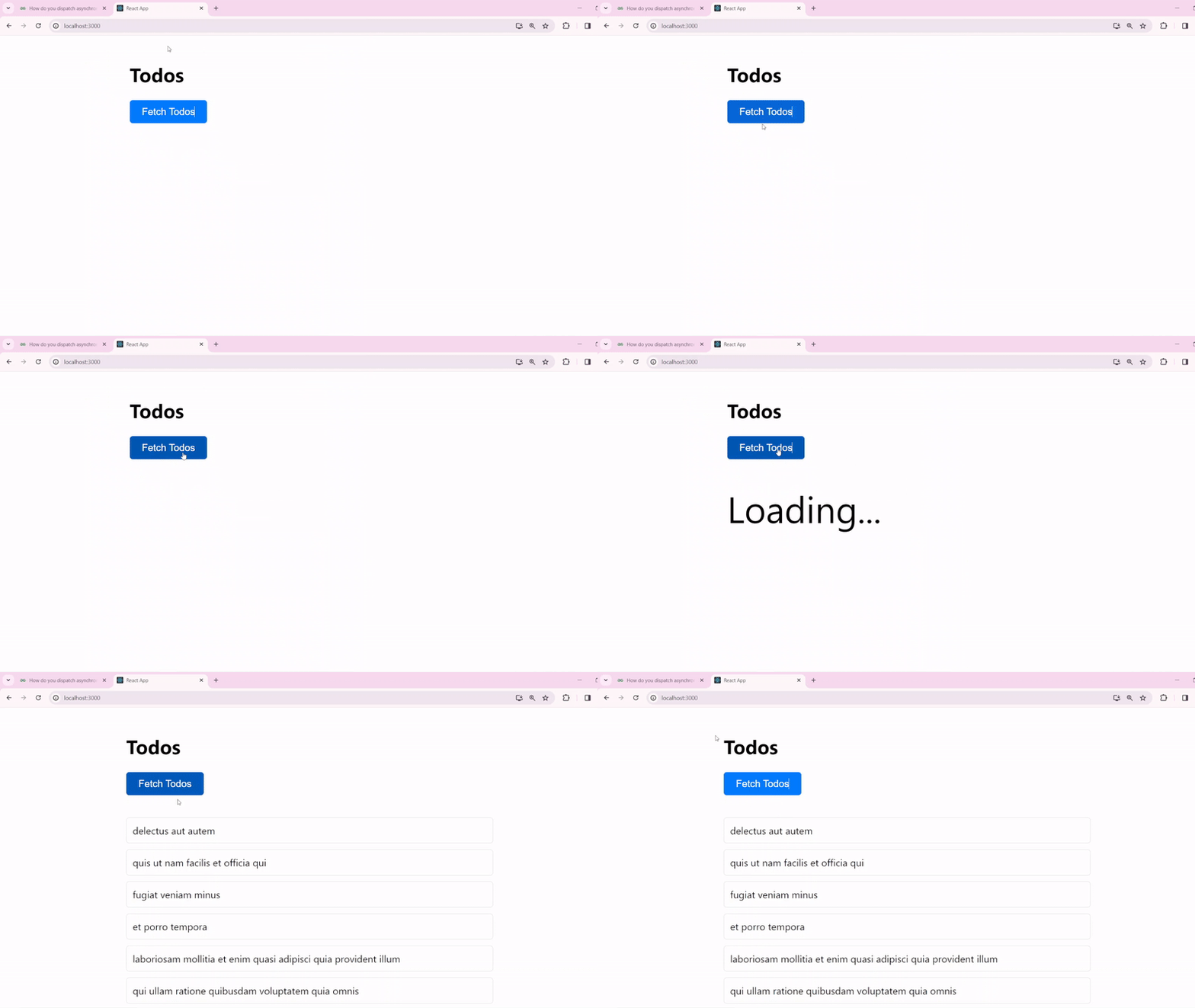
Output: Run the server by running the following command
npm start