|
VOOZH | about |
|
VOOZH | about |
To reorder the list of items using Framer Motion in ReactJS we will use a dummy list and the reorder component that enables reordering of items on user interaction.
We can reorder a list of items using the Framer motion library. We will install Framer motion and use the Reorder component to implement the reorder functionality in the given list of items.
Step 1: Create a React application using the following command:
npx create-react-application demoStep 2: After creating your project folder i.e. demo, move to it using the following command:
cd demoStep 3: Install framer-motion from npm.
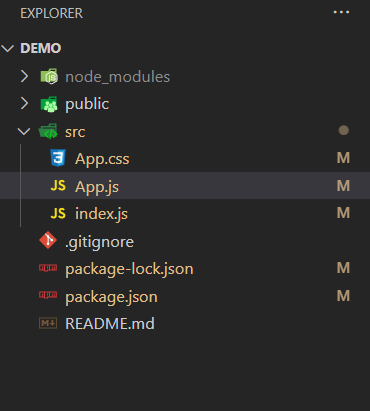
npm i framer-motionThe project should look like this.
👁 ImageThe updated list of dependencies after installing required modules:
{
 "dependencies": {
 "@testing-library/jest-dom": "^5.17.0",
 "@testing-library/react": "^13.4.0",
 "@testing-library/user-event": "^13.5.0",
 "framer-motion": "^10.16.4",
 "react": "^18.2.0",
 "react-dom": "^18.2.0",
 "react-scripts": "5.0.1",
 "web-vitals": "^2.1.4"
 }
}
Example: This example implements a reorderable list using the Reorder component of framer motion.
Step to Run Application: Run the application using the following command from the root directory of the project:
npm startOutput: Now open your browser and go to http://localhost:3000/, you will see the following output: