|
VOOZH | about |
|
VOOZH | about |
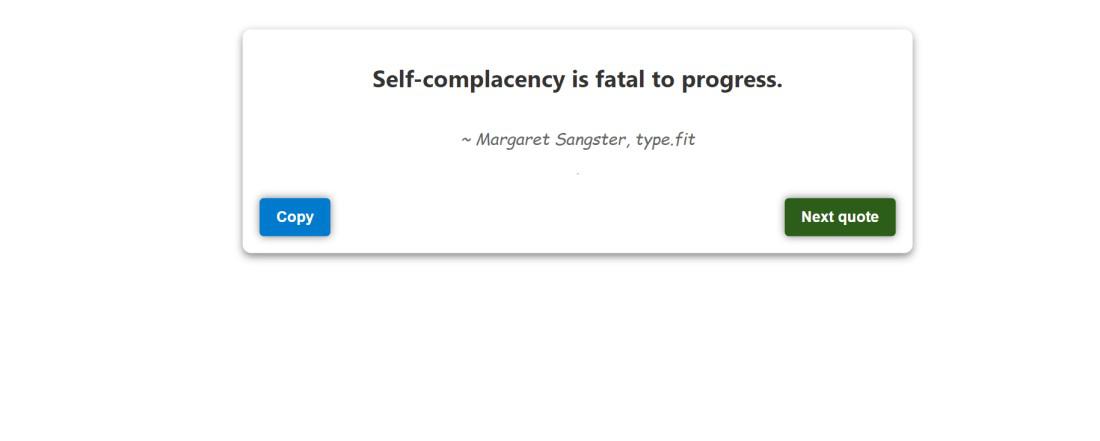
In this article, we will build an quote generator using NextJS. The user will be given a button that, when clicked, will retrieve a random quote from the API and display it on the screen. By clicking the button again, users can generate a large number of advices.
👁 Quote-Generator-App-Using-Next-Js
The provided code defines a React component known as App. This component imports necessary dependencies, such as useState and useEffect from the 'react' library, as well as styles from 'Home.module.css'. Inside the component, the useState hook is utilized to manage state variables for quote text, author information, and a indicating copied status. Additionally, there is a function called generateQuote which fetches a random quote asynchronously from an API and updates the state accordingly. To ensure this behavior occurs upon initial rendering, the useEffect hook triggers the generateQuote function. Lastly, there is another function named copyToClipboard that creates a temporary textarea and facilitates copying of the quote to the clipboard while managing its copied status.
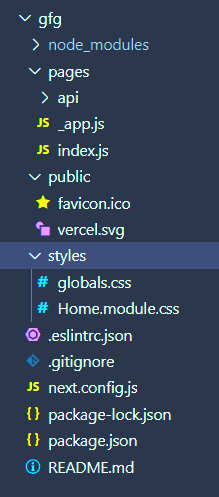
Step 1: Create a new Next.js project using the following command
npx create-next-app QuoteGeneratorStep 2: Change to the project directory:
cd QuoteGeneratorpackage.json
{
 "name": "quote-generator",
 "private": true,
 "scripts": {
 "dev": "next dev",
 "build": "next build",
 "start": "next start"
 },
 "dependencies": {
 "next": "^13.4.0",
 "react": "^18.2.0",
 "react-dom": "^18.2.0"
 }
}
Example: In this example, we will see the Quote Generator App using Next.js
Step 3: To run the next.js application use the following command and then go to this URL http://localhost:3000
npm run devOutput: