|
VOOZH | about |
|
VOOZH | about |
21 min
read
Discover how to build secure, user-friendly insurance apps. Learn features, costs, timelines, and key strategies to launch faster and stay ahead
By
Jesus Vargas
Updated on
May 29, 2026
.
Reviewed by
Real-World Experience with No-Code Tools: With over 320 apps built, we know firsthand what works—and what doesn't—when using no-code platforms like Glide, Bubble, FlutterFlow and Webflow.
Expert Team with 40+ Years of Combined Experience: Our team has deep technical knowledge, with experts who use no-code tools to solve real-world problems for clients every day, ensuring our advice is actionable and reliable.
Detailed Guides Based on Actual Projects: We don’t just talk about no-code; we use it daily to solve real business problems for our clients, from MVPs to complex automations.
Take a deeper look at our editorial guidelines
Mobile apps are changing how people and insurance companies work together.
An insurance mobile app gives fast access to services, saves time, and builds trust. Customers want easy ways to manage policies, make claims, or talk to support.
At the same time, insurers can cut costs and serve more people without extra effort. With more people using smartphones every day, apps are now expected, not extra.
More than 60% of insurance users now prefer mobile apps for services like payments, claims, and support. That number keeps rising each year.
We've built over 330 apps across industries, delivering custom solutions 10x faster than traditional development using no-code platforms like Bubble, FlutterFlow, and Glide. Our expertise ensures your insurance mobile app handles sensitive data, complex workflows, and seamless system integrations with enterprise-grade security.
Our proven track record includes helping businesses achieve 40% efficiency improvements and complete ROI within six months of launch. We don't just build apps; we create digital solutions that transform how you serve customers and manage operations.
Ready to revolutionize your insurance services? Book a free discovery call with us today to discuss how we can turn your vision into a powerful mobile app that drives growth and enhances customer satisfaction.
Read more | LowCode Agency Case Studies
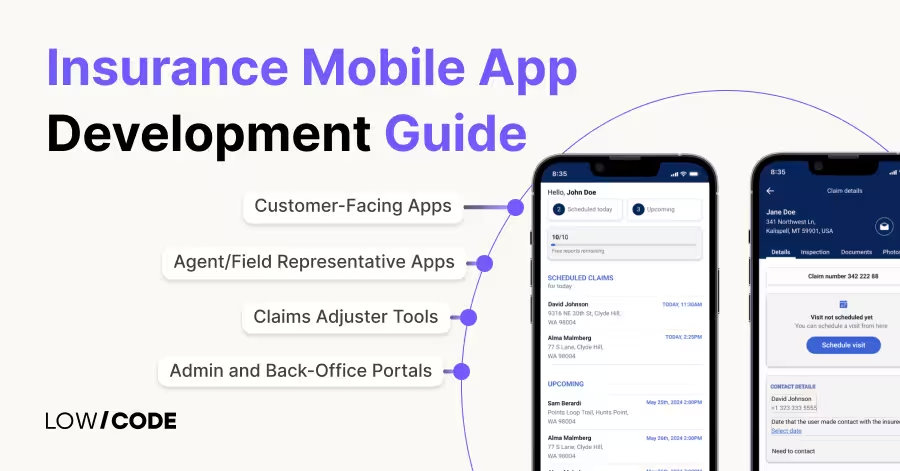
Different types of insurance mobile apps serve different roles, from helping customers to supporting internal teams.
These mobile apps are built for policyholders to manage their insurance easily. They allow users to buy policies, view documents, pay premiums, and file claims.
Health insurance mobile apps often include hospital locators and telemedicine options. Auto insurance mobile apps offer features like roadside help and claim tracking. Life insurance apps give reminders for premium payments and access to policy terms.
These mobile apps help agents manage clients and close more sales. They offer quick access to customer details, policy options, and pricing tools. Agents can send quotes, collect digital signatures, and submit applications on the go. It saves time and helps serve clients faster in the field.
Claims adjusters use these mobile apps to inspect damage, collect evidence, and process claims in real time. They can upload photos, fill digital forms, and get approval faster. It makes the claims process smooth and reduces time spent on paperwork or back-and-forth communication.
These mobile apps or dashboards support internal teams like underwriting, billing, and customer support. They offer access to data, workflows, and tools for handling day-to-day operations. With a mobile version, staff can work remotely and make real-time updates without delays.
Read more | Rapid mobile app development guide
Your insurance mobile app needs essential features that deliver real value to users while streamlining your operations. These core capabilities ensure your app meets customer expectations and drives business results:
Read more | Best No-code Mobile App Builders
To stay ahead, insurance mobile apps in 2025 must offer smart, modern features that improve both user experience and backend efficiency.
AI is now a key part of mobile insurance apps. With AI-driven claim validation, the app can check submitted documents, photos, and claim data in seconds. This cuts down human error and speeds up the process.
Chatbots also help answer common questions, guide users, and collect details 24/7. These tools reduce wait time and lower the load on human teams.
Telematics uses GPS and motion sensors to track driving behavior. With this data, insurers can offer usage-based pricing, good drivers pay less.
The app can track speed, braking, and distance. This not only personalizes pricing but also improves safety by giving users feedback on their habits.
Wearable devices like fitness bands and smartwatches can link with insurance mobile apps. This allows real-time tracking of steps, heart rate, and sleep.
Health or life insurance mobile apps use this data to offer wellness rewards, lower premiums, or early alerts for health risks. It builds a strong link between lifestyle and policy value.
Adding voice control helps make the insurance mobile app more accessible and user-friendly. Users can ask about policy details, due dates, or claim status using voice assistants like Alexa or Google Assistant. This improves the experience, especially for older users or those who prefer hands-free options.
Modern insurance mobile apps can now score user risk using AI and big data. Risk scoring looks at driving, health, or past claims to adjust prices and improve service. Fraud detection machine learning tools flag unusual patterns, helping insurers stop fake claims. These tools protect company profit and offer better prices to honest users.
Read more | Cross-Platform Mobile App Development Guide
Bubble excels at building complex, data-driven insurance mobile applications with sophisticated workflows and user management systems. Its visual programming approach enables you to create custom logic for policy calculations, claims processing, and risk assessment without writing code.
The platform's robust database capabilities handle multiple policy types, customer relationships, and claims data while maintaining GDPR compliance and security standards. Bubble's API connector seamlessly integrates with existing insurance systems, payment gateways, and third-party services like DocuSign or Stripe.
For insurance companies needing custom admin dashboards, multi-role user access, and complex approval workflows, Bubble provides the flexibility to build enterprise-grade applications. Its scalability ensures your app grows with your customer base while maintaining performance and reliability.
Read more | Can I Build a Mobile App with Bubble?
Glide transforms your existing data into professional insurance mobile apps with minimal setup time. If you're managing policies, claims, or customer information in Google Sheets or databases, Glide can create functional mobile apps in days rather than months.
The platform excels at internal tools for agents and adjusters who need quick access to customer data, policy information, and claim tracking. Glide's template library includes business management frameworks that adapt perfectly to insurance workflows.
For smaller insurance companies or agencies wanting to digitize operations quickly, Glide offers the fastest path to mobile functionality. Its intuitive interface allows non-technical staff to make updates while maintaining a professional appearance and reliable performance across all devices.
Read more | Business Mobile App Development Guide
FlutterFlow delivers native mobile experiences essential for customer-facing insurance mobile apps. When your customers need smooth animations, offline functionality, and app store presence, FlutterFlow provides the performance and user experience that web-based solutions can't match.
The platform's visual development environment creates true iOS and Android apps with native features like push notifications, camera integration, and device sensors. This makes it perfect for claims apps requiring photo capture, telematics integration, or location-based services.
FlutterFlow's real-time preview and collaboration features enable rapid prototyping and stakeholder feedback. For insurance companies prioritizing customer experience and mobile-first engagement, FlutterFlow offers the technical capabilities to compete with enterprise-level applications.
Read more | Ecommerce Mobile App Development Guide
Airtable serves as a powerful data foundation that enhances other no-code platforms rather than replacing them. Its sophisticated database capabilities organize complex insurance data, including policies, claims, customer relationships, and compliance documentation with enterprise-grade security and access controls.
When integrated with platforms like Glide or Bubble, Airtable becomes your centralized data hub. You can manage policy templates, track claims workflows, and maintain customer records while your app platforms handle user interfaces and interactions.
Airtable's automation features trigger actions based on data changes, sending notifications for policy renewals, claim updates, or compliance deadlines. This combination approach gives you database power with rapid app development, creating robust insurance solutions faster than traditional development methods.
Read more | AI App Development Guide
Insurance mobile apps handle sensitive personal and financial data, so strong security and compliance are a must.
Read more | How to hire mobile app developers
Your platform choice determines your app's capabilities, scalability, and long-term success. Bubble excels for complex policy management systems with custom workflows, while FlutterFlow delivers native mobile experiences for customer-facing apps. Glide transforms existing data into functional tools quickly for internal operations.
Consider your specific needs: customer app requirements, internal tool complexity, integration demands, and team technical expertise. Evaluate each platform's security features, compliance capabilities, and insurance-specific functionality.
The wrong choice creates expensive rebuilds later, while the right platform accelerates development and reduces costs significantly.
Read more | Mobile app development guide
Insurance mobile apps require specialized knowledge of regulatory compliance, security protocols, and industry workflows that most internal teams lack. DIY development often results in security vulnerabilities, compliance failures, and user experience problems that cost more money and time to fix than professional development.
Experts like LowCode Agency bring proven frameworks, regulatory expertise, and testing methodologies that prevent costly mistakes. We understand insurance-specific requirements like claims processing logic, policy calculation engines, and integration challenges.
Our experience building 330+ apps means faster delivery, fewer revisions, and apps that actually meet regulatory standards from launch.
Read more | Mobile app MVP development guide
Successful insurance mobile apps begin with comprehensive discovery that identifies your specific business requirements, user needs, and technical constraints. You'll need to analyze your existing systems, compliance requirements, user workflows, and integration needs to create detailed project specifications.
This phase includes stakeholder interviews, competitive analysis, regulatory review, and technical architecture planning. You should map user journeys for different personas, such as customers, agents, and adjusters, ensuring your app serves each group effectively.
Proper planning prevents scope creep, reduces development time, and ensures your app meets business objectives while staying within budget constraints.
Read more | Build food delivery app with no-code
Insurance mobile apps must balance complexity with usability, making wireframing crucial for your success. You need detailed user flow diagrams, screen mockups, and interactive prototypes that visualize your app before development begins. This prevents expensive changes during development while ensuring intuitive user experiences.
Your design process should focus on insurance-specific needs: simplified claims filing, clear policy information display, and efficient agent workflows. Testing wireframes with actual users gathers feedback that improves usability and reduces support requirements. Good design reduces training costs, increases user adoption, and minimizes customer service calls.
Read more | No-code mobile app development guide
Development should follow agile methodologies with regular testing cycles that ensure quality and compliance throughout the process. You'll build core features first, then add advanced functionality while maintaining security and performance standards. Continuous testing identifies issues early when they're cheaper to fix.
Your testing must include functionality verification, security assessments, compliance checks, and performance optimization. Test across devices, browsers, and user scenarios to ensure consistent experiences.
Integration testing verifies connections with existing systems work correctly. This thorough approach prevents launch delays and post-deployment issues that disrupt business operations.
Read more | Native mobile app development
Regular stakeholder reviews ensure your app meets business requirements and user expectations. You should conduct weekly demos, gather feedback from different user groups, and implement improvements based on real-world testing. This collaborative approach prevents miscommunication and ensures final delivery matches your vision.
Iteration cycles focus on usability improvements, feature refinements, and compliance verification. Test with actual insurance professionals, such as agents, adjusters, customers, gathering insights that improve adoption rates. Multiple review cycles create better apps while maintaining project timelines through structured feedback processes.
Read more | AI fitness app development guide
Successful deployment requires careful planning, security verification, and user training to ensure smooth adoption. You'll need to handle app store submissions, server configuration, security audits, and initial user onboarding. Your deployment process should minimize disruption while ensuring your team can manage the app effectively.
Ongoing maintenance includes security updates, feature enhancements, compliance monitoring, and performance optimization. Insurance regulations change frequently, requiring regular app updates to maintain compliance.
You need ongoing support that keeps your app current, secure, and optimized for growing user bases and evolving business needs.
Read more | Web MVP development
Building an insurance mobile app isn’t just about finding the lowest price—it’s about choosing the right approach that saves time, avoids future rebuilds, and helps you launch with confidence.
Custom-coded insurance MVPs take 6–9 months and cost $150,000–$300,000. This includes basic features like policy management, claims filing, and user login. A full-featured insurance mobile app with AI tools, telematics, and high-level security takes 12–18 months and costs $300,000–$800,000. The long timeline covers coding, testing, and full compliance checks.
DIY methods may seem cheap, but they can cost 1,000+ hours of your time. These apps often fail to scale and require costly rebuilds. Freelancer-built apps cost $5,000–$20,000, but many are poorly optimized and lack long-term support, leading to breakdowns and missed fixes.
At LowCode Agency, we start MVP builds at $30,000. We don’t just develop apps, we co-create powerful products with solid structure, AI-ready logic, and polished UI.
We partner with you from discovery to post-launch, ensuring your product is built for growth. We don’t cut corners, and we only work with projects where we can make a true impact. Your app deserves more than just code; it needs a team that cares.
Read more | AI business process automation guide
A strong insurance mobile app needs smooth integrations to connect with other systems and services. No-code platforms like Bubble, Glide, and FlutterFlow make these connections possible with plugins, APIs, and middleware tools.
CRM integration helps agents track customer details, manage communication, and keep records updated. Underwriting tools assess risks and pricing rules. Incorporating Salesforce consulting services can enhance the accuracy of risk assessments and streamline workflows.
With no-code tools, you can connect to platforms like Salesforce or HubSpot using API connectors or built-in plugins. Logic workflows can automate the approval steps, making the process faster and smoother without writing custom code.
Policy admin systems manage contracts, premium schedules, and renewals. No-code platforms can connect to these systems using REST or SOAP APIs.
You can create a dashboard where users view policy status, make changes, or renew directly. Bubble, for example, supports backend workflows and database linking to handle complex tasks like premium calculations.
APIs from services like LexisNexis, Experian, or fraud detection tools can be integrated easily into no-code apps. These APIs help with user verification, getting insurance quotes, and checking for red flags. No-code platforms allow API calls and logic rules that handle these steps without custom backend code.
Many insurance firms still use legacy software that doesn’t support direct integration. No-code tools can connect through middleware like Zapier, Make, or custom API bridges. This allows syncing data from old systems to modern apps without replacing the backend. It’s a smart way to modernize gradually.
Read more | Custom CRM development guide
For insurance mobile apps used by agents and customers in diverse areas, offline access and multilingual support are essential. No-code platforms today offer flexible ways to build both.
Field agents often work in areas with poor internet. Offline access lets them continue using the app without losing data. No-code tools like FlutterFlow and Glide support offline-first features by storing data locally on the device.
Once the internet is back, data syncs with the main database. You can also design forms and workflows to work without a live connection.
Insurance customers often prefer using apps in their own language. No-code platforms like Bubble and FlutterFlow allow multi-language support using dynamic text and translation databases.
You can set user preferences and load the right language automatically. This improves trust and makes the app easier to use in global or rural markets.
Good insurance mobile apps must be easy for everyone to use, even non-tech users. No-code platforms like Glide or Bubble allow you to build clean, step-by-step onboarding flows using visual workflows.
You can guide users with forms, tooltips, and simple buttons. In-app tutorials and pop-up walkthroughs help explain features like claims filing or policy updates without confusion.
To keep users engaged, no-code tools support push notifications, rewards, and auto-reminders. You can offer renewal discounts, loyalty points, or claim status alerts, all managed with logic flows, conditionals, and API triggers, without writing any code.
Building an insurance mobile app with no-code platforms is a smart and modern choice. It saves time, cuts costs, and gives you full control over design and features without needing to write complex code. Tools like Bubble, Glide, and FlutterFlow let you build secure, scalable, and user-friendly apps in weeks, not months.
You can easily add important features like claims tracking, policy updates, or customer support with visual workflows and ready-made plugins. Integrations with CRMs, APIs, and legacy systems are possible without deep technical knowledge. Most importantly, you can launch faster, test ideas early, and improve your app over time.
Ready to transform your insurance operations with a custom mobile app?
Book a free discovery call with us today. Let's discuss how we can turn your vision into a powerful digital solution that drives customer satisfaction, operational efficiency, and sustainable growth for your insurance business.
Last updated on
May 29, 2026
.
Jesus Vargas
-
Founder
Jesus is a visionary entrepreneur and tech expert. After nearly a decade working in web development, he founded LowCode Agency to help businesses optimize their operations through custom software solutions.
Custom Automation Solutions
Save Hours Every Week
We automate your daily operations, save you 100+ hours a month, and position your business to scale effortlessly.
Our AI — trained on 300+ shipped products — tells you what to build, what to skip, and what it'll actually cost. No fluff.
Assess My Idea"Working with LowCode Agency was the best decision I made in 2025"
Franklin Frith
CEO at HRM
Yes, modern no-code platforms like Bubble and FlutterFlow offer enterprise-grade security with SOC 2 compliance, data encryption, and GDPR adherence. They handle thousands of concurrent users while maintaining performance. These platforms provide role-based access control, audit logging, and secure API integrations that meet insurance industry standards for data protection and regulatory compliance.
Essential features include policy quote engines, claims filing with photo upload, real-time claim tracking, secure payment processing, policy details and renewals, document management, e-signature support, and in-app customer service. Advanced features like AI-powered chatbots, telematics integration, fraud detection, and push notifications enhance user experience while reducing operational costs and improving customer satisfaction.
No-code insurance apps typically take 5-16 weeks to develop, depending on complexity and features. A basic MVP with core functionality launches in 5-8 weeks, while comprehensive apps with advanced integrations and AI features require 8-16 weeks. This represents a faster timeline compared to traditional development, enabling rapid market entry and competitive advantage.
Professional no-code insurance mobile apps start at $30,000 for MVPs, compared to traditional development's $150,000-$800,000 range. DIY development requires 1,000+ hours plus opportunity costs, while freelancer options ($5,000-$20,000) typically need expensive rebuilds. At LowCode Agency, we don't just develop apps; we co-create digital products that are scalable, AI-ready, and built for real-world use from day one.
Yes, no-code platforms excel at system integration through built-in API connectors, webhooks, and middleware solutions. You can connect with CRM systems, policy administration platforms, underwriting tools, and legacy mainframe systems. These integrations enable real-time data synchronization, automated workflows, and seamless communication between your mobile app and existing business systems without disrupting operations.
Bubble excels for complex web applications with sophisticated workflows and database management. FlutterFlow is ideal for native mobile apps requiring offline capabilities and device integrations. Glide works best for internal tools and quick data-driven applications. Choose based on your specific needs: customer-facing apps benefit from FlutterFlow's native experience, while complex admin systems work best with Bubble's flexibility.
Mobile App Development
No-code/Low-code
No-code Mobile App Development (Build, Launch, and Scale)
Learn how to build no-code mobile apps step by step, choose the right tools, avoid mistakes, and scale your app without coding in 2026.
Glide
Mobile App Development
Build Mobile Apps Using Glide (Read this Before You Start)
Learn how to build mobile apps using Glide, what it can and can’t do, pricing limits, and when it makes sense for real business use cases in 2026.
Mobile App Development
How to Promote Your Mobile App & Get Downloads
Building a mobile app is only half the battle. Learn proven promotion strategies that drive real downloads and sustainable growth.
Mobile App Development
PWA vs Mobile App: Which Should You Build?
Progressive web app or native mobile app? Compare performance, cost, reach, and use cases to decide which is right for your project.
Mobile App Development
Retail Mobile App Development: What It Takes
Thinking of building a retail mobile app? Learn what it takes, what features matter most, and how to build one that drives revenue.
Mobile App Development
Why Mobile App Timelines Vary So Much
Why does mobile app development take different amounts of time? Learn what factors drive timelines and how to set realistic expectations.