|
VOOZH | about |
|
VOOZH | about |
14 min
read
Compare Webflow vs Divhunt across 14 key factors to choose the best website builder for your next project or business site
By
Jesus Vargas
Updated on
May 29, 2026
.
Reviewed by
Real-World Experience with No-Code Tools: With over 320 apps built, we know firsthand what works—and what doesn't—when using no-code platforms like Glide, Bubble, FlutterFlow and Webflow.
Expert Team with 40+ Years of Combined Experience: Our team has deep technical knowledge, with experts who use no-code tools to solve real-world problems for clients every day, ensuring our advice is actionable and reliable.
Detailed Guides Based on Actual Projects: We don’t just talk about no-code; we use it daily to solve real business problems for our clients, from MVPs to complex automations.
Take a deeper look at our editorial guidelines
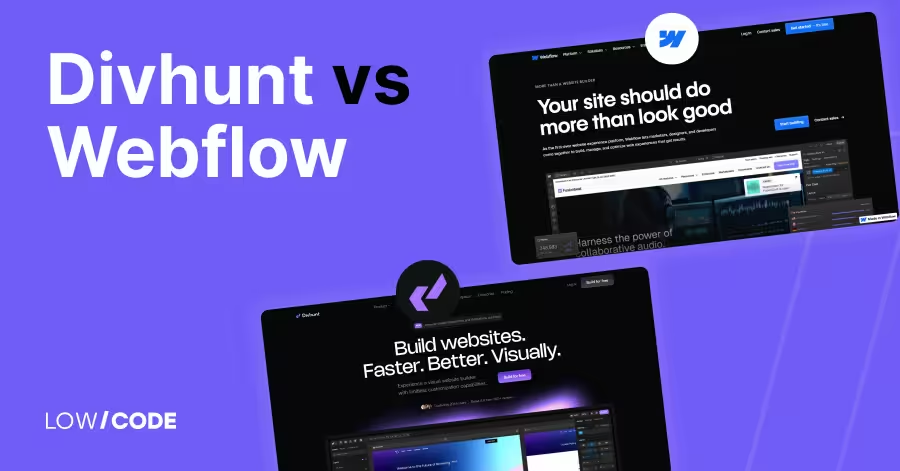
Choosing the right website builder can save you hours of work and thousands in development costs. With Webflow and Divhunt gaining attention, many creators are asking which one is the better fit.
As no-code tools power over 43% of websites today, the stakes are high when picking the right one. In this comparison, we’ll break down where Webflow and Divhunt shine and where they fall short.
After building over 330 custom websites and apps, we know what matters in real-world projects. Whether you're scaling a business or launching a side project, this guide will help you make the smartest choice.
| Feature | Webflow | Divhunt |
|---|---|---|
| Best For | Designers, agencies, and businesses needing full visual and CMS control | Developers, startups, performance-focused users |
| Ease of Use | Powerful but has a learning curve | Beginner-friendly with a cleaner UI |
| Design Flexibility | Pixel-perfect control with CSS-style editing | Full customization, modular editing without complexity |
| CMS Features | Advanced CMS with custom collections and Editor mode | Growing CMS, flexible but simpler than Webflow |
| Animations | Complex animations with Interactions and Lottie support | Smooth micro-interactions with real-time preview |
| Developer Access | Custom embeds and scripts, but limited backend control | Full developer access with plugin system and script control |
| SEO Tools | Strong built-in SEO tools and automation | Solid SEO controls, but fewer built-in automations |
| Hosting & Speed | AWS hosting with global CDN and fast performance | Fast, lightweight hosting with smart loading and CDN |
| Team Collaboration | Advanced roles, editor access, and client-friendly tools | Real-time collaboration with basic role support |
| Scalability | Suitable for large teams and growing business sites | Designed for long-term flexibility and performance at scale |
| Security | SSL, backups, and AWS-level infrastructure | SSL and CDN-level security, continuously improving |
The core difference between Webflow and Divhunt lies in their maturity, user control, and flexibility.
Webflow is a well-established no-code platform built for designers and developers who want pixel-perfect control over their websites. It offers a visual builder with full access to HTML, CSS, and CMS features, making it ideal for custom, responsive websites that scale.
Divhunt, on the other hand, is newer and more focused on performance and clean code output. It gives you a lightweight, modular structure and full control over how components load and behave. Divhunt is designed to offer flexibility without bloated code, and it includes an open plugin system that encourages community-built features.
In short, Webflow is stable and design-focused, while Divhunt is flexible and developer-friendly. Your choice depends on whether you want a proven builder or more control and performance freedom.
Both Webflow and Divhunt offer powerful visual editors, but the ease of use can vary depending on your design background and workflow needs.
Webflow’s design interface is powerful but can be overwhelming for beginners. It gives full control over layout, spacing, animations, and responsive design using a system similar to HTML and CSS. While it offers pixel-perfect freedom, new users may find it complex at first.
Webflow University provides excellent tutorials to help users learn quickly. Once you understand the basics, Webflow becomes a versatile tool for both simple and advanced designs.
Yes, Divhunt offers a cleaner, smoother experience with a more modern and intuitive interface. It removes extra clutter and focuses on giving users direct control over layout and speed.
The editor is lightweight, with clear tools and real-time previews, making it easier to use for those who want to design quickly without deep technical knowledge. Divhunt’s UI feels less technical, which helps reduce the learning curve for beginners and non-designers.
Read more about:
If your website needs dynamic content like blogs, portfolios, or product listings, the CMS features can make a big difference in how you manage updates.
Webflow’s CMS is powerful and easy to use. You can create custom content types, define fields, and display content anywhere on the site using collection lists or dynamic pages. It’s great for blogs, directories, or client projects where content updates often.
You can even let clients edit content through a user-friendly Editor mode. While not as advanced as headless CMS platforms, Webflow’s CMS is strong for most visual content-driven websites.
Divhunt’s CMS is still growing but already offers solid flexibility. You can build custom collections, add fields, and manage content visually. One standout feature is how it handles lightweight content loading, helping performance stay fast.
However, since Divhunt is newer, it may lack some of the advanced CMS automation and editor tools found in Webflow. Still, it’s flexible enough for most content-driven sites and will likely expand as the platform grows.
Adding animations and micro-interactions brings a website to life. Both platforms offer motion tools, but with different levels of depth and ease.
Webflow offers a robust animation system called Interactions. You can create scroll-based animations, hover effects, page transitions, and complex multi-step timelines—all without code. It’s great for designers who want to build custom motion effects directly in the visual builder.
Webflow also supports Lottie animations and provides full control over triggers and timing. For advanced design teams, it’s one of the most complete no-code animation tools available today.
Yes, Divhunt allows you to create smooth micro-interactions using its built-in visual controls. You can apply transitions, hover effects, and scroll-based animations easily, with real-time previews as you build.
While it may not offer the same level of timeline complexity as Webflow yet, Divhunt covers all the essentials for modern UI motion. It’s especially good for lightweight interactions that enhance user experience without slowing down the site.
For advanced users, adding custom code or editing files can unlock more flexibility. Here's how Webflow and Divhunt handle developer-level access.
Yes, Webflow allows you to add custom code in several ways. You can insert code in the page settings, use embed elements for HTML/CSS/JavaScript, and even connect external libraries. This is helpful for tracking tools, third-party scripts, or adding custom functionality.
However, you don’t get full file system access, so you’re limited to what Webflow allows through its visual and embed tools. It’s flexible, but not fully open for backend-level changes.
Yes, Divhunt offers deeper control for developers. You can access and modify code components, manage scripts, and adjust how elements load and behave. It also supports a plugin system that allows custom extensions, giving developers more flexibility than traditional no-code tools.
While it keeps a visual builder for ease, Divhunt is designed to be open and developer-friendly for those who want more control without leaving the no-code environment.
Reusable elements help save time and keep designs consistent. Both Webflow and Divhunt offer ways to manage and reuse components across your site.
Webflow offers Symbols, which are reusable components that you can use across multiple pages. When you update a Symbol, the change reflects everywhere it's used. This is perfect for headers, footers, buttons, or repeated content blocks. Webflow also allows you to unlink Symbols if you want to edit one version separately. It’s a time-saving system that helps keep large sites consistent and easy to maintain.
Yes, Divhunt supports global components that you can reuse across your site. These components can be saved, edited once, and updated site-wide—similar to Webflow Symbols. Divhunt also focuses on performance, allowing you to control how and when each module loads.
This gives you both flexibility and speed. It’s especially useful for developers or teams managing dynamic layouts and wanting to keep everything clean and consistent.
Read more about:
Integrations help extend your site’s functionality. From marketing tools to custom scripts, both Webflow and Divhunt offer ways to connect with third-party services.
Webflow supports a wide range of third-party tools through custom code embeds and integrations. You can connect apps like Google Analytics, Mailchimp, Zapier, HubSpot, and more. Many users also embed widgets like chatbots, forms, or booking tools directly using HTML/JS blocks.
While Webflow doesn’t have a plugin marketplace, it plays well with most external services and no-code tools, giving you solid flexibility for marketing, analytics, and automation needs.
Yes, Divhunt is highly open to external services. It supports embedding third-party scripts and offers a custom plugin system that allows developers to build or install new features. You can connect analytics tools, use webhooks, or integrate with platforms like Stripe, Calendly, and others.
Divhunt encourages a modular approach, making it easier to expand your site with external tools while keeping everything lightweight and performance-focused.
Optimizing for search engines is key to growing organic traffic. Let’s see how Webflow and Divhunt handle SEO tools and flexibility.
Yes, Webflow has excellent built-in SEO features. You can easily add meta titles, descriptions, alt text, Open Graph tags, and custom slugs. It also lets you control indexing, create automatic sitemaps, and manage 301 redirects.
Webflow’s clean HTML structure and fast-loading pages give a strong technical base for SEO. Whether you're managing a small blog or a large marketing site, Webflow offers everything you need to optimize pages without extra plugins.
Yes, Divhunt supports solid SEO customization. You can edit meta tags, slugs, titles, and image alt text directly in the visual editor. It also allows advanced control over script loading and page structure, which can improve performance-based SEO.
While it doesn’t yet have as many automation tools as Webflow, it gives you full control over on-page SEO basics. As the platform grows, SEO features are expected to become even more robust.
Site speed and uptime are essential for both user experience and SEO. Here’s how Webflow and Divhunt handle hosting and performance.
Webflow uses Amazon Web Services (AWS) and Fastly CDN to deliver high-speed, secure hosting. Sites load quickly across the globe and include automatic SSL, backups, and high uptime. You don’t need to manage any server setup—everything is handled by Webflow.
It’s highly reliable for personal, business, or client sites. Webflow also auto-optimizes assets, helping improve page load times and performance without extra tools.
Yes, Divhunt offers fast and scalable hosting by design. It focuses on clean code output, lazy loading, and smart asset delivery to reduce unnecessary load. Divhunt-hosted sites are lightweight, mobile-optimized, and built to scale without performance drops.
The platform includes CDN support and automatic speed enhancements. While newer than Webflow, its hosting setup is strong and especially good for developers who care about performance and site speed from the ground up.
As your website or business grows, the platform you choose should be able to grow with it. Here’s how Webflow and Divhunt handle scalability.
Yes, Webflow is built to scale. Whether you're starting with a landing page or building a full-scale marketing site, Webflow supports large projects with advanced CMS features, team collaboration tools, and strong hosting.
You can manage multiple sites, add user roles, and expand content collections easily. Many startups and agencies use Webflow to build client sites, portfolios, or product pages that evolve over time. It’s stable and flexible enough to grow with your brand.
Divhunt is designed with scalability in mind, especially for developers who want control over how their site evolves. It uses modular architecture, meaning you can expand your site without adding bloat. With fast hosting, custom plugins, and reusable components, Divhunt supports growing content, features, and performance demands.
While it’s still newer than Webflow, its structure is ideal for long-term projects that need flexibility, speed, and room to grow without rebuilding everything later.
Read more about:
A secure website protects your visitors and your data. Both Webflow and Divhunt include important security features, but here’s how they compare.
Webflow includes strong security by default. Every hosted site comes with SSL encryption, automatic backups, and protection through Amazon Web Services (AWS). Webflow also handles DDoS protection, role-based team access, and automatic version history for peace of mind.
You don’t have to set up anything manually—security is fully managed in the background. For businesses and clients, this makes Webflow a safe and trustworthy option for launching secure, professional-grade websites.
Yes, Divhunt includes free SSL certificates for every site, ensuring secure data transfer. It also uses performance-focused hosting with a secure CDN to help defend against attacks.
While it doesn’t yet have the enterprise-level infrastructure of Webflow, Divhunt is built with modern best practices for security. It’s a reliable platform for both small and growing websites, and the team continues to improve protection as the platform evolves.
If you’re working with a team, having solid collaboration tools can speed up workflows and reduce mistakes. Here’s how Webflow and Divhunt support team efforts.
Yes, Webflow offers built-in collaboration tools for teams. You can invite teammates, assign roles, and manage site access with Editor and Workspace permissions. Designers can work in the visual builder, while clients or marketers can update content safely without affecting layout.
On higher plans, Webflow supports multi-user access and advanced workspace features for agencies. These tools make it easy to divide tasks between developers, designers, and content editors with less risk of overlap.
Divhunt supports team collaboration with shared workspaces and real-time updates. You can invite multiple users to a project and assign them different access levels depending on their role. The platform is designed to let developers, designers, and content editors work together without clashing.
It also supports reusable components and custom settings that help teams build more efficiently. While still growing, Divhunt is adding more team-focused features to support agencies and fast-moving web projects.
Both platforms are built visually, but the learning experience can vary depending on your design or technical background. Here's how they compare.
Webflow offers a powerful visual builder, but it can feel overwhelming for beginners. It closely follows how HTML and CSS work, which gives you full control—but also means there’s more to learn.
Fortunately, Webflow University provides top-quality tutorials, templates, and guides to help new users ramp up. Once you understand the basics, Webflow becomes a strong and flexible tool, but expect a moderate learning curve in the beginning.
Yes, Divhunt is designed with simplicity in mind. The interface is clean, and the tools are intuitive, making it easier for beginners to explore and build without much setup. It removes extra complexity and keeps things modular, so you can focus on designing quickly.
While it still offers deep control for advanced users, its friendly layout and smoother onboarding experience make it easier to learn than Webflow, especially for non-developers.
Read more about:
Your ideal choice depends on the type of website you're building, your skill level, and how much control or performance you need.
Webflow is the better choice if you need a mature, stable platform with powerful design freedom and built-in CMS. It’s ideal for agencies, freelancers, or businesses that want professional websites with strong SEO, animation, and hosting.
If you're building marketing sites, portfolios, or content-driven pages that need advanced structure and team workflows, Webflow is a reliable solution with proven results. It also has a strong ecosystem and learning support to help you scale.
Divhunt is the better choice if you want speed, flexibility, and cleaner code output with less bloat. It’s great for developers, startups, and tech-savvy users who want full control over performance, plugins, and layout without sacrificing ease of use.
If you're building modern, lightweight sites and care more about customization and loading speed than template libraries or third-party limits, Divhunt gives you a fast-growing, open environment to build freely.
Last updated on
May 29, 2026
.
Jesus Vargas
-
Founder
Jesus is a visionary entrepreneur and tech expert. After nearly a decade working in web development, he founded LowCode Agency to help businesses optimize their operations through custom software solutions.
Custom Automation Solutions
Save Hours Every Week
We automate your daily operations, save you 100+ hours a month, and position your business to scale effortlessly.
Our AI — trained on 300+ shipped products — tells you what to build, what to skip, and what it'll actually cost. No fluff.
Assess My Idea"Working with LowCode Agency was the best decision I made in 2025"
Franklin Frith
CEO at HRM
Divhunt can replace Webflow for many professional use cases, especially if you value performance and flexibility. It supports responsive design, custom plugins, and clean code output. However, Webflow is more mature and has stronger CMS features, a larger template library, and better client hand-off tools. If you're working with clients or large teams, Webflow may still be the more reliable and scalable option for now.
Webflow currently has more built-in SEO tools. It lets you control meta titles, descriptions, alt text, indexing rules, and redirects easily. Divhunt also allows SEO edits, including custom tags and image optimization, but it's still building out more advanced features. If SEO is a major part of your strategy today, Webflow offers more control and guidance out of the box.
Yes, both platforms support custom code. In Webflow, you can add code embeds, custom scripts, and HTML inside pages or site settings. Divhunt allows even more flexibility, giving developers deeper access to script behavior and plugin creation. If you're building something with third-party tools or want backend-like control, Divhunt provides a more developer-friendly experience with fewer platform restrictions.
Divhunt is generally easier for non-designers or beginners. Its UI is more modern and simplified, with less technical jargon and a quicker learning curve. Webflow is powerful, but it follows a CSS-style structure that may confuse new users at first. That said, Webflow offers extensive learning resources through Webflow University, which helps users catch up quickly if they’re willing to invest time.
Yes, Webflow has more advanced collaboration features, especially on higher Workspace plans. You can assign roles, allow content-only access, and let clients update text or images without touching the layout. It also includes activity logs and version history. Divhunt supports collaboration too, but it’s still evolving its team management features. For agencies or client projects, Webflow currently offers better tools for shared workflows.
Yes, Divhunt has a flexible CMS system that lets you create collections, add custom fields, and display dynamic content. It’s good for blogs, portfolios, or product listings. While it may not yet match Webflow’s CMS in automation and editor tools, it handles the basics well and performs efficiently. As the platform grows, more advanced CMS features are expected to be added.
Airtable
Comparison
Airtable vs Baserow | 16 Factors to Decide the Best One
Compare Airtable vs Baserow on hosting, flexibility, automations, and privacy. Find the right no-code database tool for your team or self-hosted setup
Airtable
Comparison
Airtable vs Basecamp | 12 Factors to Decide the Best One
Compare Airtable vs Basecamp on automation, collaboration, views, and team size. Find the best tool for data workflows or project communication
Comparison
Webflow
Bubble
Bubble vs Webflow | 11 Factors to Decide the Best One
Compare Bubble vs Webflow across 11 key factors, including use cases, flexibility, backend needs, scalability, pricing, and which platform suits your project.
Webflow
Custom Webflow Website vs Templates
Custom Webflow website vs templates explained. Learn key differences in design control, SEO, speed, cost, and long-term scalability.
Comparison
Bubble
Bubble vs Retool | 13 Factors to Decide the Best One
Compare Bubble vs Retool across 13 key factors including design, logic, data, and scalability to choose the right platform for your next app project
Bubble
Comparison
Bubble vs Backendless | 10 Factors to Decide the Best One
Compare Bubble vs Backendless across 9 factors like UI, logic, API, and scalability to find the best no-code platform for your app’s needs





.avif)