|
VOOZH | about |
|
VOOZH | about |
14 min
read
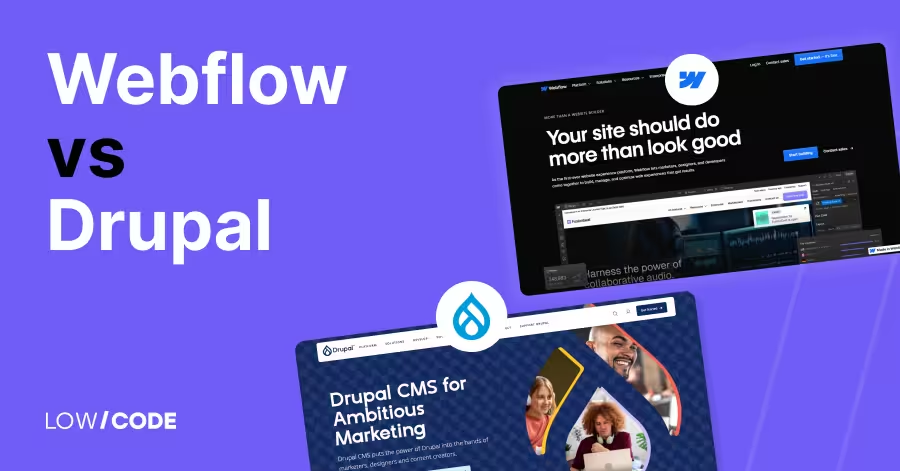
Compare Webflow vs Drupal across 13 key factors like ease of use, design, CMS, SEO, and more to find the best platform for your next website
By
Jesus Vargas
Updated on
May 29, 2026
.
Reviewed by
Real-World Experience with No-Code Tools: With over 320 apps built, we know firsthand what works—and what doesn't—when using no-code platforms like Glide, Bubble, FlutterFlow and Webflow.
Expert Team with 40+ Years of Combined Experience: Our team has deep technical knowledge, with experts who use no-code tools to solve real-world problems for clients every day, ensuring our advice is actionable and reliable.
Detailed Guides Based on Actual Projects: We don’t just talk about no-code; we use it daily to solve real business problems for our clients, from MVPs to complex automations.
Take a deeper look at our editorial guidelines
Choosing the right website builder can save weeks of work and thousands in development costs.
As of 2025, Webflow powers over 3.5 million websites, while Drupal is trusted by 1.7% of all websites with known CMS usage, including big names like NASA and Harvard. Webflow is loved by designers for its no-code visual editor, while Drupal is favored by developers for its power, flexibility, and security.
But which one fits your needs? This comparison breaks down the key differences—ease of use, design freedom, performance, security, and scalability—so you can choose the best tool for your business or team.
| Feature | Webflow | Drupal |
|---|---|---|
| Best For | Designers, small businesses, marketing sites | Developers, enterprises, large-scale content sites |
| Ease of Use | Drag-and-drop, beginner-friendly | Developer-focused, steep learning curve |
| Design Flexibility | Full visual control, animations, responsive layout | Fully customizable via code and theming |
| CMS Features | Visual CMS, easy content updates | Advanced content types, workflows, multi-language support |
| Performance | Fast out of the box, global CDN included | High performance with caching and manual optimization |
| Security | SSL, DDoS protection, secure hosting | Enterprise-grade, role-based access, HIPAA/GDPR-ready |
| Integrations | Zapier, APIs, marketing tools | Deep integrations with ERPs, CRMs, custom APIs |
| E-commerce | Basic e-commerce (small stores) | Drupal Commerce for complex, scalable stores |
| AI & Automation | Basic AI tools for content and layout | Supports AI via integrations (e.g., ChatGPT, IBM Watson) |
| Scalability | Good for growing SMBs | Built for high-traffic, multi-user, enterprise-scale projects |
| Community & Support | Webflow University, growing community | Massive open-source dev community, enterprise support options |
The core difference between Webflow and Drupal is how they approach website building.
Webflow is a no-code visual builder made for designers, marketers, and small teams. You can build custom websites using drag-and-drop tools without writing code. It combines design, content management, and hosting in one platform. It's fast, user-friendly, and great for modern, responsive websites.
Drupal, on the other hand, is a powerful open-source CMS made for developers and large organizations. It requires coding knowledge to set up and manage. Drupal is built for complex sites with custom user roles, large databases, and detailed permissions.
So if you want a visual website builder that’s quick and simple to use, Webflow is the better choice. If you need a highly customizable and scalable system with developer support, Drupal offers more control and flexibility.
Let’s begin by comparing how easy it is to use each platform for building websites.
Yes, Webflow is designed for non-developers. It uses a drag-and-drop interface that lets you build fully custom websites without writing code. You can control layouts, animations, and styles visually, similar to using design tools like Figma or Photoshop.
Webflow also includes built-in hosting, CMS, and SEO tools, making it easy to manage everything in one place. While the interface may take a few hours to learn, most users can build a full site without needing developer help. It’s perfect for designers, marketers, and small businesses.
Yes, Drupal is more complex and is built mainly for developers and technical teams. Setting up a Drupal site involves installing modules, writing PHP code, and configuring databases. Even basic changes often need developer input.
While there are themes and page builders available, most customizations require backend work. Drupal is very powerful, but the learning curve is steep. It’s better suited for companies with IT teams or developers who can manage and maintain a scalable website with many custom features and permissions.
Next, let’s look at how much design control each platform gives you.
Webflow gives full design freedom. You can build pixel-perfect layouts using visual tools and control every detail—spacing, typography, animations, and responsive behavior. It doesn’t lock you into templates, so you can start from scratch or use a template and customize everything.
Webflow also supports CSS styling, interactions, and reusable components. You don’t need to write code, but advanced users can still add custom HTML, CSS, or JavaScript. It’s ideal for teams that want creative control without hiring developers.
Yes, Drupal is highly customizable, but it requires technical skills. Developers can create custom themes, install third-party modules, or build new ones from scratch. Drupal offers full access to backend code, so you can control the look and functionality at every level.
It supports custom content types, layout builders, and role-based views. While you can achieve any design with Drupal, the process takes longer and needs developer time. It’s best for enterprise-level websites where complex features and complete customization are necessary.
Now let’s compare their strengths when it comes to managing content.
Webflow has a built-in CMS that lets you create custom content types like blog posts, products, or team members. You can design how each item looks and easily update content without touching the layout. Webflow’s CMS is visual and simple to use.
It’s great for content creators and marketers who need to update sites without technical help. You can also set permissions for content editors and create dynamic pages with filters and categories. It’s best for small to medium content-driven sites.
Drupal is built for large-scale content management. It supports custom content types, taxonomies, user roles, and workflows out of the box. Editors can create complex page structures, reuse content, and set publishing rules. Drupal is often used by universities, news sites, and government portals with hundreds of pages.
It also supports multilingual content and content staging. While it’s not as visual as Webflow, it offers advanced tools for structured, large, and permission-controlled content. It’s one of the best CMS platforms for content-heavy projects.
Read more about:
Let’s see how both platforms perform when it comes to speed and site optimization.
Yes, Webflow is very fast out of the box. It hosts sites on a global CDN (Content Delivery Network), which means pages load quickly no matter where users are. Webflow automatically optimizes images, minifies code, and includes SSL by default.
You don’t need to configure anything—performance is handled for you. It's built for fast delivery and low maintenance. For most small to mid-sized websites, Webflow provides excellent loading times without requiring extra plugins or technical setup.
Drupal is powerful but requires configuration for top performance. It supports advanced caching systems like Varnish, Memcached, and CDN integrations, but these need to be set up manually. Developers can fine-tune page caching, asset compression, and server performance to meet the needs of large or complex sites.
If done correctly, Drupal can scale very well and serve millions of users. However, without proper setup and optimization, it can run slowly. It’s ideal for teams that have control over hosting and know how to manage performance tools.
Let’s compare how well both platforms support SEO and marketing features.
Yes, Webflow is SEO-friendly out of the box. You can set custom page titles, meta descriptions, alt text, and clean URLs without any plugins. It also allows structured data, canonical tags, and 301 redirects. Webflow sites are fast-loading and responsive, which helps SEO rankings.
Built-in tools like XML sitemaps and Open Graph tags also support content sharing and indexing. Marketers love Webflow because everything is visual and easy to access without needing a developer. You can update content and SEO settings quickly from the CMS, making it ideal for growth-focused websites.
Yes, but Drupal requires more setup for SEO. You’ll need to install and configure modules like Pathauto for clean URLs, Metatag for metadata, and XML Sitemap for indexing. Drupal is highly customizable, so you can achieve excellent SEO—but it’s not all built-in.
You’ll also need developer help for things like schema markup and performance tuning. Once configured, Drupal can compete with any CMS in search visibility, especially for large, content-heavy websites. It’s best for teams that understand SEO or work with technical SEO experts.
Next, let’s look at how secure and compliant these platforms are for business use.
Webflow is secure for most business websites. It includes SSL by default, protects against common threats like DDoS attacks, and keeps infrastructure managed on Amazon Web Services. You don’t need to worry about plugin updates or server issues—Webflow handles all that for you. For general business sites, portfolios, and small stores, Webflow offers a secure environment.
However, it may not support industry-specific compliance needs like HIPAA or government-grade security. It’s better suited for marketing sites than high-security apps or systems.
Yes, Drupal is one of the most secure open-source CMS platforms. It’s trusted by large organizations, including governments and universities. Drupal offers strong user role management, content access control, and enterprise-grade security modules. It can be configured for compliance with standards like HIPAA, GDPR, and FedRAMP—if the hosting and setup follow strict guidelines.
However, keeping Drupal secure requires ongoing updates and expert management. It’s a great fit for regulated industries, but only when handled by an experienced development team.
Read more about:
Let’s check how well each platform connects with other tools and systems.
Webflow supports a growing number of integrations with tools like Google Analytics, Mailchimp, HubSpot, and Zapier. You can also add custom code for deeper integrations or connect through webhooks. While it doesn't support plugins in the traditional sense, you can use embeds or scripts to connect most marketing and analytics tools.
Webflow is focused on frontend and design, so complex backend integrations are limited. Still, it’s great for integrating everyday tools used by marketing, design, and sales teams.
Yes, Drupal is built to handle complex integrations. It can connect with CRMs, ERPs, payment gateways, and internal business systems using APIs and custom modules. Developers can use Drupal’s API-first architecture to push or pull data between systems.
It’s also widely used for multilingual, multi-site, and multi-region projects that need custom workflows. If your organization uses enterprise software and needs deep, custom integration, Drupal is much more flexible and powerful than Webflow. However, it requires developer support to build and maintain those connections.
Now let’s explore how both tools perform when building online stores.
Webflow offers built-in e-commerce features for simple online stores. You can sell digital or physical products, set up checkout pages, and manage inventory within the Webflow interface. It supports Stripe and PayPal for payments, along with customizable emails and product pages.
It’s ideal for small stores with a limited product range. However, Webflow’s e-commerce is not suited for large catalogs, subscriptions, or advanced features like multi-currency. If you’re a small business owner or creative selling products online, Webflow gives you a clean and stylish storefront without needing code.
Yes, Drupal supports robust e-commerce through its Drupal Commerce module. It allows custom product types, multi-currency pricing, tax rules, shipping logic, and customer roles. Drupal Commerce is very flexible and is built for large, scalable stores that need unique workflows or backend connections.
You can integrate it with ERPs, manage large product databases, and customize the checkout experience completely. It’s powerful, but setup is complex and developer-intensive. If you’re building a full-scale e-commerce platform with unique features, Drupal is a stronger choice than Webflow.
Read more about:
Let’s look at how each platform handles growth as your project or business expands.
Webflow is great for small to medium businesses that want to scale quickly. It handles growing traffic well thanks to its built-in CDN, hosting, and clean code output. You can upgrade plans as your needs grow, and its CMS can manage thousands of items.
However, Webflow does have some limits—especially for sites that require complex user systems, large databases, or custom backend features. It’s perfect for marketing sites, portfolios, and small e-commerce stores, but not ideal for enterprise systems with multiple user roles or backend workflows.
Yes, Drupal is built for large-scale projects. It powers many high-traffic, high-security websites including government portals, universities, and news media. Drupal’s architecture supports complex data structures, multi-language content, advanced caching, and multiple user roles.
You can also use load balancing, CDN integration, and advanced hosting setups to scale globally. With the right development and maintenance, Drupal can handle millions of users and heavy custom features. It’s a top choice for enterprises needing full control, data security, and long-term flexibility.
Let’s explore the kind of help and resources each platform offers.
Webflow has a friendly and fast-growing community of designers, freelancers, and agencies. The Webflow University offers free lessons, tutorials, and visual guides. You can also join Webflow’s forum or browse templates built by others.
While Webflow’s support team is helpful, live support is limited on lower plans. Most users rely on tutorials, videos, and community tips to solve issues. It’s a great platform if you like visual learning and want inspiration from other creators. However, support for complex backend development is minimal compared to Drupal.
Drupal has one of the largest open-source developer communities in the world. Thousands of contributors maintain core updates, security fixes, and new modules. Whether you’re building with Drupal 9 or Drupal 10, you’ll find rich documentation, forums, case studies, and professional service providers.
If you run into problems, chances are someone else has solved it before. Because of its complexity, Drupal’s community is more developer-focused than beginner-friendly. Still, it’s trusted by global institutions and backed by years of enterprise use, giving it a stable and mature ecosystem.
Let’s look at how prepared each platform is for the future of web development.
Yes, Webflow is slowly adding AI-powered features. It recently introduced AI tools to help generate content and assist with layout suggestions. You can use Webflow’s AI assistant to create page copy, tweak button text, or brainstorm section ideas.
These features aim to speed up the design process, especially for solo creators or marketers. While still basic, Webflow’s AI tools are improving and help save time during the creative process. It’s clear Webflow is moving toward a smarter, more automated design experience.
Yes, Drupal supports AI through integrations with external services. You can connect it to machine learning tools like IBM Watson, ChatGPT, or custom Python scripts. Some Drupal modules already offer AI-based tagging, translation, and content recommendations. Drupal’s open architecture makes it easier to build custom AI features—if you have the developer skills to do so.
For example, you can automate workflows or suggest content based on user behavior. While Drupal doesn’t have built-in AI tools, it’s highly flexible for teams who want to integrate smart technology.
Read more about:
Let’s wrap up by helping you decide which platform fits your specific needs.
Choose Webflow if you’re a designer, small business owner, or marketer who needs a professional website fast—without hiring a developer. It’s perfect for portfolios, marketing sites, and small e-commerce stores. Webflow’s visual builder, built-in CMS, and hosting make it an all-in-one tool that saves time and effort. If ease of use, design flexibility, and speed matter most, Webflow is the better choice.
Choose Drupal if you need complex functionality, enterprise-grade security, and full control over content and users. It’s ideal for large websites, such as government portals, universities, or high-traffic news platforms. Drupal is also better if your site requires custom workflows, deep integrations, and structured content types. You’ll need developer support, but you’ll get unlimited scalability and flexibility in return.
Last updated on
May 29, 2026
.
Jesus Vargas
-
Founder
Jesus is a visionary entrepreneur and tech expert. After nearly a decade working in web development, he founded LowCode Agency to help businesses optimize their operations through custom software solutions.
Custom Automation Solutions
Save Hours Every Week
We automate your daily operations, save you 100+ hours a month, and position your business to scale effortlessly.
Our AI — trained on 300+ shipped products — tells you what to build, what to skip, and what it'll actually cost. No fluff.
Assess My Idea"Working with LowCode Agency was the best decision I made in 2025"
Franklin Frith
CEO at HRM
Yes, Webflow is much easier for beginners. It offers a visual drag-and-drop interface, while Drupal requires technical knowledge and coding skills. Webflow is best for designers or marketers, while Drupal is more suited for developers building complex or enterprise-grade sites.
Yes, Webflow includes built-in SSL, global CDN, and secure hosting on AWS. It's safe for most business websites. However, for strict compliance like HIPAA or government security standards, Drupal provides more advanced control and is better suited for high-security needs.
Yes, Drupal is ideal for large, content-heavy websites that need scalability, custom roles, and detailed permissions. It’s used by governments and universities because it handles complex data structures and high traffic well—with developer support and regular maintenance.
Yes, Webflow has a built-in CMS that lets you create and manage custom content types like blogs, products, or team members. It’s easy to use and flexible for content creators, though not as advanced as Drupal's content handling for large teams.
Webflow supports basic e-commerce for small shops using Stripe or PayPal. Drupal, with Drupal Commerce, is better for large stores needing custom product types, complex checkout flows, or third-party integrations. Choose based on your store size and complexity.
Both can be SEO-friendly. Webflow offers easy-to-use built-in SEO tools. Drupal requires extra modules but allows more customization for advanced needs. For beginners, Webflow is simpler. For technical SEO control at scale, Drupal is stronger with proper configuration.
Comparison
Glide
Glide vs Adalo | 10 Factors Compared (2026)
Adalo vs Glide: Choosing the right platform for your no-code app. Why Glide might surprise you!
Comparison
Webflow
Webflow vs Divi | 10 Factors to Decide the Best One
Compare Webflow vs Divi across 10 key factors—design, SEO, pricing, ease of use, and more to find the best website builder for you
Business Automation
Comparison
Zapier vs Pabbly | 9 Factors to Decide the Best One
Compare Zapier vs Pabbly on pricing, features, app integrations, and ease of use. Learn which automation tool is best for your business in 2025
Webflow
Webflow Boutique Vs Enterprise Agencies (2026 Comparison)
Compare boutique vs enterprise Webflow agencies in this 2026 guide. Learn differences in cost, scale, process, and long-term ownership.
FlutterFlow
Comparison
FlutterFlow vs Noodl | 10 Factors to Decide the Best One
Compare FlutterFlow vs Noodl across 10 key factors like performance, pricing, customization & more to find the best no/low-code platform for your app
Claude
Comparison
Claude Code vs Codex: Which is the Best AI Coding Tool in 2026?
We tested Claude Code vs Codex for months. See which AI coding tool is better for speed, debugging, cost, and real-world development.





.avif)
.avif)