|
VOOZH | about |
|
VOOZH | about |
10 min
read
Compare Webflow vs Webstudio across 9 key factors like design, CMS, pricing, and performance to find the right builder for your next project
By
Jesus Vargas
Updated on
May 29, 2026
.
Reviewed by
Real-World Experience with No-Code Tools: With over 320 apps built, we know firsthand what works—and what doesn't—when using no-code platforms like Glide, Bubble, FlutterFlow and Webflow.
Expert Team with 40+ Years of Combined Experience: Our team has deep technical knowledge, with experts who use no-code tools to solve real-world problems for clients every day, ensuring our advice is actionable and reliable.
Detailed Guides Based on Actual Projects: We don’t just talk about no-code; we use it daily to solve real business problems for our clients, from MVPs to complex automations.
Take a deeper look at our editorial guidelines
Over 43% of websites are now built using no-code or low-code tools, and the number keeps rising. With more tools popping up, choosing the right one can feel overwhelming. Two platforms making waves in visual web design are Webflow and Webstudio.
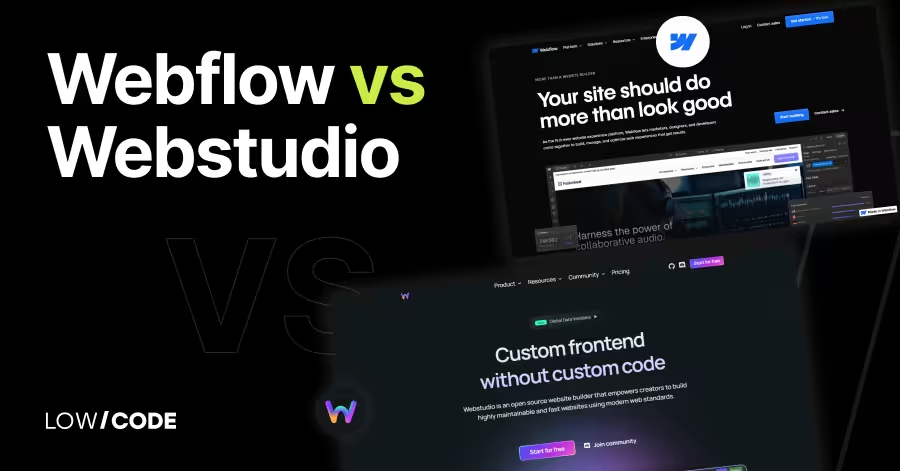
Webflow is a long-time favorite known for design freedom and CMS power. Webstudio, on the other hand, is the fast-growing open-source alternative that’s catching attention for its simplicity and flexibility.
We’ve built over 330 custom apps and websites, and we know how critical this decision can be. In this comparison, we’ll break down the key differences between Webflow and Webstudio—so you can pick the right platform without wasting time or money.
| Feature | Webflow | Webstudio |
|---|---|---|
| Design Flexibility | Full design control with pixel-level precision | Flexible visual editor with simpler UI |
| Ease of Use | Steep learning curve for beginners | Easier to learn, especially for new users |
| CMS Support | Built-in CMS with custom fields and collections | No native CMS, but supports external CMS like Supabase and Airtable |
| Integrations | Supports Zapier, analytics, embeds, and API access | Connects to APIs, external databases, and real-time data sources |
| Performance | Fast hosting with CDN, strong SEO tools | Built on Cloudflare, excellent speed and global edge delivery |
| Community & Support | Large community, Webflow University, official support | Smaller open-source community, active on GitHub and Discord |
| Limitations | Paid plans, limited custom logic, no plugin system | No native CMS, fewer templates, needs external setup for some features |
| Best For | Agencies, freelancers, content-rich or eCommerce sites | Developers, startups, custom workflows, open-source projects |
The core difference between Webflow and Webstudio is how they balance power and simplicity.
Webflow is a well-known no-code platform that gives full design freedom. You can build pixel-perfect websites, set up animations, and manage CMS content. But it can feel complex, especially for beginners.
Webstudio, on the other hand, is newer and focused on being open-source, easier to use, and more community-driven. It keeps a similar layout to Webflow but adds better team collaboration and is completely free to self-host.
In short, Webflow is great for pros who want full control and are okay with a learning curve. Webstudio is better if you want a free, open tool with cleaner UX and team-friendly features.
Both Webflow and Webstudio give you visual control, but how much design freedom you get depends on the tool’s layout and features.
Yes, Webflow offers full design flexibility. You can control every pixel using a layout system based on CSS, flexbox, and grid. It’s like using design software with the power of code underneath. You can add animations, responsive layouts, custom breakpoints, and more.
Webflow also gives you access to custom code, so you can go beyond visual tools when needed. However, this level of control comes with a learning curve. It’s powerful, but beginners may need time to fully understand how to use it well.
Webstudio offers a flexible design system that feels similar to Webflow but is easier to use. It supports grid and flexbox layouts, drag-and-drop positioning, and full responsive controls. You can also create reusable components and adjust global styles.
The UI is clean and faster to learn for new users. While it doesn’t have as many deep features as Webflow yet, it covers all key design needs for most modern websites. If you want design freedom without complexity, Webstudio strikes a nice balance.
Read more about:
How easy it is to learn and use the platform matters, especially if you're just starting out or building websites often.
Webflow is powerful, but it’s not the easiest tool for beginners. It uses terms like flexbox, containers, and CSS classes, which can be confusing if you’ve never built a website before. The interface looks like a mix of design and developer tools.
Webflow does offer detailed tutorials and a large knowledge base, which helps a lot. Once you understand the basics, it becomes very efficient. But getting comfortable may take time, especially if you have no prior design or coding experience.
Yes, Webstudio is easier for new users. It keeps a clean and simple layout that feels more friendly than Webflow. You still get design tools like flexbox and grid, but the platform explains things in a more beginner-focused way.
Webstudio also removes some of the extra options that may confuse first-time users. The result is a smoother experience when building your first site. You can move fast, make edits visually, and worry less about technical details.
Read more about:
If your site needs blogs, product listings, or any dynamic content, the CMS features in each tool make a big difference.
Webflow’s CMS is one of its strongest features. You can create custom content types like blog posts, team members, or products with fields you define. It’s easy to design around the CMS and show dynamic content anywhere on the site.
You can also import/export content, connect forms, and even update data through third-party tools like Zapier. It’s powerful enough for content-heavy sites and gives you full visual control over layout and styling. For most use cases, Webflow CMS works smoothly without needing code.
Yes, Webstudio is designed to work with external CMS platforms. While it doesn’t have a built-in CMS like Webflow yet, you can connect it with tools like Sanity, Supabase, or headless CMS platforms such as Hygraph using APIs. This gives you more freedom to choose your backend and design a content architecture that fits your project’s needs.
Webstudio also supports dynamic data bindings and real-time updates from external sources. It’s a good option if you prefer separating design from content management or if your team already uses another CMS. You just need basic knowledge of APIs to set it up.
Modern websites often need to connect with other tools—like CRMs, forms, databases, or analytics. Here's how both platforms handle integrations.
Webflow supports many popular integrations. You can easily connect tools like Google Analytics, Mailchimp, Zapier, and HubSpot. It also supports custom code embeds, so you can add scripts or third-party widgets. For advanced needs, Webflow allows API access to manage CMS data, forms, and site publishing.
You can also connect Webflow to automation tools like Make or Pabbly. While Webflow doesn’t have a built-in plugin marketplace, its flexibility with code and third-party tools makes integration easy for both simple and complex sites.
Yes, Webstudio can connect to tools like Supabase, Airtable, or any external data source that offers APIs. It’s designed to be more open, giving you full control over how you fetch and use external data. You can use dynamic data bindings and configure real-time updates from outside platforms.
This makes Webstudio highly flexible for developers or teams using headless setups. While it may require a bit more technical setup than Webflow, it offers more freedom and is ideal for those who want to build truly custom workflows.
Read more about:
Website speed and SEO are critical for user experience and rankings. Let’s see how Webflow and Webstudio handle these areas.
Webflow performs well in terms of speed and SEO. It uses a global CDN, auto-generates clean HTML, and supports SEO settings like meta tags, alt texts, and schema markup. Pages load quickly, and it’s easy to optimize for both mobile and desktop.
You also get control over 301 redirects, sitemap generation, and robots.txt settings. Many Webflow-built sites score high on Google PageSpeed tests. It’s trusted by agencies and businesses for launching SEO-friendly, fast-loading websites without needing to manage hosting or caching.
Yes, Webstudio is built on top of Cloudflare, which gives it excellent speed and security by default. Your site is automatically distributed across Cloudflare’s global edge network, reducing load times no matter where users are located. It also supports fast caching, automatic HTTPS, and built-in performance tools.
Since Webstudio is open-source, you can self-host and fine-tune performance further if needed. This setup gives you a strong technical base and is especially useful if you want to build fast, modern websites with minimal overhead.
A strong community helps when you’re stuck, need tips, or want to share ideas. Both Webflow and Webstudio have growing user bases but in different ways.
Webflow has one of the largest no-code communities. It includes an official forum, active Discord groups, and a wide network of creators on YouTube and Twitter. The Webflow University is full of tutorials and videos that guide you through every step, from basic layouts to advanced animations.
There’s also email and ticket support if you need help. Whether you're a freelancer, agency, or team member, Webflow’s community is full of learning resources and real users who are happy to share solutions.
Webstudio has a smaller but very active open-source community. Since the platform is free to self-host, many developers and designers contribute to its growth. You’ll find discussions on GitHub, help on Discord, and frequent updates from the core team.
Community members often share templates, tips, and features that improve the platform. While it’s newer than Webflow, the energy behind Webstudio is strong and growing fast. If you like contributing or using open tools, the Webstudio community is very welcoming and collaborative.
No platform is perfect. Each has trade-offs that matter depending on your needs, budget, or skill level.
Webflow can be expensive, especially if you need multiple CMS items, users, or sites. The interface can also feel overwhelming for beginners due to its many design and layout options. Some advanced features, like user authentication or dynamic filtering, require third-party tools or workarounds.
Also, Webflow doesn’t support custom plugin development, so you're limited to what the platform offers. If you want full backend control or need complex logic without integrations, Webflow might not give you enough flexibility out of the box.
Webstudio is still evolving, so some features are not fully built yet. It lacks a native CMS, meaning you need to connect an external data source like Supabase or Airtable. Built-in eCommerce, user login systems, and some animations are also limited or unavailable.
Compared to Webflow, the number of templates and tutorials is much smaller. While the platform is open and flexible, it requires more manual setup and technical know-how in some areas. For basic users, that can be a hurdle.
Read more about:
Choosing between Webflow and Webstudio depends on your project goals, team skills, and how much control or flexibility you need.
Webflow is a better choice if you need a polished, professional site with full visual control and a built-in CMS. It’s ideal for freelancers, agencies, and businesses that want to build client sites, landing pages, or content-heavy websites.
You’ll also benefit from Webflow’s strong SEO features, hosting, and support. While it has a learning curve and higher cost, it’s a stable platform with years of updates and a huge support network. If you prefer an all-in-one solution with less technical setup, Webflow is the safe bet.
Webstudio is a great option if you want an open-source tool with fewer limits and lower cost. It’s ideal for developers, startups, or teams that prefer full control over hosting and integrations. If you’re comfortable setting up external CMS or APIs, Webstudio gives you more flexibility.
It’s also easier to learn for beginners who want visual design without the clutter. If you like contributing to open-source tools or building modern, fast-loading websites with custom workflows, Webstudio offers a fresh and promising alternative to Webflow.
Last updated on
May 29, 2026
.
Jesus Vargas
-
Founder
Jesus is a visionary entrepreneur and tech expert. After nearly a decade working in web development, he founded LowCode Agency to help businesses optimize their operations through custom software solutions.
Custom Automation Solutions
Save Hours Every Week
We automate your daily operations, save you 100+ hours a month, and position your business to scale effortlessly.
Our AI — trained on 300+ shipped products — tells you what to build, what to skip, and what it'll actually cost. No fluff.
Assess My Idea"Working with LowCode Agency was the best decision I made in 2025"
Franklin Frith
CEO at HRM
Yes, Webflow is well-suited for freelancers and agencies. It offers advanced design tools, a powerful CMS, and reliable hosting all in one platform. You can create client-friendly sites, hand off editing access, and manage multiple projects easily. With built-in SEO features and clean code output, Webflow is trusted by professionals who want control, speed, and polish without depending on developers for every change.
Yes, Webstudio can be used to build professional websites, especially if you value open-source tools and flexibility. It supports modern layout features, real-time collaboration, and external data connections. You’ll need to handle hosting and CMS setup separately, but that also gives you more control. Webstudio is growing fast and is already used by developers, startups, and creators building fast, responsive sites with custom needs and simpler team workflows.
Yes, Webflow has a built-in eCommerce system that lets you build online stores without using third-party tools. You can design product pages, manage inventory, handle payments with Stripe or PayPal, and customize the checkout experience. It’s good for small to medium shops but may be limited for larger stores needing features like multi-currency or advanced shipping. For most use cases, though, Webflow’s eCommerce tools work very well.
Webstudio is open-source and free to use if you self-host it. This means you can install it on your own server without paying for a monthly plan. However, you’ll need to set up hosting, databases, and possibly CMS tools like Supabase or Airtable. If you use their managed hosting, pricing may apply. The flexibility to choose between self-hosted or managed options makes it ideal for developers and budget-conscious teams.
You can’t directly export and import full projects from Webflow to Webstudio, but you can rebuild your site by copying layouts and content. Since both tools use visual builders with similar structures, recreating your design is doable. However, Webflow’s CMS and interactions won’t transfer automatically. If your site relies heavily on Webflow-specific features, some adjustments will be needed when moving to Webstudio’s open environment.
Both tools have strong potential, but in different ways. Webflow is mature, stable, and backed by a large company with a wide user base and years of updates. It’s a solid long-term choice. Webstudio, being open-source, gives you freedom and avoids vendor lock-in. Its fast-growing community and flexibility also make it promising for the future. If you value full control, Webstudio may feel more future-proof depending on your needs.
FlutterFlow
Comparison
FlutterFlow vs Bravo Studio | 8 Factors to Decide the Best One
Compare FlutterFlow vs Bravo Studio across 8 key factors like ease of use, design, backend, and publishing to choose the best no-code tool for your mobile app
Airtable
Comparison
Airtable vs Monday.com: 10 Factors to Decide the Best One
Compare Airtable vs Monday across 10 key factors like design, automation, collaboration, and pricing to find the best tool for your team
Comparison
PowerApps alternatives: 3 tools for every use case
Explore 3 top PowerApps alternatives! Discover Glide, Airtable, and Bubble, among others, to find the perfect fit for your business needs, today.
Comparison
Webflow
Webflow vs. Framer: Key differences and which one to choose in 2026
A comprehensive comparison of Webflow and Framer to help you make an informed decision on the right no-code platform for your project.
Airtable
Comparison
Airtable vs Asana | 10 Factors to Decide the Best One
Compare Airtable vs Asana on ease of use, workflows, views, automation, and collaboration to pick the best tool for your team’s project management needs
Comparison
FlutterFlow
FlutterFlow vs Adalo | 10 Factors Compared (2026)
Compare FlutterFlow vs Adalo across 10 key factors including customization, backend control, scalability, pricing, and performance to choose the right app builder in 2026.





.avif)