|
VOOZH | about |
|
VOOZH | about |
12 min
read
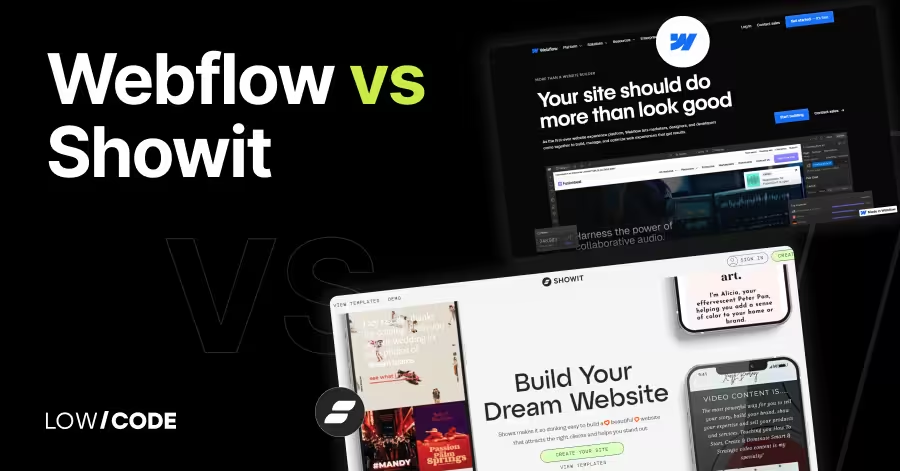
Compare Webflow vs Showit across 12 key factors to choose the best website builder for design control, SEO, blogging, e-commerce, and scalability
By
Jesus Vargas
Updated on
May 29, 2026
.
Reviewed by
Real-World Experience with No-Code Tools: With over 320 apps built, we know firsthand what works—and what doesn't—when using no-code platforms like Glide, Bubble, FlutterFlow and Webflow.
Expert Team with 40+ Years of Combined Experience: Our team has deep technical knowledge, with experts who use no-code tools to solve real-world problems for clients every day, ensuring our advice is actionable and reliable.
Detailed Guides Based on Actual Projects: We don’t just talk about no-code; we use it daily to solve real business problems for our clients, from MVPs to complex automations.
Take a deeper look at our editorial guidelines
Over 43% of all websites today are built on WordPress, but visual builders like Webflow and Showit are quickly rising in popularity—especially among designers, agencies, and creatives looking for more control. Webflow powers over 3.5 million websites, while Showit has become a top choice for photographers and bloggers who want full creative freedom without code.
We’ve built 330+ apps and websites across platforms, so we know what works—and what doesn’t. While both tools look similar at first, they serve very different needs.
In this guide, we break down Webflow vs Showit across real use cases—so you can pick the right one based on how you actually work.
| Feature | Webflow | Showit |
|---|---|---|
| Ease of Use | Moderate learning curve, best for designers and devs | Beginner-friendly drag-and-drop, no coding needed |
| Design Control | Full pixel-level control with structured layout | Total visual freedom with manual mobile adjustments |
| Responsive Design | Automatic and structured, with custom breakpoints | Manual layout for each device view |
| SEO Tools | Built-in SEO controls, clean code, fast hosting | SEO via WordPress for blogs, basic on-page options |
| Blogging | Built-in CMS for dynamic content | Uses WordPress for blogging |
| E-commerce | Built-in product, checkout, and payment tools | Limited, needs third-party tools like Shopify |
| Hosting | Fast, global CDN with built-in hosting | Hosted by Showit, blog hosted on WordPress servers |
| Integrations | Strong API support and integrations via tools like Zapier | Embeds and WordPress plugins only |
| Best For | Custom websites, agencies, scalable business sites | Creatives, coaches, bloggers, small service websites |
The core difference between Webflow and Showit is how they balance design freedom with technical control.
Webflow is a website builder with full design flexibility and built-in CMS features. It’s made for designers and developers who want to build custom, responsive websites with pixel-level control. It also lets you manage SEO, animations, and dynamic content—all from one platform.
Showit, on the other hand, is made for creatives who want easy drag-and-drop design without coding. It focuses on visual storytelling, mainly for photographers, coaches, and bloggers. You can create beautiful layouts without worrying about code or structure.
In short, Webflow is best for people who want full control and advanced features. Showit is better for those who want stunning design with zero coding. The right choice depends on how complex your site needs to be.
Both platforms offer visual design tools, but they differ in how much technical knowledge you need to get started.
Webflow gives you full design control, but it comes with a learning curve. The interface looks like design software mixed with a web developer’s toolkit. If you’re used to tools like Figma or Photoshop, it may feel familiar.
But to get the most out of Webflow, you’ll need to understand concepts like box model, responsive design, and CMS structure. It’s powerful but not plug-and-play. Webflow is ideal if you're willing to learn and want precise control over every element.
Showit is very beginner-friendly. You don’t need any coding or technical knowledge to start. The editor works like a drag-and-drop canvas—similar to using PowerPoint or Canva. You can move text, images, and elements anywhere on the screen, with no restrictions.
Showit also offers pre-built templates to help you get started quickly. It’s perfect for creatives who care about design but don’t want to deal with code, plugins, or complex settings.
Read more about:
If visuals matter most to your brand, understanding how much freedom each tool offers is key.
Yes, Showit gives you full creative freedom with true drag-and-drop design. You can place elements anywhere on the page, adjust them for desktop and mobile, and build layouts without needing code. There are no strict grids or structure rules, which is great for creating unique, artistic designs.
However, because it’s so open, you may need extra time to ensure your design looks good on all screen sizes. Showit is ideal for creatives who want total visual control without technical constraints.
Webflow offers advanced design flexibility with precise control over every element. You can build responsive layouts, add animations, create custom breakpoints, and use CSS-style controls—all visually.
Unlike Showit, Webflow follows web standards, so your design is structured and clean behind the scenes. It also supports reusable components and dynamic content. This makes Webflow better for designers who want freedom but also care about performance, structure, and future scalability.
Making your site look great on all screen sizes is essential—and each tool handles this differently.
Showit gives you full control over how your site looks on desktop, tablet, and mobile. You can manually adjust the layout for each screen size using separate design views. This means you can fine-tune every element, but it also requires more time and effort to make sure everything looks right across devices.
It’s not automatic, but it allows creative freedom. Showit is great if you want pixel-perfect control over each layout without needing to write any code.
Yes, Webflow includes built-in responsive design features. When you design a layout, it automatically adjusts to different screen sizes using a structured, CSS-based system. You can then fine-tune it for tablet and mobile using custom breakpoints.
Webflow gives you full control while following best practices for responsive web design. It’s more structured than Showit, which helps ensure your design stays consistent and clean across devices. Webflow is a solid choice for scalable, professional-looking responsive websites.
Good design means nothing if your site can’t be found. Here's how each platform supports SEO.
Webflow gives you strong built-in SEO tools. You can set custom meta titles, descriptions, alt text, and URL slugs for every page. It also offers clean HTML output, fast loading speeds, and automatic sitemaps. You can add schema markup and control indexing settings without using plugins.
Webflow’s CMS content is also SEO-friendly. It’s a great option for those who want full SEO control built right into the platform without relying on third-party tools or integrations.
Showit handles visual design, but all blog and dynamic content is managed through WordPress. This means most SEO features—like meta tags, blog optimization, and SEO plugins—come from the WordPress side.
You can still add titles, descriptions, and alt text in Showit, but advanced SEO requires using plugins like Yoast or RankMath inside WordPress. For creative sites with blogs, this setup works well, but it’s less unified compared to Webflow’s all-in-one SEO control.
Read more about:
If blogging or publishing content is part of your website plan, the right platform can save you time and effort.
Showit handles your site’s design, while WordPress manages all blog content. This gives you the freedom to design your blog layout in Showit and still use WordPress’s powerful blogging features. You can write posts, use categories and tags, and install SEO plugins like Yoast.
It is a smooth setup for bloggers who want a fully custom look without giving up WordPress’s content tools. However, you will need to manage two systems: Showit for design and WordPress for content.
Yes, Webflow has a built-in CMS that makes it great for blogging and content-heavy sites. You can create dynamic collections for blog posts, categories, authors, and more. The CMS lets you design your blog layout visually and use real content as you build.
It also supports scheduled posts, custom URLs, and SEO settings. Webflow is ideal for businesses, agencies, or creators who want full design control and a powerful CMS without relying on WordPress or external platforms.
If selling products is part of your website plan, it’s important to know what each platform can handle.
Showit does not offer built-in e-commerce features. To sell products, you need to integrate third-party tools like Shopify Buy Buttons or embed forms from platforms like ThriveCart. This setup works for simple stores or one-time purchases, but it is limited.
You cannot manage products, inventory, or payments inside Showit. It is best for service-based businesses or creatives who only sell a few items and want full design control without complex e-commerce systems.
Yes, Webflow is better suited for small e-commerce businesses. It includes built-in tools to manage products, categories, inventory, and payments. You can fully customize your store design without using templates.
Webflow supports Stripe and PayPal, along with custom checkout flows and dynamic content for product pages. While it may not match platforms like Shopify for large catalogs, it works well for small shops that need creative control and built-in e-commerce features in one place.
Connecting your site to other tools can help you save time, track users, or add new features.
Showit supports simple third-party integrations, mostly through embed codes. You can add forms from ConvertKit, email tools like Mailchimp, or checkout buttons from Shopify. For blogging, you can use any WordPress plugin since your blog runs on WordPress.
This gives you access to thousands of plugins for SEO, security, or marketing. However, non-WordPress parts of your Showit site rely on embeds rather than full plugin support. It is a good setup for creatives who use popular tools and need simple add-ons.
Webflow supports many integrations and has a powerful API for custom connections. You can connect it to tools like Zapier, Google Analytics, Stripe, Memberstack, and more. Webflow also has native support for forms, CMS exports, and e-commerce tools.
For advanced use, developers can use the Webflow API to create custom automations or external data flows. While it does not have a plugin library like WordPress, Webflow works well with modern tools and gives you more control over how your site connects to other platforms.
Read more about:
As your site grows, you’ll want a platform that can adapt to more content, features, and business needs.
Showit is great for personal brands and small businesses, but it has limits when scaling. You can design beautiful pages and connect a blog through WordPress, but there are fewer options for handling complex features, databases, or user interactions.
It is best suited for static sites, portfolios, and simple service pages. If your business stays design-focused without the need for advanced tools or systems, Showit works well. For large sites or custom functionality, you may outgrow it over time.
Yes, Webflow is built to handle more complex websites. It supports custom CMS structures, dynamic content, reusable components, and advanced animations. Agencies and businesses can use Webflow to build scalable marketing sites, content hubs, or small web apps.
It also offers team features, version control, and client handoff tools. Whether you're managing a growing site or building multiple projects, Webflow gives you the structure and flexibility to scale without switching platforms.
Speed and uptime matter for user experience and SEO—here’s how both platforms handle hosting and performance.
Yes, Webflow includes fast, built-in hosting on all plans. It uses a global content delivery network (CDN), which helps your site load quickly no matter where your users are. Hosting is automatic, with SSL, backups, and version control included.
You do not need to manage any servers or updates. Webflow also offers excellent uptime and fast page speeds. For most users, Webflow’s hosting is reliable, secure, and ready for high-traffic business or portfolio sites without extra setup.
Showit handles the design side and hosts your main site, while the blog runs on WordPress, hosted by Showit’s servers. This dual setup can affect speed slightly, especially for blogs with lots of plugins or content. Showit’s hosting is reliable for small to medium sites, and they manage updates and backups for you.
However, performance can vary depending on your WordPress setup. For image-heavy or design-focused sites, Showit performs well, but it may need some extra care if your blog grows or uses many third-party tools.
Good support and learning resources can make a big difference, especially when you're building your site on your own.
Yes, Showit offers friendly and beginner-focused support. Their team is known for fast replies and personal help, especially during setup or migration. You can contact them through live chat or email, and they also provide help articles and video guides.
Showit’s support is great for non-technical users who want step-by-step guidance. The platform also has an active Facebook group where users share tips, designs, and advice. For anyone new to building websites, Showit makes the learning curve easy to manage.
Webflow offers some of the best learning tools in the website builder space. The Webflow University is packed with detailed video tutorials, beginner courses, and step-by-step guides. You also get access to a large forum, active community, and live support for paid plans.
Webflow’s content is polished, clear, and useful for both designers and developers. If you prefer self-paced learning with lots of visual help, Webflow makes it easy to build skills and solve problems as you go.
Read more about:
Your choice depends on your design needs, content plans, and how much control you want over your site.
Showit is the better choice if you want a fully custom design without writing code. It’s perfect for photographers, coaches, bloggers, and creatives who care most about visual storytelling.
If your site is simple, doesn’t need complex features, and you want to blog using WordPress, Showit makes the process easy. You can drag and drop everything, get great support, and launch quickly. It’s best for those who value design freedom over technical control or scalability.
Webflow makes more sense if you want full control over both design and functionality. It’s ideal for designers, developers, or businesses who need responsive layouts, CMS features, or custom interactions.
If you're building a scalable marketing site, a content hub, or a dynamic site with animations, Webflow is a strong fit. It offers fast hosting, SEO tools, and flexibility to grow. Choose Webflow if you're comfortable learning new tools and want long-term creative and technical control.
Last updated on
May 29, 2026
.
Jesus Vargas
-
Founder
Jesus is a visionary entrepreneur and tech expert. After nearly a decade working in web development, he founded LowCode Agency to help businesses optimize their operations through custom software solutions.
Custom Automation Solutions
Save Hours Every Week
We automate your daily operations, save you 100+ hours a month, and position your business to scale effortlessly.
Our AI — trained on 300+ shipped products — tells you what to build, what to skip, and what it'll actually cost. No fluff.
Assess My Idea"Working with LowCode Agency was the best decision I made in 2025"
Franklin Frith
CEO at HRM
Webflow offers advanced design and development tools with full control over layout, CMS, and animations. Showit focuses on drag-and-drop design with no code needed, mainly for creative professionals. Webflow is more technical and scalable, while Showit is easier for beginners who want visually rich websites without complex features.
Yes, but they work differently. Webflow has a built-in CMS for blogging and dynamic content. Showit handles blog content through WordPress, which gives access to powerful plugins. If you prefer an all-in-one system, Webflow is better. If you like WordPress blogging with visual design freedom, Showit works well.
Webflow has a learning curve and is better for users with some design or technical background. Beginners can use it, but they should be ready to learn web basics. Webflow University helps with detailed video tutorials. If you want full creative control and are open to learning, Webflow is a good choice.
No, Showit does not require coding. It’s a true drag-and-drop builder where you can design pages visually. You can control layouts for desktop and mobile without touching any code. However, some advanced features or third-party integrations may need embeds or help from plugins via WordPress.
Webflow is better for e-commerce. It has built-in features to manage products, inventory, checkout, and payments. Showit does not offer native e-commerce tools. To sell with Showit, you need to embed buttons or connect to platforms like Shopify or ThriveCart, which is fine for simple stores but limited overall.
You can move content manually between platforms, but there’s no direct migration tool. Webflow and Showit use different systems for design and CMS. If you have a blog on WordPress (via Showit), you can export it and import into another CMS. For full site migrations, design elements need to be rebuilt.
Webflow
Saas Webflow Development Agency (Guide For Founders)
A practical hiring guide for founders choosing a SaaS Webflow development agency. Learn what to look for, pricing models, red flags, and how to hire right.
Webflow
Webflow Boutique Vs Enterprise Agencies (2026 Comparison)
Compare boutique vs enterprise Webflow agencies in this 2026 guide. Learn differences in cost, scale, process, and long-term ownership.
Comparison
FlutterFlow
FlutterFlow vs OutSystems | 10 Factors Compared (2026)
Compare FlutterFlow vs OutSystems across 10 key factors including enterprise scalability, customization, backend architecture, pricing, and long-term flexibility in 2026.
Comparison
PowerApps alternatives: 3 tools for every use case
Explore 3 top PowerApps alternatives! Discover Glide, Airtable, and Bubble, among others, to find the perfect fit for your business needs, today.
Webflow
Why Your WordPress Website Is Slow (Migrate to Webflow)
Is your WordPress website slow? Learn the real reasons and see how migrating to Webflow boosts speed, stability, and user experience.
Comparison
Webflow
Webflow vs Bricks | 10 Factors to Decide the Best One
Compare Webflow vs Bricks across 10 key factors like design, CMS, SEO, and eCommerce to find the best platform for your next website project