|
VOOZH | about |
|
VOOZH | about |
14 min
read
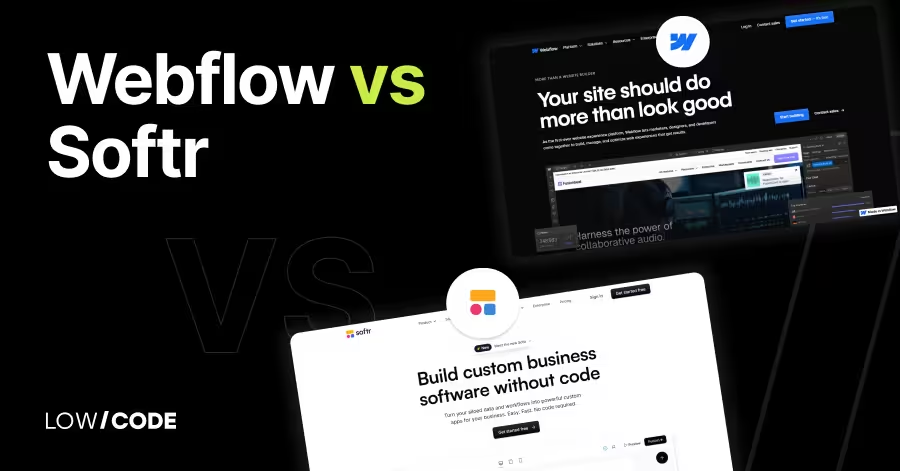
Compare Webflow vs Softr across 10 key factors including ease of use, design, SEO, and user management to find the best no-code tool for your next project
By
Jesus Vargas
Updated on
May 29, 2026
.
Reviewed by
Real-World Experience with No-Code Tools: With over 320 apps built, we know firsthand what works—and what doesn't—when using no-code platforms like Glide, Bubble, FlutterFlow and Webflow.
Expert Team with 40+ Years of Combined Experience: Our team has deep technical knowledge, with experts who use no-code tools to solve real-world problems for clients every day, ensuring our advice is actionable and reliable.
Detailed Guides Based on Actual Projects: We don’t just talk about no-code; we use it daily to solve real business problems for our clients, from MVPs to complex automations.
Take a deeper look at our editorial guidelines
Building a website or app without coding has never been easier, thanks to tools like Webflow and Softr. In fact, the global no-code platform market is expected to grow to $68 billion by 2030, showing just how many businesses are turning to these tools to save time and money.
But when it comes to choosing the right one, it depends on what you're building. Do you need a pixel-perfect custom website? Or a data-powered client portal with logins and user roles? Webflow and Softr may seem similar at first, but they solve very different problems.
In this guide, we’ll break down every important feature—ease of use, design control, user management, SEO, and more—so you can pick the one that truly fits your project. Let’s compare them side by side.
| Feature | Webflow | Softr |
|---|---|---|
| Ease of Use | Moderate learning curve, better for designers | Very easy, great for beginners |
| Design Control | Full control over layout, styles, animations | Limited customization with pre-made blocks |
| Templates | High-quality templates, fully customizable | Block-based templates, easy to edit |
| CMS & Dynamic Content | Built-in CMS for blogs, portfolios, and more | Dynamic data from Airtable or Google Sheets |
| User Management | Needs third-party tools like Memberstack | Built-in login, roles, and permissions |
| E-commerce & Payments | Built-in store features, product control, custom checkout | Stripe integration for memberships or gated content |
| SEO & Performance | Strong SEO tools, fast hosting with CDN | Basic SEO features, good speed for apps |
| Integrations | Zapier, Make, Memberstack, analytics, embeds | Airtable, Google Sheets, Stripe, Zapier, Mailchimp |
| Hosting & Code Access | Webflow hosting + code export for static sites | Cloud-hosted only, no code export |
| Best For | Designers, custom websites, SEO-focused projects | Client portals, internal tools, quick web app creation |
The core difference between Webflow and Softr is how they let you build websites or web apps without coding.
Webflow gives you full design control. It works more like a visual coding tool where you can build pixel-perfect websites using CSS, HTML, and JavaScript concepts. It’s great for designers who want to create custom layouts.
Softr, on the other hand, is more focused on speed and simplicity. It lets you build full web apps or portals using Airtable or Google Sheets as the backend. You don’t need to design from scratch—just choose blocks and connect data.
So, Webflow is best for custom website design, while Softr is better for building functional web apps or internal tools quickly. If you care more about design, choose Webflow. If you want to launch a working app fast, go with Softr.
Let’s start by comparing how beginner-friendly each platform is when building apps or websites.
Webflow offers a powerful visual editor, but it comes with a learning curve. The interface feels like a design tool mixed with a code editor. You’ll see terms like "div blocks," "containers," and "CSS classes," which might be new for beginners. If you're familiar with tools like Figma or Adobe XD, you'll adjust faster.
Webflow gives you full control, but this also means you need to understand layout rules like flexbox or grid to make things look right. It’s not drag-and-drop in the usual sense—it’s more structured.
Many users say it takes a few days to get used to Webflow, but once you do, you can create high-end websites without writing code. In short, Webflow is great for designers or advanced beginners who want total control, but it’s not the easiest tool for someone starting from zero.
Softr is one of the most beginner-friendly no-code tools. You don’t need any design or coding skills to start. Everything works with pre-built blocks—like forms, tables, lists, or buttons—that you drag and drop into your page. The platform also connects directly with Airtable or Google Sheets, so you can turn your spreadsheet into a working app in minutes.
There’s no need to learn CSS or layout tools. Softr handles design responsiveness, so your app looks good on all devices by default. For user logins, filtering, and data control, Softr offers simple settings instead of complex logic. Most people say they can build a working portal or internal tool in a few hours. If you're building your first app and want results fast without learning too much, Softr is a great place to start.
Read more about:
Now let’s look at how much design freedom you get and how easy it is to use templates.
Webflow is known for its advanced design control. It lets you build layouts from scratch, just like coding with HTML and CSS—but visually. You can control every part of the design: spacing, fonts, colors, animations, and more.
It supports breakpoints for different screen sizes and gives you tools like flexbox and grid layout to create responsive websites. This freedom makes it ideal for designers or businesses who want something unique.
You can also start from a template, but Webflow doesn’t lock you into it—you can change every element as you like. However, this flexibility means you need to know what you’re doing. Beginners might feel overwhelmed at first, but designers love the control. In short, Webflow is perfect when you want a one-of-a-kind design and are okay learning a bit of layout logic.
Softr uses a block-based layout system. You pick a block—for example, a hero section or pricing table—and drop it into your page. Each block comes with a set design, and you can change colors, fonts, and images, but you can’t fully customize layout or structure like in Webflow. This means you can build clean, consistent designs fast without worrying about layout issues.
But if you want full control over spacing, margins, or animations, you might feel limited. Softr does offer multiple templates and styles to choose from, and for most apps like client portals, dashboards, or internal tools, the block design is more than enough.
The system ensures your app stays mobile-friendly without extra work. In short, Softr is great for fast layout creation, but not for deep visual customization.
Let’s explore how each platform handles dynamic content like blog posts, project listings, or databases.
Yes, Webflow comes with a powerful built-in CMS (Content Management System). You can create custom content types like blog posts, team members, or product listings. Each content type can have fields like text, images, or links.
You can then display this content anywhere on your site using dynamic collections. It’s useful for blogs, portfolios, or any website that needs to show changing content. The CMS editor is simple to use, and you can invite your team or clients to add or update content without touching the design.
However, Webflow's CMS is best suited for content websites, not apps with complex logic or user-generated content. There’s no built-in database like Airtable, and you can’t do advanced filtering or user-based visibility without custom work or third-party tools.
Softr connects directly with Airtable or Google Sheets and turns your database into a live web app. You don’t need to rebuild anything—just map the data to blocks. For example, if your Airtable has a list of job posts, you can display them on your site in a table, list, or card layout.
You can also allow users to filter, search, and even submit new data using forms. Dynamic visibility settings let you show different data to different users based on roles or filters.
This is powerful for building client portals, directories, or internal tools. Softr doesn’t have its own CMS, but its live data connection works better than a typical CMS for apps that need real-time updates or user interaction. If your content lives in a spreadsheet, Softr gives you a simple way to make it dynamic.
Read more about:
Let’s compare how both platforms handle logic, workflows, and user roles in your app.
Webflow does not offer built-in user roles or backend workflows. It's mainly focused on front-end design and static content. If you want to add forms, animations, or interactions, you can use Webflow’s built-in tools like interactions and conditional visibility.
But for user logins, account creation, or role-based access, you’ll need third-party tools like Memberstack, Outseta, or Firebase. These tools can integrate with Webflow but require extra setup. For workflows like “when someone submits a form, send an email,” you’ll also need to connect Webflow with automation tools like Zapier or Make.
So, while Webflow can support apps with backend logic, it’s not all-in-one. You’ll be relying on other platforms to manage users or run logic behind the scenes.
Softr has built-in features for user management and backend logic. You can create different user roles like Admin, Editor, or Customer. You can also control which content each user sees based on filters and permissions.
This makes Softr a good choice for client portals, internal tools, or apps with login areas. For example, you can show a user only the records they created in Airtable. You can also use form blocks to let users add or update data directly.
While it doesn’t offer full workflow automation, Softr connects well with tools like Zapier to handle actions like sending emails, updating records, or creating tasks. This setup gives you a lot of backend power without needing a separate system. If user accounts and permissions are a key part of your app, Softr is much easier to manage out of the box.
If you're planning to sell online, here's how both platforms handle products, subscriptions, and payments.
Yes, Webflow has a full e-commerce system built in. You can sell physical or digital products, manage inventory, track orders, and connect to payment gateways like Stripe and PayPal. You also get control over your checkout page design, product layout, and cart system. Webflow supports product variants, discount codes, and shipping options.
However, it’s more focused on simple e-commerce. If you want subscriptions, memberships, or complex logic, you’ll need extra tools like Memberstack or custom code. Setting up e-commerce in Webflow can take some time because of the design flexibility, but it gives you a beautiful, custom store in return.
If your main goal is selling unique products and having full control over branding, Webflow is a strong option.
Softr is built for memberships and paid access to content. You can restrict access to pages or data blocks based on user roles. For example, only paid members can view premium content or dashboards. It connects directly to Stripe for one-time payments or subscriptions.
You can also use Gumroad or other tools via embeds. Softr doesn’t support full product listings like Webflow’s e-commerce, but it’s excellent for service-based platforms, digital product sales, or gated content.
It works well for online courses, coaching platforms, client portals, or any app where users pay for access. If you want to launch a paywall system or member-only content fast, Softr is easier to set up than Webflow.
Read more about:
Now let’s see how both platforms handle search engine visibility and site speed.
Webflow is very SEO-friendly. It gives you control over meta titles, meta descriptions, alt tags, and even custom schema markup. You can also set clean URLs, redirects, and open graph data. The code Webflow generates is clean and fast-loading, which helps your site rank well.
It also supports responsive design and fast hosting with a global CDN. You can connect to Google Analytics, Search Console, and other SEO tools easily. Webflow is trusted by SEO professionals because it doesn’t limit what you can do.
If SEO is a key goal for your project—like ranking a blog, portfolio, or product site—Webflow gives you the right tools to do it well.
Softr supports basic SEO features. You can edit the page title, meta description, and add custom code in the header for tracking tools. It also supports Open Graph settings and responsive layouts. However, it doesn’t offer as much control over technical SEO elements like schema, custom sitemaps, or image optimization.
That said, for most web apps or internal tools, deep SEO isn’t a top priority. Softr apps load quickly, thanks to its cloud infrastructure and use of lightweight blocks. The performance is good enough for client portals, member areas, or dashboards.
But if your site needs to rank high on search engines and depends on organic traffic, Webflow is a stronger choice.
Let’s break down what third-party tools you can connect with each platform to power up your apps.
Webflow connects with many tools, but it often needs help from third-party platforms like Zapier, Make, or Webhooks. For example, you can connect Webflow forms to tools like Mailchimp, Airtable, or Google Sheets using Zapier. Webflow also works well with analytics tools like Google Analytics, Hotjar, and Facebook Pixel.
For memberships, subscriptions, or gated content, people often use Memberstack or Outseta. You can also embed apps like Calendly or Typeform easily. Webflow doesn’t have a built-in plugin store, so most integrations happen through custom embeds or no-code automation tools.
If you're comfortable piecing tools together, Webflow gives you flexibility to build anything. But it may take extra steps to connect all your services.
Softr integrates directly with Airtable, Google Sheets, Stripe, Zapier, Make, and Mailchimp, among others. These are built-in, so you don’t need to write any code or set up webhooks. Just connect your Airtable base or Google Sheet, and your app updates automatically.
You can also trigger automations in Zapier when users fill forms, sign up, or take actions. Softr also supports embedding other tools like Calendly, Typeform, or YouTube.
For email marketing, it connects with Mailchimp or Sendinblue. The integration list is smaller than Webflow’s, but Softr focuses on the essentials needed for client portals, internal tools, or simple web apps. Most common use cases are already covered out of the box, and setup takes just a few clicks.
Finally, let’s look at how each platform handles hosting and whether you can export your code.
Yes, Webflow offers fast and secure hosting with global CDN, SSL, and automatic backups. You don’t need to set up anything—just click publish. The hosting is reliable and built for performance, which helps with SEO and loading speed. Webflow also gives you the option to export your code.
You can download HTML, CSS, JavaScript, and images, which is great if you ever want to move your site somewhere else. However, dynamic content (CMS), forms, and Webflow-specific features won’t work unless hosted on Webflow.
So, export is best for static websites. If you want full control and ownership of your design, Webflow’s hosting and export options are a major advantage.
Softr is fully cloud-hosted, which means you don’t need to manage hosting or servers. All your content and user data is stored securely in the cloud, and the app loads through Softr’s fast infrastructure. It includes SSL, CDN, and global delivery, so your app works well across devices and locations. You can connect a custom domain easily.
However, Softr does not let you export your app’s code. Since it depends on connected data sources like Airtable or Google Sheets, everything stays inside the platform. This means you're tied to Softr’s ecosystem.
But for most no-code users, that’s not a problem—because the platform handles updates, performance, and scaling for you.
Read more about:
Let’s help you decide which platform fits best for your specific project or skill level.
Choose Webflow if design control is your top priority. It’s perfect for designers, developers, or advanced no-code users who want pixel-perfect websites and care about branding. Webflow lets you create custom layouts, animations, and interactions without limits.
You’ll need time to learn the editor, but once you’re comfortable, you can build almost anything—from landing pages and blogs to full e-commerce sites. Webflow is also ideal if SEO, fast performance, and code export are important to your business. You can manage CMS content, set up advanced animations, and maintain total control over layout and structure.
However, it’s not the best tool for building user-based apps, portals, or login systems unless you combine it with third-party tools. So if your main focus is a beautiful, responsive website or online store that looks and feels custom-built, Webflow is the better fit.
Choose Softr if you want to build fast, without touching any code or layout logic. It’s ideal for beginners, startup founders, or teams who want to turn a spreadsheet (like Airtable or Google Sheets) into a working app, client portal, or internal tool.
With Softr, you don’t design from scratch—you just stack ready-made blocks, connect your data, and go live. It comes with built-in features like user login, role-based content, and Stripe integration for payments or subscriptions. You don’t need to install any external tools for basic workflows or user management.
Softr is great if your app needs users to log in, view personal data, or submit forms. It’s also perfect for simple membership sites or client dashboards. While you’ll have less control over design, you’ll save hours on development.
So if speed, simplicity, and data integration matter more than custom layouts, Softr is the better choice.
Last updated on
May 29, 2026
.
Jesus Vargas
-
Founder
Jesus is a visionary entrepreneur and tech expert. After nearly a decade working in web development, he founded LowCode Agency to help businesses optimize their operations through custom software solutions.
Custom Automation Solutions
Save Hours Every Week
We automate your daily operations, save you 100+ hours a month, and position your business to scale effortlessly.
Our AI — trained on 300+ shipped products — tells you what to build, what to skip, and what it'll actually cost. No fluff.
Assess My Idea"Working with LowCode Agency was the best decision I made in 2025"
Franklin Frith
CEO at HRM
Webflow has a learning curve, especially if you’re new to design tools or web concepts like CSS and layout. It’s more suited for users with some design or tech experience. Beginners can still use it, but they may need tutorials and practice before building a full site confidently.
Both platforms focus on web apps and websites, not native mobile apps. However, you can create mobile-friendly responsive designs. For native app features like push notifications or offline access, you’ll need a separate tool or wrapper like FlutterFlow or Bravo Studio. Softr and Webflow are best for web-based use cases.
Yes, Webflow has a built-in CMS that lets you create and manage dynamic content like blog posts, team pages, or product listings. You can design custom templates and fill them with structured data. It’s great for content-heavy websites where layout and SEO also matter.
Yes, Softr supports user authentication, role-based access, and gated content. You can create pages that show different content based on the user type. It also integrates with Stripe for membership payments. This makes Softr ideal for building client portals, internal dashboards, and member-only platforms quickly.
Yes, Webflow offers more advanced SEO features. You get full control over meta tags, alt texts, structured data, and clean URLs. It also supports fast global hosting with a CDN. Softr includes basic SEO settings, but it’s better for private apps or internal tools, not public-facing sites that rely on organic traffic.
You can export clean HTML, CSS, and JavaScript from Webflow for static sites. However, dynamic CMS content and forms only work on Webflow-hosted sites. Softr does not allow code export because it depends on live data from Airtable or Google Sheets. Your app must be hosted within Softr’s platform.
Comparison
Top 11 AppSheet alternatives to use in 2026
Looking for the best AppSheet alternatives? Try these 11 powerful picks for faster, smarter app building with better features and flexibility
Comparison
FlutterFlow
FlutterFlow vs AppSheet | 10 Factors Compared (2026)
FlutterFlow vs AppSheet compared across 10 key factors including scalability, pricing, flexibility, and backend control. See which no-code platform fits your 2026 app goals.
Comparison
FlutterFlow
FlutterFlow vs Draftbit | 9 Factors Compared (2026)
Compare FlutterFlow vs Draftbit across 9 key factors including customization, code control, backend flexibility, pricing, and scalability to choose the right builder in 2026.
Comparison
Airtable
Airtable vs Excel | 10 Factors to Decide the Best One
Compare Airtable and Excel on use cases, ease of use, views, automation, and collaboration to decide which one fits your workflow best
Comparison
FlutterFlow
AppMaster vs FluterFlow
Compare FlutterFlow vs. AppMaster: Discover which no-code platform best fits your needs with this in-depth analysis of features, pricing, and real user feedback.
Business Automation
Comparison
Zapier vs n8n | 9 Factors to Decide the Best One
Compare Zapier vs n8n for automation. See which tool fits your team’s needs—no-code ease or low-code control—with clear pros and use cases