
If you are looking to monitor your system interactively, then the htop command should be one of your best options. An improvement of its predecessor top command, htop is an interactive process viewer and system monitor that displays resource-usage metrics in color and allows you to easily keep tabs on your system’s performance.
It displays information about CPU & RAM utilization, tasks being carried out, load average and uptime. Additionally, htop displays a list of all the running processes and can also display these processes in a tree-like format.
Advantages of htop over top include
- Colored output resource usage statistics.
- The ability to end or kill processes without typing their PIDs.
- Htop allows mouse usage, unlike top which doesn’t support it.
- Better performance than top command.
Let’s now jump in and see how to install this handy feature.
Install htop on CentOS 8
By default, htop comes pre-installed on CentOS8. However, if by any chance the tool is missing on your system, installation is an easy 3 step process.
1. The first step in the installation of the Htop tool is to enable the EPEL repository. To do so, run:
# dnf install https://dl.fedoraproject.org/pub/epel/epel-release-latest-8.noarch.rpm
After the installation of the EPEL repository, update the system.
# dnf update
2. To install htop tool, simply run the command:
# dnf install htop
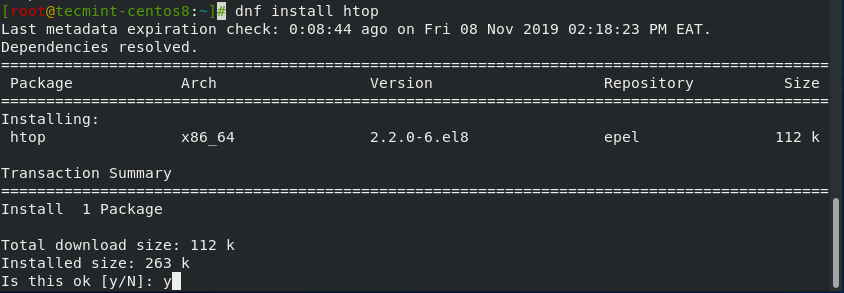
After the installation is complete, you can find more information about htop by running the command.
# dnf info htop

3. To launch htop, simply run the command.
# htop
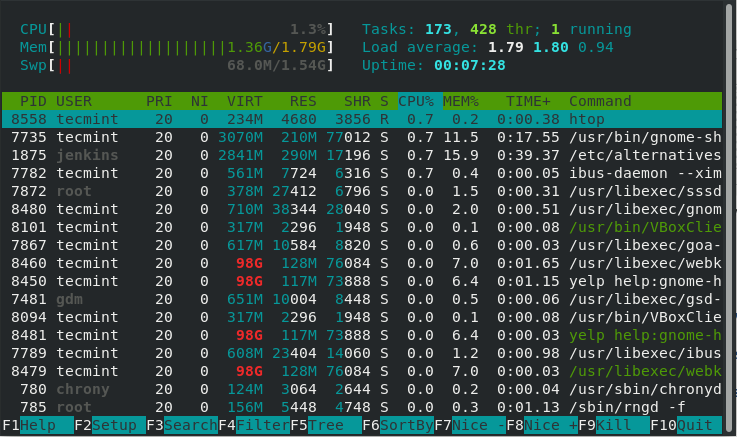
Additionally, you can pass some arguments to the command. For example, to list the processes of a user. let’s say tecmint run the command.
# htop -u tecmint
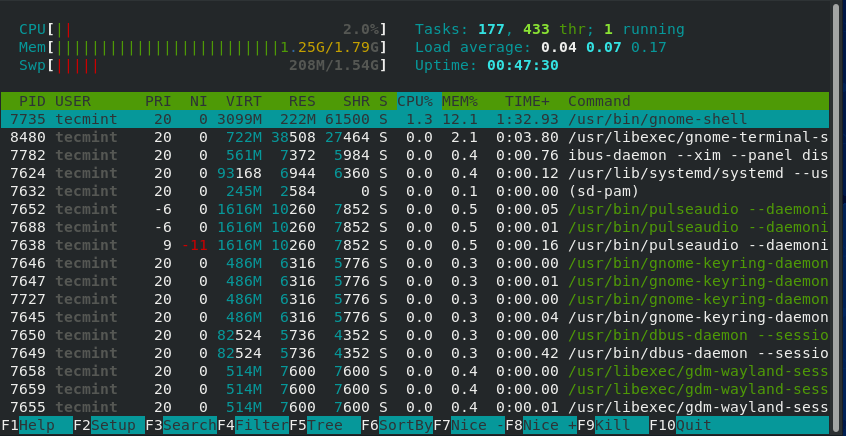
To get help with the command usage, simply run.
# htop --help
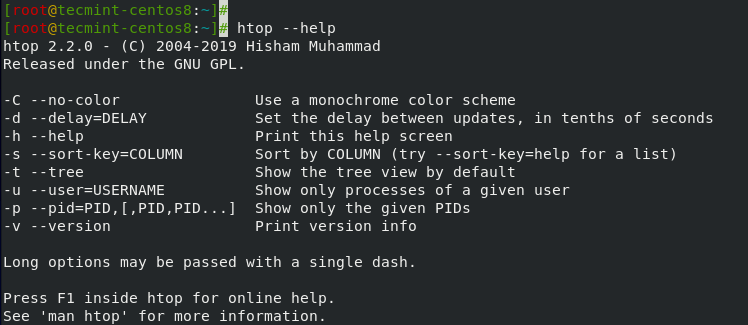
Alternatively, you can view the man pages by running:
# man htop
Conclusion
In this article, you learned how to install htop on CentOS 8 and how to use the command to retrieve system statistics.
If this article helped you solve a problem, consider buying a coffee. It helps keep TecMint free, supports the authors, and keeps the project going.



Got Something to Say? Join the Discussion... Cancel reply