|
VOOZH | about |
|
VOOZH | about |
Bloom filters are the in-memory data structures used in applications to test whether a key belongs to a particular set or not, it's like a Redis cache but where the Redis cache stores the entire data as it is rather than any optimization, but in Bloom filters the bitset or bitmap implementation where it provides a good memory optimization and find operation is very fast here each bit represents the presence of a particular element where each bit is hashed by different hash functions.
Bloom filters are much faster and more efficient for some use cases like membership testing i.e. particular elements belong to a set or not in the memory, compared to normal Redis caching.
Step 1: Adding the dependency on pom.xml after starting the Redis bloom server:
<dependency>
 <groupId>com.redislabs</groupId>
 <artifactId>jrebloom</artifactId>
 <version>2.1.0</version>
 </dependency>
Step 2: Initializing Bloom Filter Client in Java
Client clientVariable = new Client(hostAddress, port, timeOut , poolSize );The parameters that can be given while initializing:
Operations | Syntax | Parameters |
|---|---|---|
Creating a Redis Bloom filter | clientVariable.createFilter( name, initCapacity, errorRate) |
|
Checking the info the Bloom filter | clientVariable.info(filterName) |
|
Adding the keys into the Filter | clientVarible.add(filterName, key) |
|
Checking if it exists in the filter | clientVarible.exists(filterName, key) |
|
Deleting the bloomFilter | clientVariable.delete(filterName) |
|
Below is the implementation for Creating and Checking info Redis Bloom filter:
Below in the output we can see the Redis Bloom Filter info has created.
👁 Information of Redis Bloom filter Created
Below is the implementation for Adding and Checking keys into the Filter:
Output :
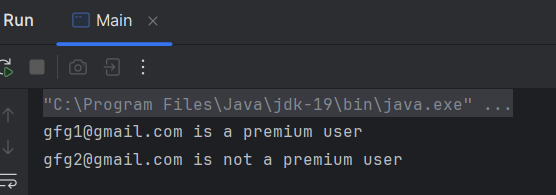
Below in the output we can see the keys added into the filter.
Below is the implementation of Deleting the bloomFilter:
Output :
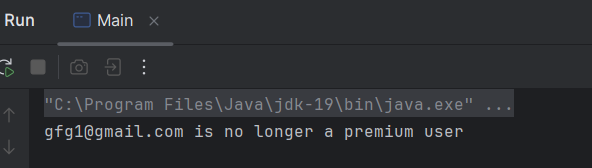
Below in the output we can see the bloom filter has deleted.