|
VOOZH | about |
|
VOOZH | about |
In simple terms, code coverage means measuring the percentage of lines of code that are executed during automated tests. For example, if you have a method containing 100 lines of code and you are writing a test case for it, code coverage tells you briefly how many of those lines were actively exercised by the test.
JaCoCo is an open-source library for measuring Java code coverage under the Eclipse Public License.
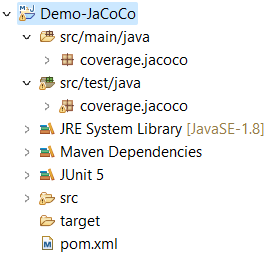
Let's initiate by creating a Maven project within Eclipse. The overall structure of the folder will look like this:
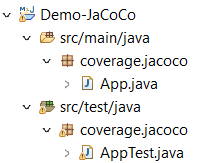
👁 Project StructureOnce the standalone application is established, navigate to the main class i.e. App.java and compose a method to determine whether a given string input qualifies as a palindrome.
After successfully writing the palindrome-checking method, now we will test it. But before we start writing the test, we need to add few things to our project's pom.xml file that are JUnit5 dependency and JaCoCo plugin. After adding, the pom.xml file will look like below:
Now, put App.java to the test and see how JUnit5 and JaCoCo work. We will do this using two easy steps.
Step 1: Create a Test File: Let's make a new file called "AppTest.java" specifically for testing the reverse string method. This is where we'll write our first test case!
Step 2: Run the Test Maven-Style: Now that our test is ready, it's time to see how much code it covers. To do this, we'll run the project as a Maven Test. Here's how:
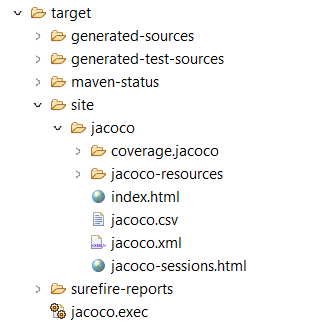
Step 3: Find the Coverage Report: Once the test runs, it will create a report showing us which parts of the code were tested and which were not. Here's how to find it:
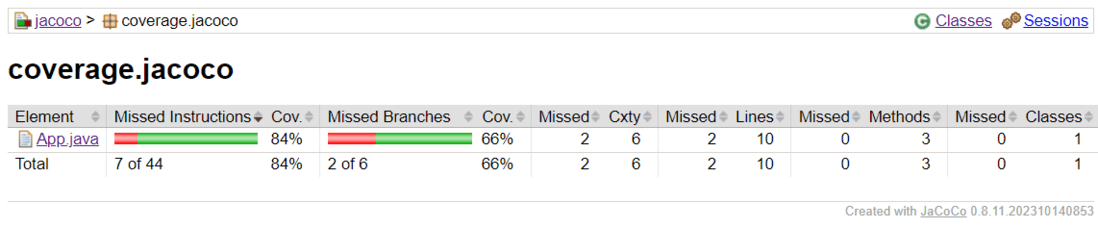
When we click on "index.html," it will open in our default browser, displaying a visual overview of our project's code coverage.
👁 Coverage = 84%Click on the package name, which is "coverage.jacoco," to reveal the class for which we wrote a test.
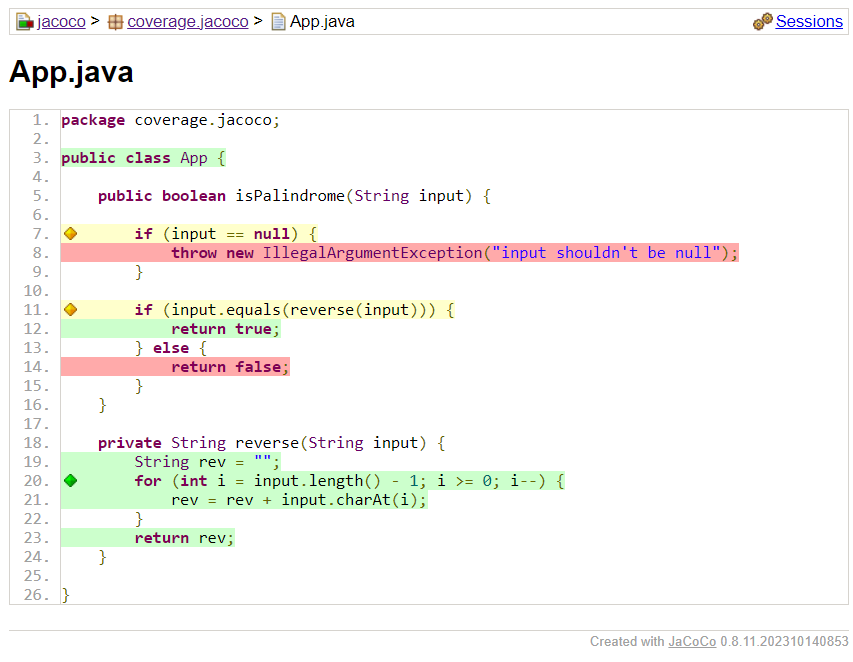
👁 Code coverage for App.javaClick on "App.java" under the "Element" column. You'll see lines highlighted in green, indicating the code sections successfully tested by our written test. To achieve 100% code coverage, focus on writing tests for the methods highlighted in red.👁 Test Covered only one Method
To achieve the 100% code coverage, let's craft tests for all remaining methods. Upon completion, our AppTest.java file will look like this:
Do the steps that we have done in Phase 1, Step 2, to generate a fresh coverage report. 👁 Code Coverage = 100%
Click on the package name, "coverage.jacoco" to view the class for which we've written a test.👁 Code Coverage for App.Java
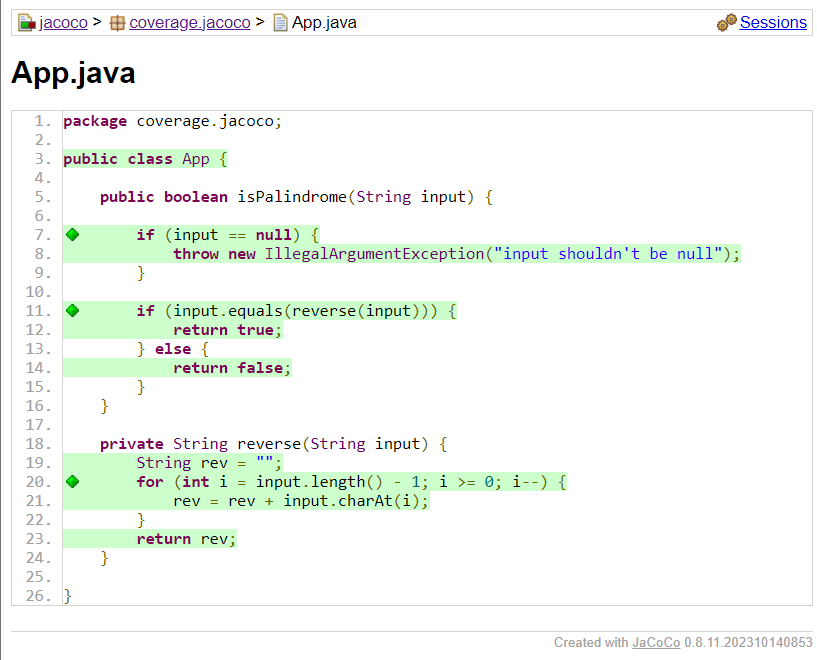
Now click on the App Class present under element column, we will see all the methods present in our code snippet are tested by our written test.👁 Test Covered all Methods
Testing for Main Features Isn't Enough: In Phase 1, we saw that even when we write tests for primary features, they might not test all the methods written by us. We have seen red marks in our results, indicating untested methods within our code snippets.
Coverage Targets Vary: The ideal code coverage percentage depends on project-specific factors. It is not necessary to achieve 100% code coverage in every case. If our written tests cover all the key feature methods, we can conduct a risk analysis to decide whether to write further tests. This can save time while working towards project deadlines.



.png)
-min.png)