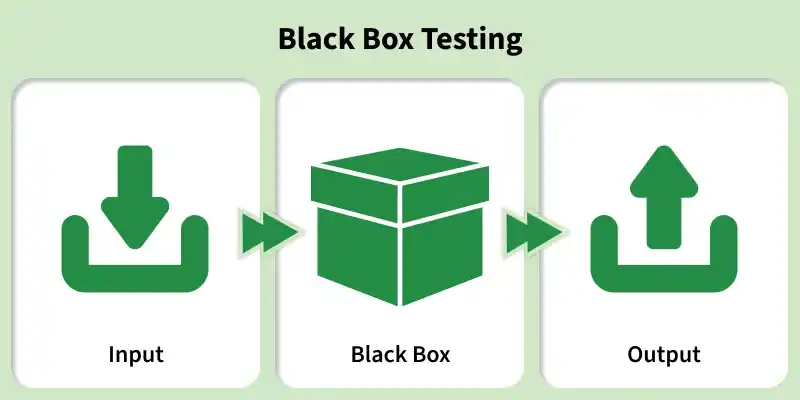
Black Box Testing is a software testing technique where the tester evaluates the functionality of an application without knowing its internal code structure. It focuses on inputs and expected outputs based on requirements.
Tests system behavior without looking at internal logic
Based on requirements and specifications
Can be performed at all testing levels (functional, system, acceptance)
Black Box Testing Architecture defines how testing is structured when internal code is not visible. It focuses on validating system behavior using inputs, processing, and outputs based on requirements.
Tester interacts only with inputs and outputs
Internal code/logic remains hidden
Driven by requirements, specifications, and user scenarios
Architecture Components
1. Input Layer: This layer includes all types of inputs provided to the system, such as user inputs, test data, or external requests.
Example: Login credentials, form submissions.
2. System Under Test (SUT): The actual application where the business logic is executed. In Black Box Testing, the tester does not have knowledge of the internal implementation.
3. Output Layer: This layer represents the system’s response, such as results, messages, or UI changes, which are validated during testing.
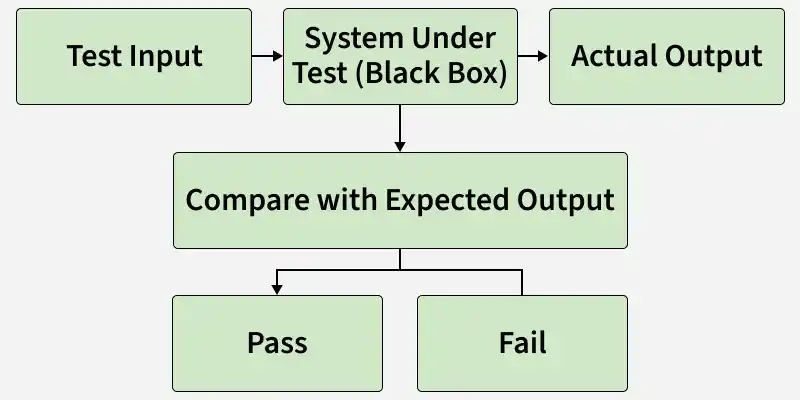
4. Expected Result (Test Oracle): The predefined correct output based on requirements. It is used to compare and validate the actual system output.
5. Test Case Repository: A centralized collection of test cases, test scenarios, and test data used for execution and future reference.
Key Principles of Black Box Testing
Input-Output Validation: The software is treated as a “black box.” Testers provide inputs and verify outputs against expected results, without considering internal logic.
Requirements-Driven Design: Test cases are created based on requirements, user stories, and use cases to ensure full coverage and traceability.
Test Case Design Techniques
Black Box Testing follows a structured set of techniques to design effective test cases, including:
Equivalence Partitioning: Dividing input data into valid and invalid groups
Boundary Value Analysis: Testing values at the edges of input ranges
Decision Table Testing: Handling complex business rules
State Transition Testing: Validating system behavior across different states
Use Case Testing: Testing real-world user scenarios
Error Guessing: Identifying defects based on experience
Test Execution Flow
A standard process is followed for consistency:
Identify test scenarios from requirements
Design and document test cases
Prepare test data
Execute test cases manually or through automation
Compare actual results with expected results
Log defects when mismatches occur
Perform regression testing after fixes
Tools Support
Test management: TestRail, Xray, Qase
Automation: Selenium, Cypress, Katalon
This architecture ensures user-centric testing, helping identify functional issues, usability problems, and requirement gaps early.
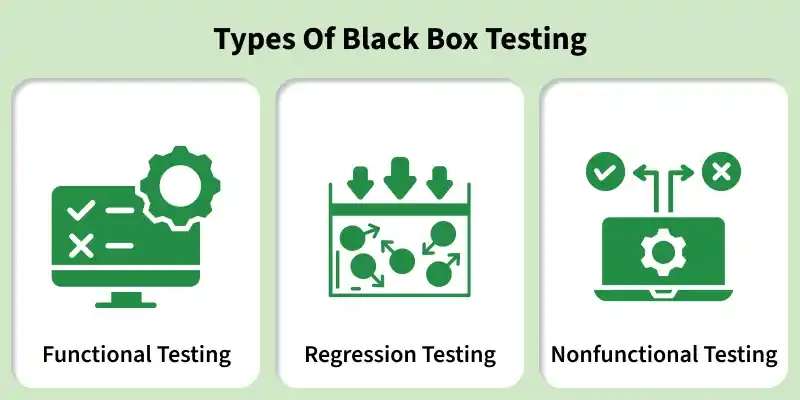
Types Of Black Box Testing
Testing an application without knowing its internal code or structure following are the various Types of Black Box Testing:
Functional Testing verifies that the application functions according to defined requirements by validating inputs and expected outputs without considering internal code.
Tests features, workflows, and business logic
Focuses on UI, APIs, database, and core functionality
2. Regression Testing
Regression Testing ensures that new code changes or updates do not break existing functionality and that the system continues to work as expected.
Confirms compatibility of new changes with existing features
Performed after bug fixes, enhancements, or upgrades
3. Nonfunctional Testing
Non-functional Testing evaluates how well the application performs rather than what it does, ensuring quality attributes are met.
Tests performance, usability, scalability, and reliability.
Validates system behavior under various conditions.
Workflow of Black Box Testing
The Black Box Testing workflow includes the following step by step process:
Syntax-Driven Testing tests systems that can be represented by a formal language or grammar, ensuring that each grammar rule is exercised at least once.
Commonly used in functional automation testing
Ensures all syntax rules are covered by test cases
2.Equivalence Partitioning Methods
Equivalence Partitioning Methods divides input data into valid and invalid classes (equivalence classes) to reduce the number of test cases while maintaining coverage.
Tests one representative from each class instead of all possible inputs
Helps identify errors efficiently within similar input groups
Steps Involved
1. Identify Equivalence Classes: Divide input data into valid and invalid sets.
Example: If the valid range is 0–100, then:
Valid input -> 49
Invalid input -> 104
2. Design Test Cases
Assign a unique ID to each class
Create test cases ensuring invalid inputs do not overlap or mask each other
Cover different input types such as:
Perfect square numbers -> Integer output
Non-perfect square numbers -> Decimal output
Negative numbers (integer/decimal)
Invalid inputs (e.g., “a”, “!”, “;”)
3.Boundary Value Analysis
Boundary Value Analysis focuses on testing values at the edges of input domains, where errors are most likely to occur.
Improves defect detection at critical boundaries
Tests both minimum and maximum values along with just inside/outside boundaries
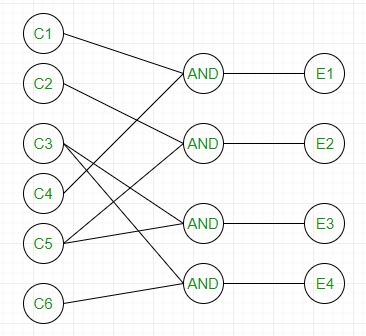
4. Cause effect graphing
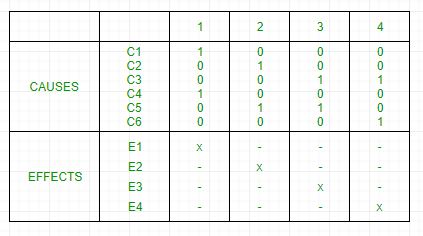
This technique establishes a relationship between logical input called causes with corresponding actions called the effect. The causes and effects are represented using Boolean graphs. The following steps are followed:
Each column corresponds to a rule which will become a test case for testing. So there will be 4 test cases.
5.Requirement-Based Testing
Requirement-Based Testing validates that the software meets documented requirements and satisfies expected outcomes.
Principles of Requirement-Based Testing:
Traceability: The approach aims to establish clear links between each test and its respective requirements, ensuring easy tracking.
Early Engagement: Early involvement in testing allows teams to comprehend, validate, and clarify requirements, minimizing misinterpretation risks.
Validation and Verification: This methodology focuses on both aspects to ensure software compliance with specified requirements, boosting testing reliability.
6.Compatibility Testing
Compatibility Testing verifies that the software works correctly across different environments, hardware, and system configurations. Some parameters that generally affect the compatibility of software are:
Processor (Pentium 3, Pentium 4) and several processors.
Architecture and characteristics of machine (32-bit or 64-bit).