|
VOOZH | about |
|
VOOZH | about |
This article will teach us how to build reactive microservices with Spring WebFlux using a related example. Here, we create a student microservice to handle students and their data. For understanding purposes, we provide basic features and functionalities such as adding a student, searching for a student, deleting a student, and getting all student data.
Here, we created one simple spring reactive project by using spring initializr. Below, we have provided the dependencies which are used in this Spring Application.
<dependencies>
 <dependency>
 <groupId>org.springframework.boot</groupId>
 <artifactId>spring-boot-starter-data-mongodb-reactive</artifactId>
 </dependency>
 <dependency>
 <groupId>org.springframework.boot</groupId>
 <artifactId>spring-boot-starter-webflux</artifactId>
 </dependency>

 <dependency>
 <groupId>org.springframework.boot</groupId>
 <artifactId>spring-boot-devtools</artifactId>
 <scope>runtime</scope>
 <optional>true</optional>
 </dependency>
 <dependency>
 <groupId>org.projectlombok</groupId>
 <artifactId>lombok</artifactId>
 <optional>true</optional>
 </dependency>
 <dependency>
 <groupId>org.springframework.boot</groupId>
 <artifactId>spring-boot-starter-test</artifactId>
 <scope>test</scope>
 </dependency>
 <dependency>
 <groupId>io.projectreactor</groupId>
 <artifactId>reactor-test</artifactId>
 <scope>test</scope>
 </dependency>
 </dependencies>
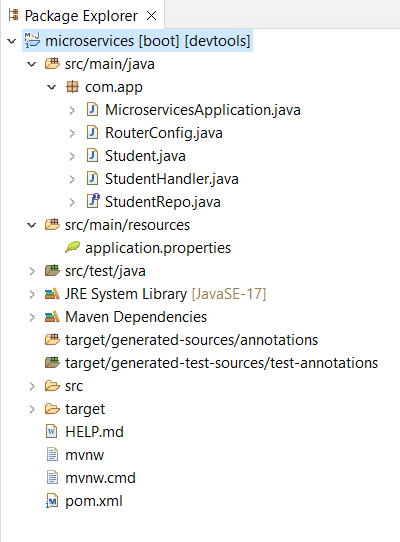
Project Folder Structure:
Once Project creation is completed then connect with the database. Here, we use MongoDB and below we have provided the connection details.
spring.application.name=microservices

spring.data.mongodb.host=localhost
spring.data.mongodb.database=studentdb
spring.data.mongodb.port=27017
After that, we created a Student Entity class which is used for data handling while performing the database related operations.
Student Data:
Student.java:
Here, we created a Repository class by using @Repository annotation by using a interface named StudentRepo and it is extends to ReactiveMongoRepository.
This will take entity class and data type of that entity class as input arguments. This repository is used for performing database related operations in Student microservice.
StudentRepo.java:
Here, we created a student handler by using @Service annotation.
Below we provide the java code for your reference.
StudentHandler.java:
Here, we created RouterFunction which is used for define the API endpoints.
RouterConfig.java:
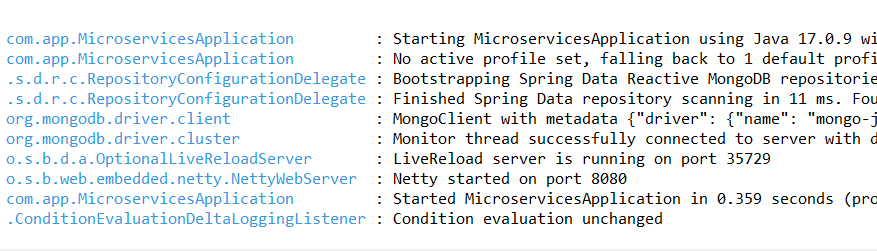
Once development is completed, then run this project as Spring Boot App. By default, the project is running on port number 8080 with Netty server.
Once project successfully running, then test the APIs. Here we use Postman tool for API testing.
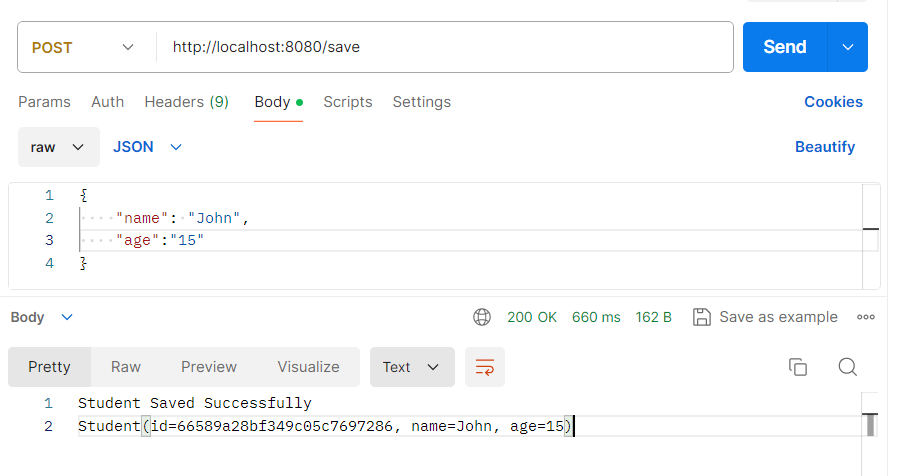
http://localhost:8080/save
This API is used for save the student student details by using post mapping.
public Mono<ServerResponse> saveStudent(ServerRequest request) {
 return request.bodyToMono(Student.class).flatMap(data -> {
 return repo.save(data).flatMap(done -> {
 return ServerResponse.ok().bodyValue("Student Saved Successfully \n" + data);
 });
 });
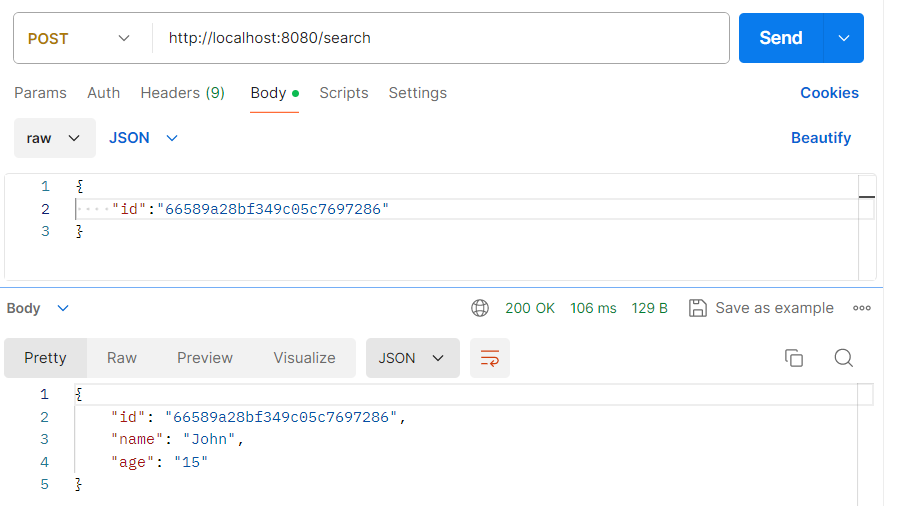
}http://localhost:8080/searchThis API is used for search student details by using Student id. Otherwise, it will throw Not Found.
public Mono<ServerResponse> findStudent(ServerRequest request) {
 return request.bodyToMono(Student.class).flatMap(data -> {
 return repo.findById(data.getId()).flatMap(done -> {
 return ServerResponse.ok().bodyValue(done);
 });

 }).onErrorResume(e -> {
 return ServerResponse.badRequest().bodyValue("Student ID Not Found");
 });
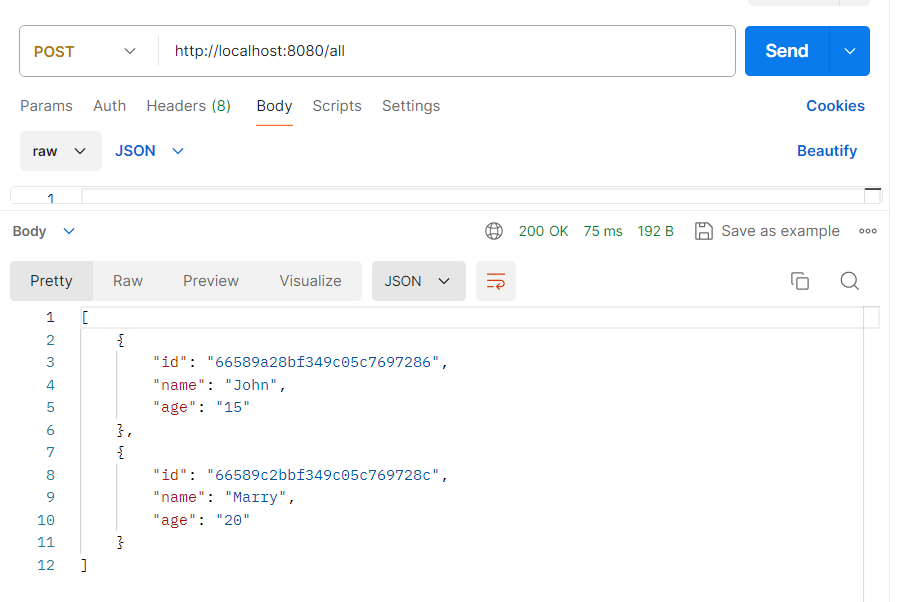
}This API is used for display the all existing data in the database.
http://localhost:8080/allpublic Mono<ServerResponse> findAll(ServerRequest request) {
return repo.findAll().collectList().flatMap(done -> ServerResponse.ok().bodyValue(done))
.onErrorResume(e -> ServerResponse.badRequest().bodyValue("No Data Found"));
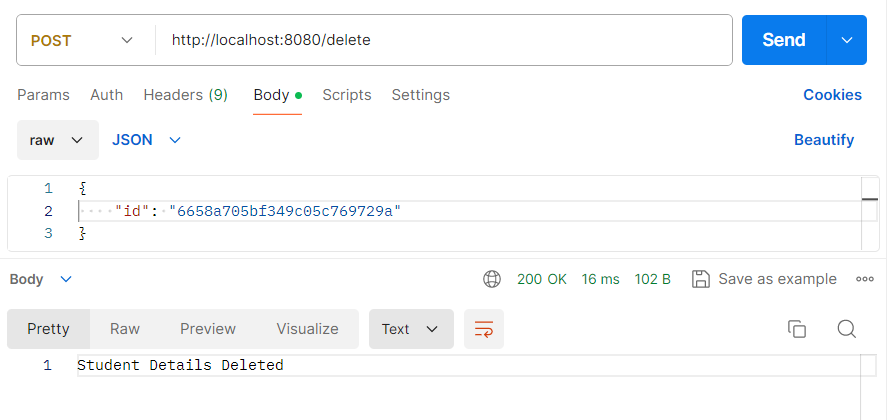
}This API is used for delete a existing student data with help of Student ID.
http://localhost:8080/deletepublic Mono<ServerResponse> deleteStudent(ServerRequest request) {
return request.bodyToMono(Student.class).flatMap(data -> {
return repo.deleteById(data.getId()).then(ServerResponse.ok().bodyValue("Student Details Deleted"))
.onErrorResume(e -> ServerResponse.badRequest().bodyValue("Student ID Not Found"));
});
}