|
VOOZH | about |
|
VOOZH | about |
Caching is an essential feature in modern web applications, providing faster access to frequently used data and reducing the load on databases. In Spring Boot, the @Cacheable annotation is commonly used to cache method results. However, there may be scenarios where you need to disable caching for specific operations, such as during testing, debugging, or when handling sensitive data that should not be cached.
In this article, we will explore different ways to disable the @Cacheable annotation in Spring Boot.
Spring Boot provides caching abstraction through annotations like @Cacheable, @CachePut, and @CacheEvict. Disabling caching can be useful in scenarios like:
There are several methods to disable @Cacheable, such as globally disabling caching, conditionally turning off caching, or using Spring Profiles to toggle caching.
@CacheableTo disable caching across the entire application, you can remove or comment out the @EnableCaching annotation in the main Spring Boot class.
@SpringBootApplication
// @EnableCaching // Disabling this will turn off caching globally
public class Application {
 public static void main(String[] args) {
 SpringApplication.run(Application.class, args);
 }
}
@Cacheable ConditionallyYou can control caching based on specific conditions (such as environment, feature toggle, or runtime logic) using Spring Expression Language (SpEL) in the @Cacheable annotation.
@Cacheable(value = "products", condition = "#disableCaching == false")
public List<Product> getProducts(boolean disableCaching) {
 // Simulating a database call with a delay
 System.out.println("Fetching products from database...");
 return Arrays.asList(
 new Product(1L, "Product A"),
 new Product(2L, "Product B"),
 new Product(3L, "Product C")
 );
}
The @Cacheable annotation caches the result of getProducts(). The condition parameter uses SpEL to control when caching occurs. Here, caching is disabled if disableCaching is true.
You can disable caching based on active Spring Profiles, allowing different caching behavior in different environments (e.g., development vs. production).
In the application-dev.properties file, you can disable caching for the dev profile.
# Disable caching in dev environment
spring.cache.type=none
In the method, you can specify that caching is disabled when the dev profile is active.
@Profile("!dev") // Disable caching in the 'dev' profile
@Cacheable("users")
public User getUser(Long id) {
 return userRepository.findById(id).orElse(null);
}
The @Profile annotation specifies that this caching behavior will not apply when the dev profile is active. When in the dev environment, caching is disabled.
In this example project, we will create a simple Spring Boot application that demonstrates how to disable caching using the @Cacheable annotation conditionally. We will structure the project to include:
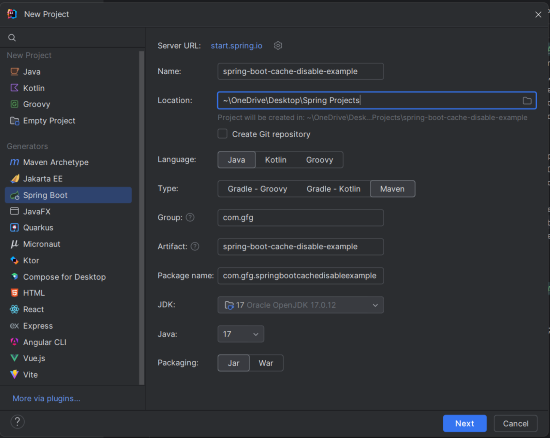
Using IntelliJ IDEA, create a new Spring Boot project with the following options:
spring-boot-cache-disable-exampleClick on the Next button.
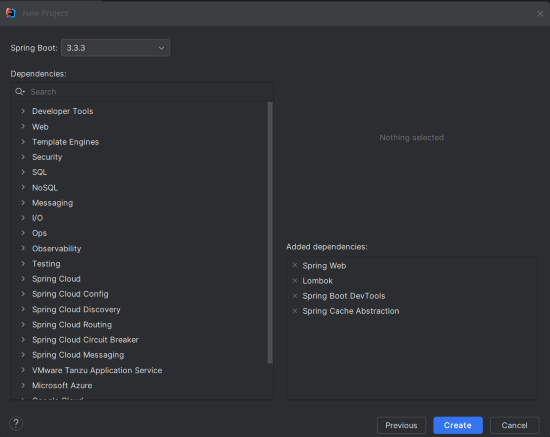
Add the following dependencies into the Spring Boot project.
Click on the Create button.
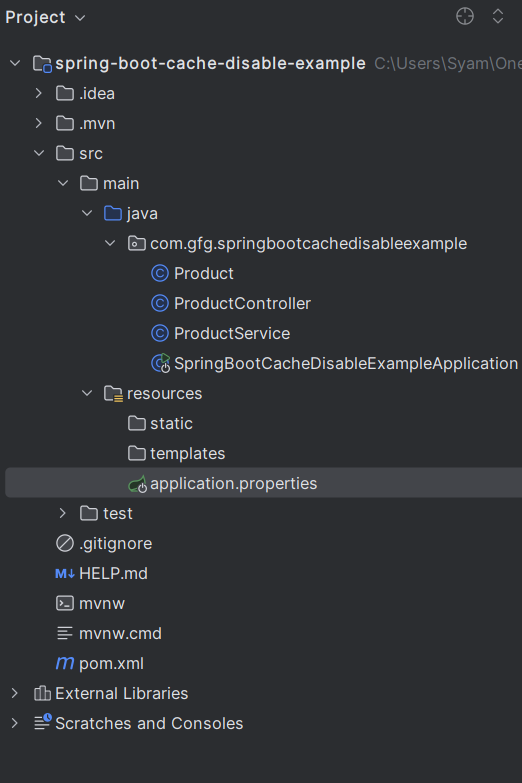
After project creation done, the folder structure will look like the below image:
In the application.properties file, add the following cache configuration:
spring.application.name=spring-boot-cache-disable-example
spring.cache.type=simple # Enable caching with default settings
Product.java:
This class represents a simple Product entity with id and name. It uses Lombok annotations to reduce boilerplate code for constructors and getters/setters.
ProductService.java:
@Cacheable annotation is used to cache the result of the getProducts() method. The condition ensures caching is disabled if disableCaching is true.ProductController.java:
/products endpoint, allowing clients to fetch the list of products.disableCaching parameter allows clients to control whether caching should be enabled or disabled for each request.This is the main class of the Spring Boot application. We can enable the caching using the @EnableCaching annotation.
Run the application using the following Maven command:
mvn spring-boot:runUse Postman or a similar tool to test the application.
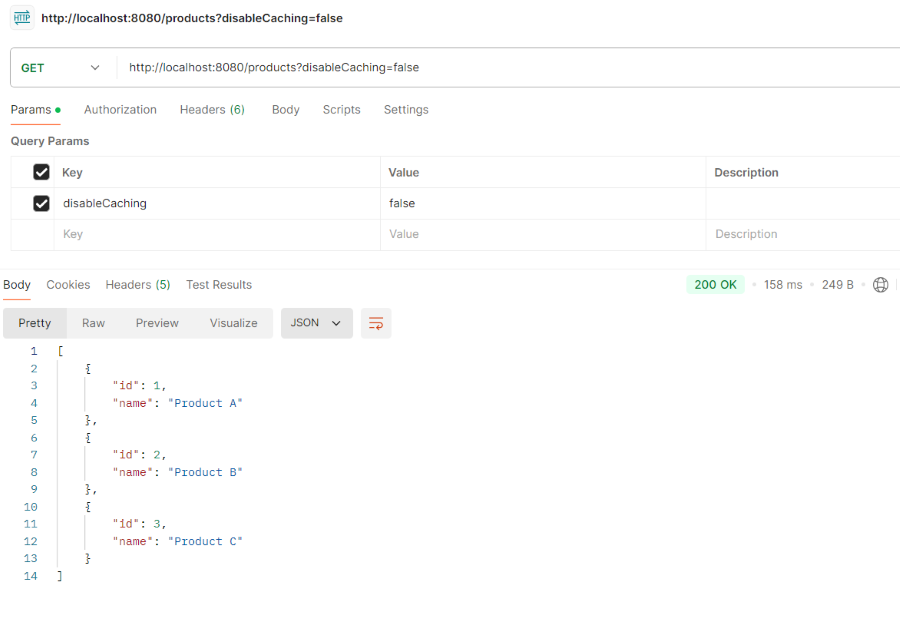
1. First request with caching enabled (disableCaching=false):
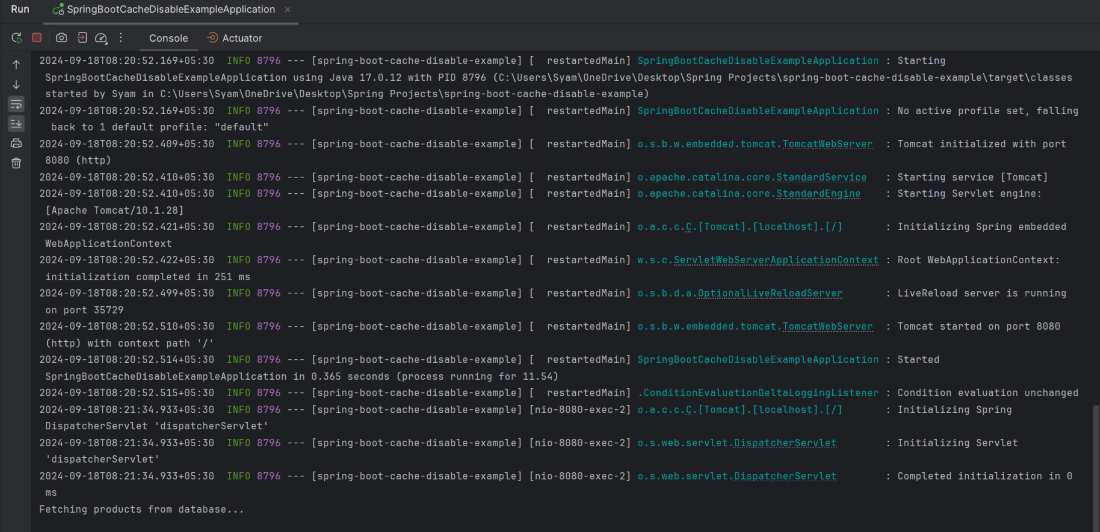
GET http://localhost:8080/products?disableCaching=falseIf you can observe the logs then it will print "Fetching products from database..." that means data can fetched from the database.
2. Second request with caching disabled (disableCaching=true)
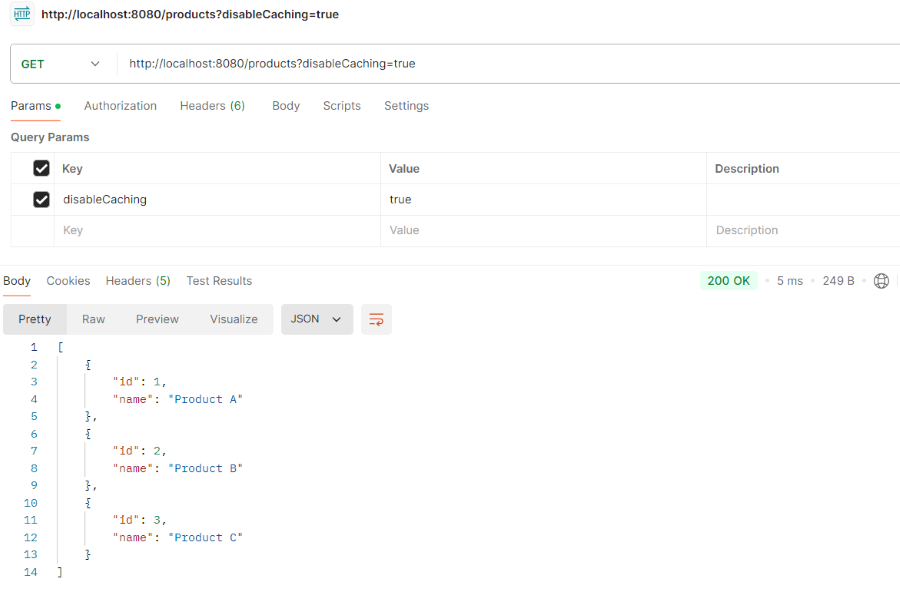
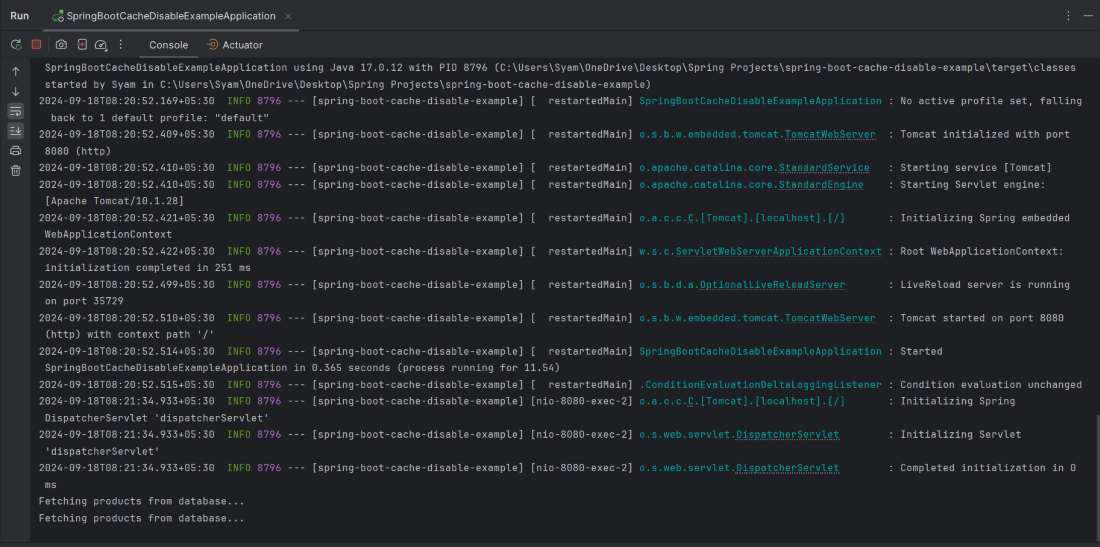
GET http://localhost:8080/products?disableCaching=trueWhen caching is disabled (disableCaching=true), we should see the message every time you hit the /products endpoint:
This example project demonstrates how to disable the caching conditionally in the spring Boot application. By using the @Cacheble annotation along with the conditions or request parameters, we can control whether to use the cache based on the runtime decisions.