|
VOOZH | about |
|
VOOZH | about |
In Spring Boot, ApplicationRunner and CommandLineRunner beans are often used to perform specific tasks at application startup, such as initializing data or writing configuration information. In unit testing, especially in JUnit testing we want to prevent these beans from running, since that it can interfere with the test environment or produce undesirable outcome behavior.
This article explains how to prevent these runner beans from executing during tests that ensures cleaner and more controlled test execution.
When writing tests for a Spring Boot application, we may not want certain startup logic (like the logic provided by ApplicationRunner or CommandLineRunner) to execute. This can be managed using the following techniquesthat are,
In this method, we can define ApplicationRunner or CommandLineRunner beans to be active only under specific profiles (e.g., dev, prod). When running tests, we can exclude these profiles to prevent the runners from executing.
import org.springframework.boot.CommandLineRunner;
import org.springframework.context.annotation.Profile;
import org.springframework.stereotype.Component;

@Component
@Profile("!test") // Exclude the 'test' profile
public class StartupRunner implements CommandLineRunner {
 @Override
 public void run(String... args) throws Exception {
 System.out.println("CommandLineRunner logic executing during startup...");
 }
}
In the above code, the @Profile("!test") annotation ensures that the runner will not execute when the test profile is active.
import org.junit.jupiter.api.Test;
import org.springframework.boot.test.context.SpringBootTest;
import org.springframework.test.context.ActiveProfiles;

@SpringBootTest
@ActiveProfiles("test") // Activate the 'test' profile
public class MyServiceTest {

 @Test
 public void testServiceMethod() {
 // Your test logic here
 }
}
By using the @Activeprofiles("test"), we ensure that the StartupRunner beans does not run during the test.
Another approach is to conditionally create the CommandLineRunner bean based on whether the application is running in a test environment.
import org.springframework.boot.CommandLineRunner;
import org.springframework.context.annotation.Bean;
import org.springframework.context.annotation.Configuration;
import org.springframework.context.annotation.Profile;

@Configuration
public class RunnerConfig {

 @Bean
 @Profile("!test") // Exclude the 'test' profile
 public CommandLineRunner startupRunner() {
 return args -> {
 System.out.println("CommandLineRunner logic executing during startup...");
 };
 }
}
In this configuration, the runner bean can be created only when the test profile is not active.
Step 2: Activate the test Profile in the JUnit Test
import org.junit.jupiter.api.Test;
import org.springframework.boot.test.context.SpringBootTest;
import org.springframework.test.context.ActiveProfiles;

@SpringBootTest
@ActiveProfiles("test")
public class RunnerTest {

 @Test
 public void contextLoads() {
 // Test logic without the CommandLineRunner bean executing
 }
}
This method ensures that the startupRunner bean is not created during testing, preventing it from executing.
Here is a complete example that demonstrates how to prevent the ApplicationRunner or CommandLineRunner beans from executing during JUnit tests.
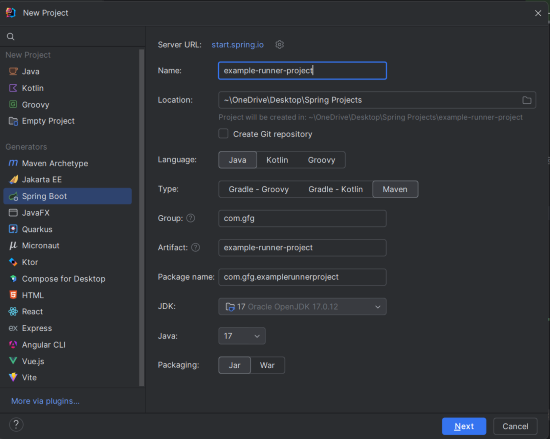
Create a new Spring Boot project using IntelliJ IDEA.
Choose the following options:
Click on the Next button.
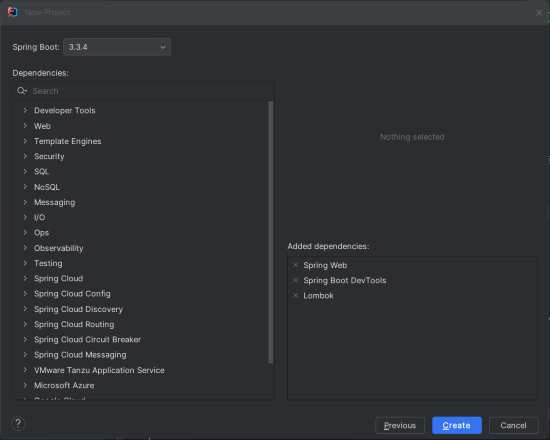
Add the following dependencies into the project:
Click on the Create button.
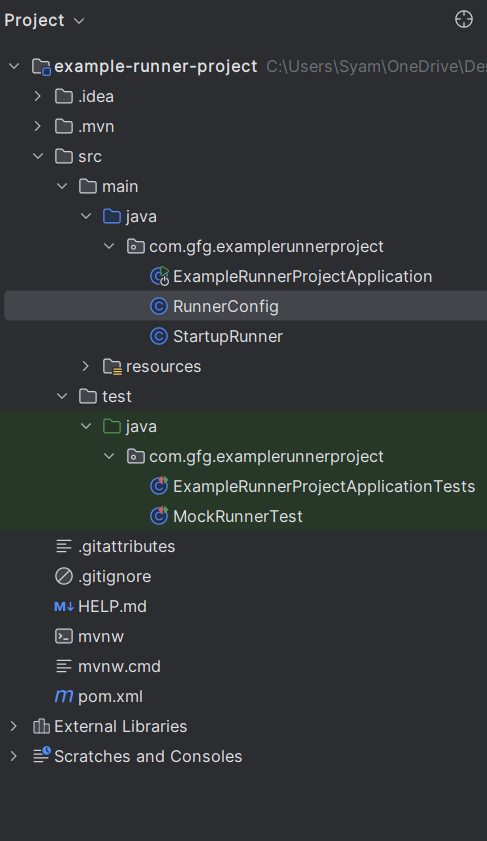
Once project creation done, set the folder structure as shown in the below image:
Add the following to the application.properties:
spring.application.name=example-runner-project
server.port=8080
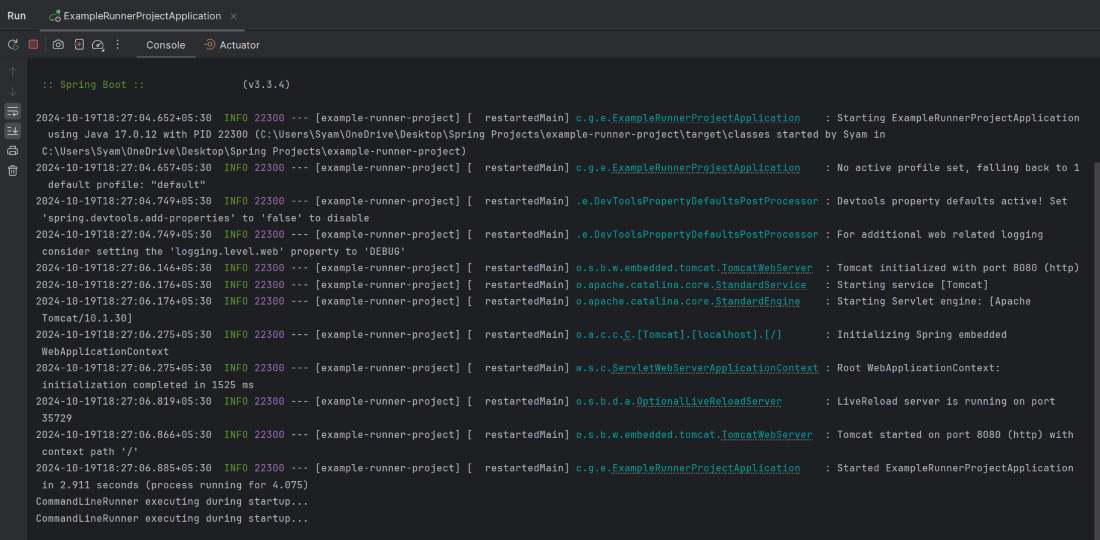
Once you complete the project, we can run it and check the startup output:
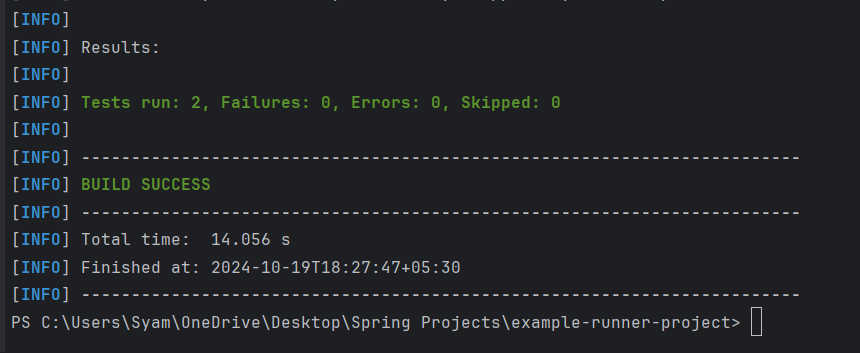
We can run the test suite using the below Maven command:
mvn testThis example project demonstrates how to prevent the CommandLineRunner or ApplicationRunner beans from executing during JUnit testing. By using profile, we can control the activation of the running beans, ensuring they do not interface with test logic.