|
VOOZH | about |
|
VOOZH | about |
Transaction locks in Spring Data JPA can help manage concurrent data access. It can ensure the data consistency. By controlling how transactions acquire the locks on the database rows or tables, we can prevent issues such as lost updates and ensure that the application maintains data integrity. This article will guide you through enabling the transaction locks using Spring Data JPA with practical examples and explanations.
Transaction locks are crucial for managing concurrent access to the data in the database. It ensures data integrity and consistency when multiple transactions interact with the same data. In Spring Data JPA, two primary types of locks are used: Pessimistic Locking and Optimistic Locking. Each approach has its own use cases, benefits, and drawbacks.
Pessimistic Locking assumes that conflicts will occur and locks the data to prevent the other transactions from accessing it concurrently. This type of locking can be useful in scenarios where you can expect high contention for the same data or when transactions involve complex operations that should not be implemented.
1. Acquire Lock:
2. Block Other Transactions
3. Release Lock
In Spring Data JPA, we can implement the pessimistic locking using @Lock annotation with LockModeType.PESSIMISTIC_WRITE or LockModeType.PESSIMISTIC_READ on the repository method.
Example:
import org.springframework.data.jpa.repository.JpaRepository;
import org.springframework.data.jpa.repository.Lock;
import org.springframework.data.jpa.repository.Query;
import org.springframework.stereotype.Repository;

import javax.persistence.LockModeType;
import java.util.Optional;

@Repository
public interface ProductRepository extends JpaRepository<Product, Long> {

 @Lock(LockModeType.PESSIMISTIC_WRITE)
 @Query("SELECT p FROM Product p WHERE p.id = :id")
 Optional<Product> findByIdForUpdate(Long id);
}Support the two users are trying to update the price of the same product simultaneously. Pessimistic locking will ensure that only one user can be modify the record at the time preventing data inconsistency.
Optimistic Locking assumes that conflicts are rare and allows the concurrent transactions to proceed without locking the data. It uses the version field to detect the conflicts and ensure that updates do not overwrite the each other.
In Spring Data JPA, we can optimistic locking is implemented using the @Version annotation on the field in the entity class.
Example:
import jakarta.persistence.*;

@Entity
public class Product {

 @Id
 @GeneratedValue(strategy = GenerationType.IDENTITY)
 private Long id;

 private String name;
 private Double price;

 @Version
 private Long version;
}If two users try to update the price of the same product simultaneously, optimistic locking will be detect the conflict and the prevent one of the updates from being applied, ensuring that the most recent version of the data is used.
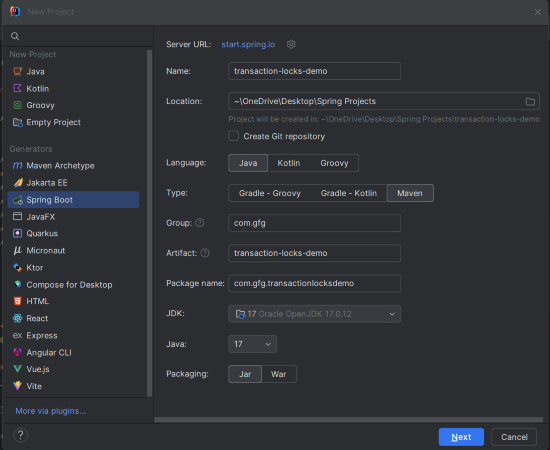
Create a new Spring Boot Project using IntelliJ Idea. Choose the below options:
Click on the Next button.
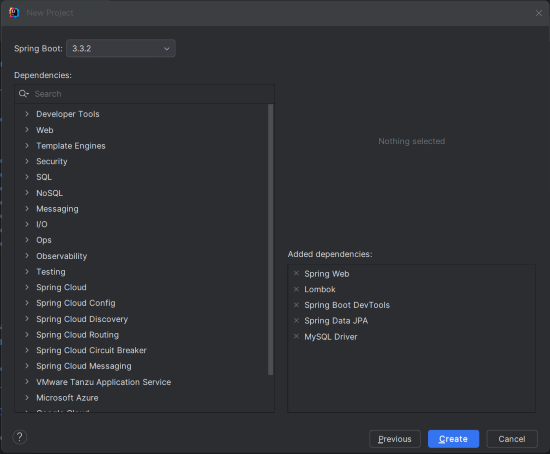
Add the following dependencies into the Spring Boot project.
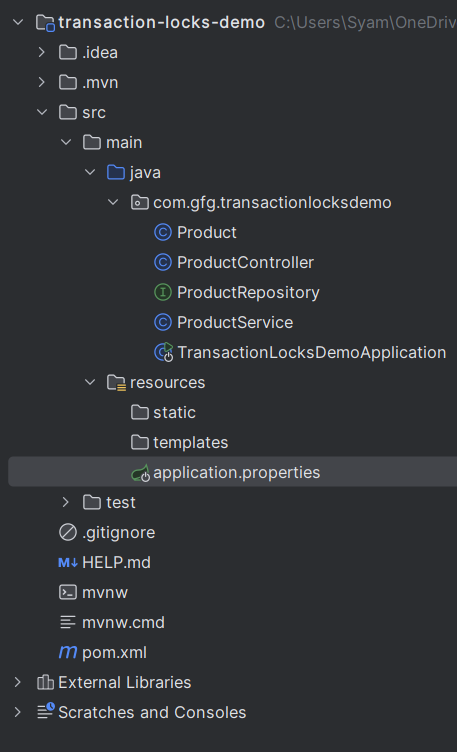
Once created the project, the file structure looks like the below image.
Open the application.properties file and add the following configuration of MySQL into the Spring Boot Project.
spring.application.name=transaction-locks-demo

spring.datasource.url=jdbc:mysql://localhost:3306/transaction_locks
spring.datasource.username=root
spring.datasource.password=mypassword
spring.jpa.hibernate.ddl-auto=update
spring.jpa.show-sql=trueThe Product entity class can defines the entity with the both pessimistic and optimistic locking.
This repository interface for accessing the Product entities with methods for the pessimistic locking.
This ProductService layer class with methods to demonstrates both the pessimistic and optimistic locking.
Create the controller class named as ProductController, it will handle the HTTP requests to update the product price using the both pessimistic and optimistic locking mechanisms.
No changes are required in the main class.
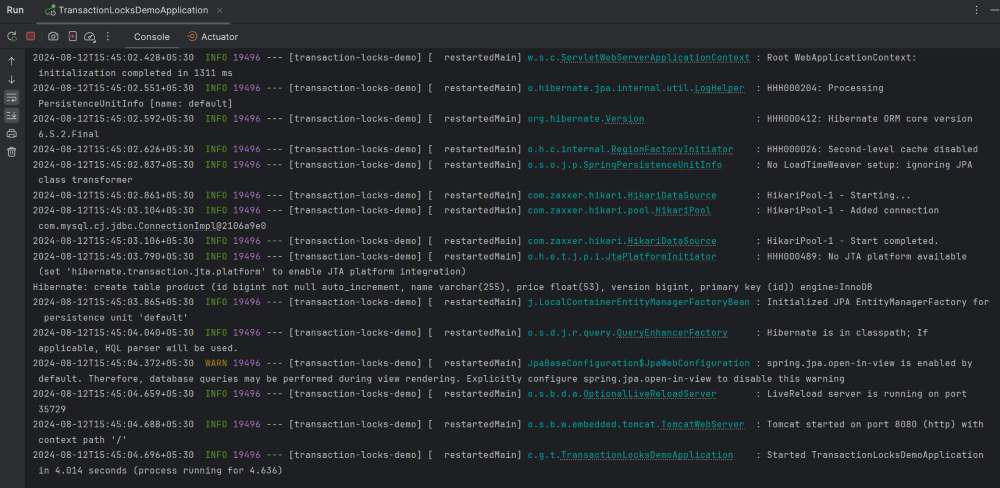
Once completed the project, it will start and run at port 8080.
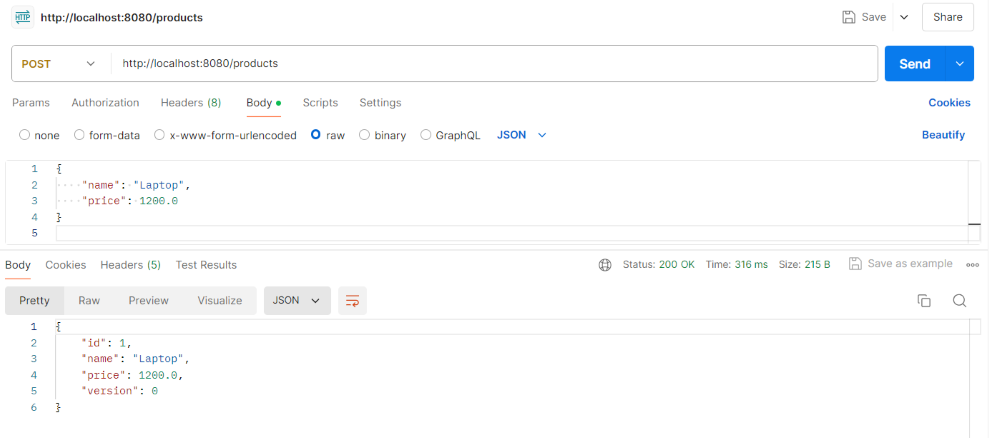
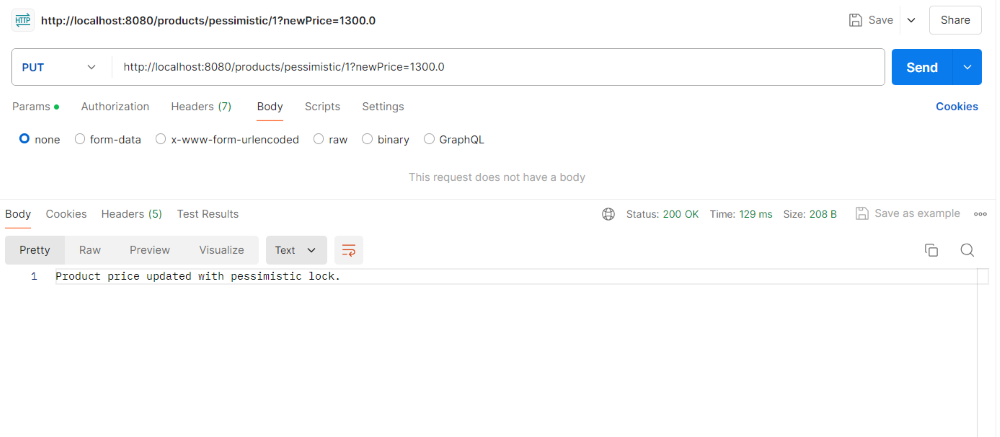
POST http://localhost:8080/productsPUT http://localhost:8080/products/pessimistic/1?newPrice=1300.0This request will update the price of the product with id 1 to 1300.0 using the pessimistic locking. It ensures that the product record is locked for the duration of the transaction to prevent the concurrent modifications.
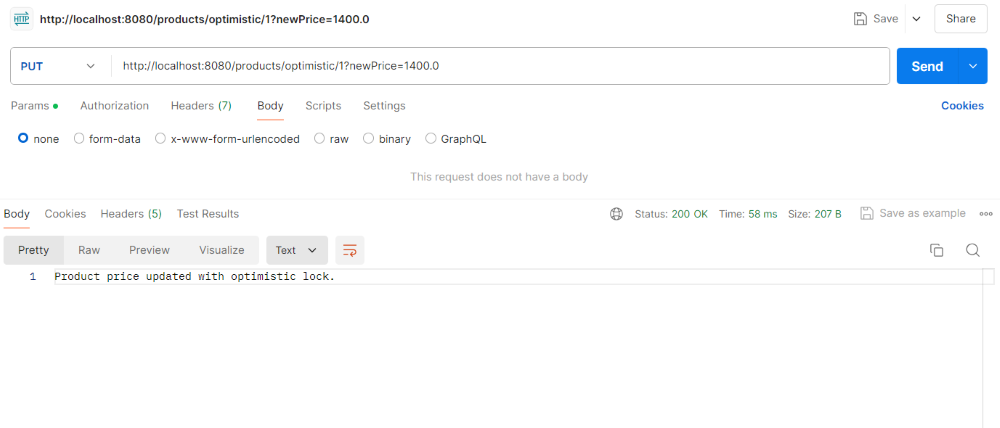
PUT http://localhost:8080/products/optimistic/1?newPrice=1400.0This request will update the price of product with id 1 to 1400.0 using the optimistic locking. It uses the version field to detect concurrent the updates and handle conflicts.