|
VOOZH | about |
|
VOOZH | about |
In Java applications, logging is essential for monitoring application behavior, debugging issues, and tracking performance. Verifying log messages is important for ensuring correct entries during specific actions. In this article, we will demonstrate how to assert log messages in tests using JUnit.
Logging is an essential part of software development. It helps monitor application behavior, diagnose problems, and gain insights into application performance. Commonly used logging frameworks in Java include Logback and Log4j.
Logging refers to the process of recording events, messages, or errors that occur during the execution of a software application. It helps in:
In unit tests, logging serves two main purposes:
For example, if an API throws an exception, a unit test can verify that an appropriate error message is logged, ensuring that useful information is recorded for troubleshooting.
JUnit is a widely used framework for unit testing in Java. While testing functionality, verifying log messages can be as crucial as verifying method outputs. Here's why:
In this project, we will demonstrate how to assert log messages using JUnit. We will utilize Logback as the logging framework and JUnit 5 for writing test cases in a Maven-based setup.
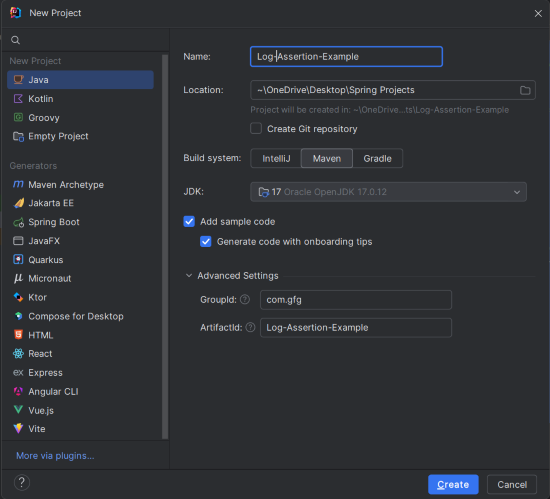
In IntelliJ IDEA, create a new Maven project with the following options:
Click on the Create button.
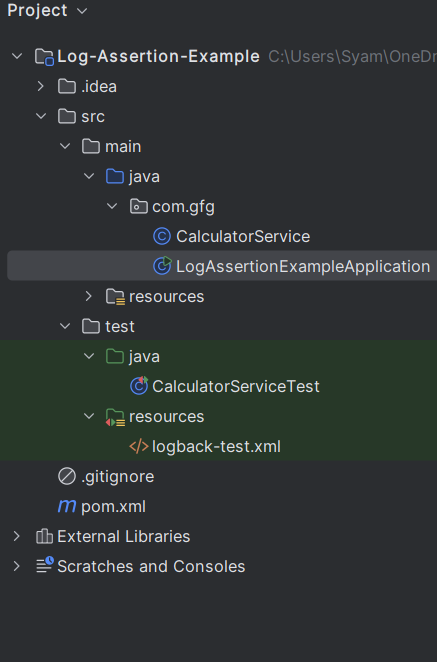
Once the project is created, set the folder structure as shown in the below image:
Open the pom.xml and add the following JUnit framework and Logging dependencies.
Create the CalculatorService class and this class contains the methods that performs the arithmetic operations and log messages using the SLF4J.
This is the entry point for the project and demonstrates the simple instantiation and use of the CalculatorService.
Add logback.xml to configure the logging output format:
CalculatorServiceTest.javaCreate the CalculatorServiceTest class and this class contains the tests for the CalculatorService, including the assertions for log messages.
TestLogger.javaTestLogger is used to capture log messages during tests:
logback-test.xml)Logback configuration for testing:
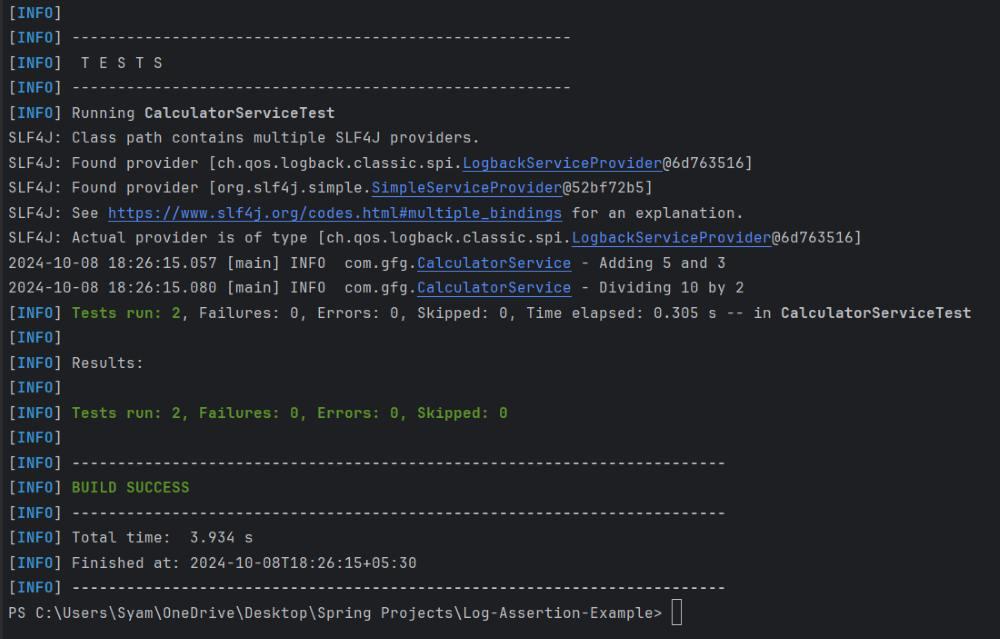
Run the test cases using the following maven command:
mvn testThe output of the successful test run should indicate that the logs were correctly captured and verified.