|
VOOZH | about |
|
VOOZH | about |
Cross-Origin Resource Sharing (CORS) is a mechanism that allows resources on a web server to be requested from a domain other than the one from which the resource originated. In a microservices architecture using Spring Boot API Gateway, handling CORS is essential to ensure that client applications can interact with services behind the gateway without encountering CORS issues.
This article will guide you through setting up CORS handling in the Spring Boot API Gateway using Spring Cloud Gateway.
CORS issues arise when a web application at one origin tries to access resources from a server at another origin. The server needs to explicitly allow these cross-origin requests through HTTP headers. In Spring Cloud Gateway, we can handle CORS by configuring it in the application.yml file or through a custom CorsConfigurationSource.
application.ymlYou can set up global CORS configuration in the application.yml file of the Spring Boot project.
spring:
 cloud:
 gateway:
 routes:
 - id: example_route
 uri: http://localhost:8081 # URI of the service to route to
 predicates:
 - Path=/example/**
 filters:
 - AddRequestHeader=MyHeader, MyValue # Adds a custom header to the request
 globalcors:
 cors-configurations:
 '[/**]': # Applies to all paths
 allowedOrigins: "*"
 allowedMethods: GET, POST, PUT, DELETE, OPTIONS
 allowedHeaders: "*"
allowCredentials: trueroutes: Defines the routes for the gateway. It routes requests matching the Path predicate to the specified URI.globalcors: Configures global CORS settings for all routes.allowedOrigins: Allows requests from any origin (*).allowedMethods: Specifies which HTTP methods are allowed.allowedHeaders: Allows all headers.allowCredentials: Allows cookies and other credentials to be included in cross-origin requests.Alternatively, configure CORS using the CorsConfigurationSource bean in a configuration class.
import org.springframework.context.annotation.Bean;
import org.springframework.context.annotation.Configuration;
import org.springframework.web.servlet.config.annotation.CorsRegistry;
import org.springframework.web.servlet.config.annotation.WebMvcConfigurer;

@Configuration
public class WebConfig implements WebMvcConfigurer {

 @Override
 public void addCorsMappings(CorsRegistry registry) {
 registry.addMapping("/**")
 .allowedOrigins("*")
 .allowedMethods("GET", "POST", "PUT", "DELETE", "OPTIONS")
 .allowedHeaders("*")
 .allowCredentials(true);
 }
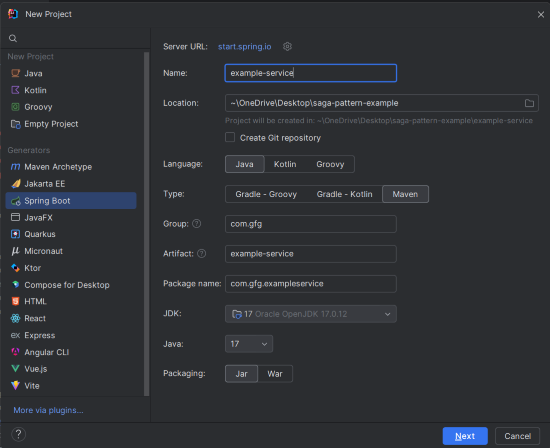
}WebMvcConfigurer: Interface used to configure Spring MVC settings.addCorsMappings: Method to add CORS mappings.allowedOrigins: Specifies which origins are allowed.allowedMethods: Specifies allowed HTTP methods.allowedHeaders: Specifies allowed headers.allowCredentials: Allows credentials in requests.Create a new Spring Boot project using IntelliJ IDEA.
Click on the Next button.
Add the following dependencies into the Spring Boot project.
Click on the Create button.
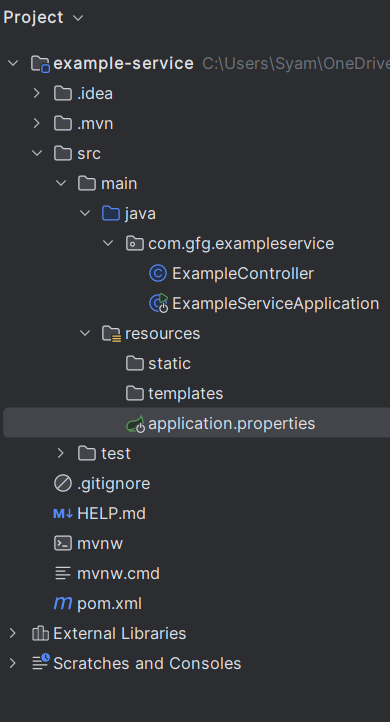
Once created the project then the file structure will look like the below image.
Set up the application properties for the Example Service.
spring.application.name=example-service
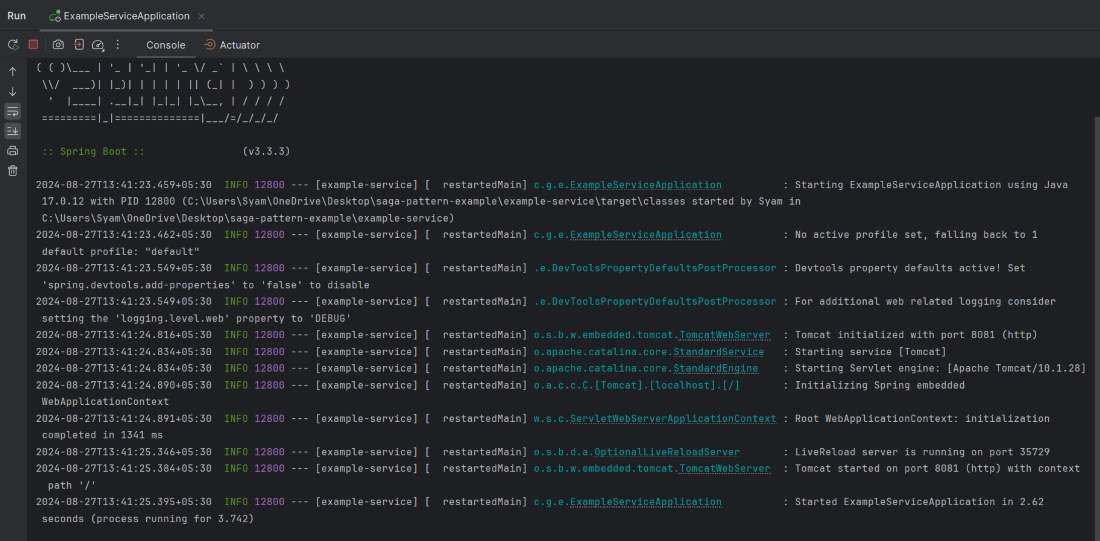
server.port=8081@RestController: Marks the class as a RESTful web service controller.@RequestMapping("/example"): Maps requests to /example to this controller.@GetMapping: Maps GET requests to the getExample() method.Run the Example Service application on port 8081.
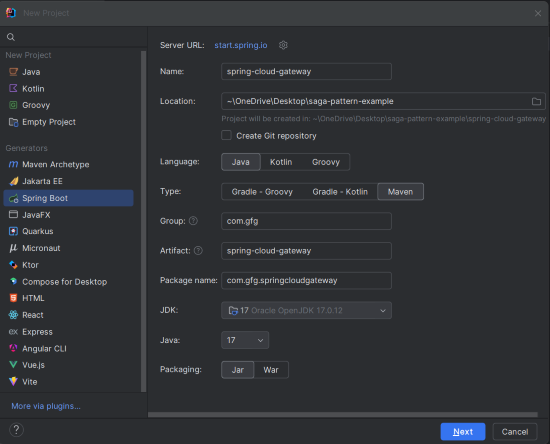
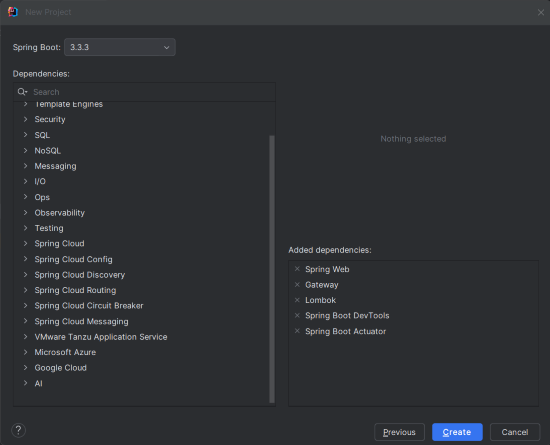
Create a new Spring Boot project using IntelliJ IDEA.
Click on the Next button.
Add the following dependencies into the Spring Boot project.
Click on the Create button.
Once created the project then the file structure looks like the below image.
Rename application.properties to application.yml and add the CORS and Gateway configuration.
spring:
 cloud:
 gateway:
 routes:
 - id: example_route
 uri: http://localhost:8081 # URI of the Example Service
 predicates:
 - Path=/example/** # Route requests with this path
 filters:
 - AddRequestHeader=MyHeader, MyValue # Adds a custom header to the request
 globalcors:
 cors-configurations:
 '[/**]': # Applies to all paths
 allowedOrigins: "*"
 allowedMethods: GET, POST, PUT, DELETE, OPTIONS
 allowedHeaders: "*"
 allowCredentials: true
 main:
 allow-bean-definition-overriding: true
web-application-type: reactiveroutes: Defines routing for the gateway.globalcors: Configures global CORS settings.allowedOrigins: Allows all origins.allowedMethods: Specifies allowed HTTP methods.allowedHeaders: Allows all headers.allowCredentials: Allows credentials in requests.Create the CorsConfig Class and this configuration can be used to set the different CORS policies for the different endpoints of Spring Boot project.
CorsConfig: Configures CORS settings for the gateway.addCorsMappings: Configures global CORS mappings for all paths.This class configures the routing for the Spring Cloud Gateway of the application.
No changes are required in the main class. This is the entry point of the Spring application.
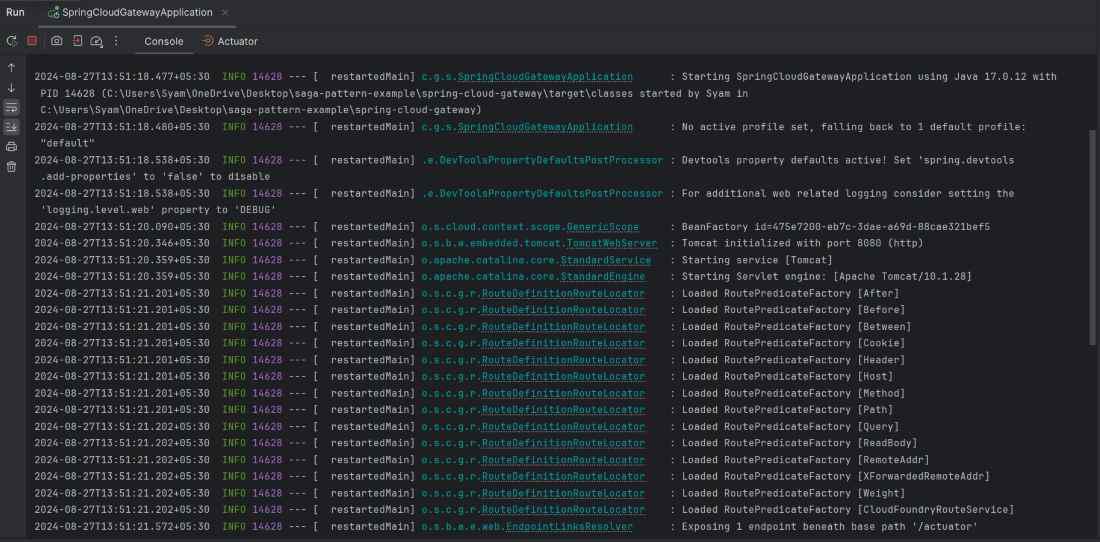
Run the Spring Cloud Gateway application on port 8080.
http://localhost:8080/example using a tool like Postman.GET http://localhost:8080/exampleWe can see the response "Hello from Example Service!" if everything is set up correctly.
By following these steps, we should be able to test and verify that the Spring Cloud Gateway can be correctly configured and handling the requests and CORS as intended of the Spring Boot application.