Java Persistence API (JPA) is a specification that simplifies database interaction in Java applications. A Many-To-One relationship represents an association where multiple instances of one entity are linked to a single instance of another entity.
For example, many students can belong to one university. Here, Student is the owning side of the relationship, while University is the referenced entity.
Many-to-One Mapping
In a Many-To-One relationship:
- Multiple child entities reference a single parent entity.
- The foreign key column is maintained in the child entity’s table.
- The mapping is achieved using the @ManyToOne annotation.
Example: Each Student belongs to one University, but one University can have many Students.
Project Implementation
Goal
The goal of this project is to demonstrate how to establish a Many-To-One relationship in JPA using annotations.
We will map multiple Student entities to a single University entity and persist this relationship in a relational database using Hibernate as the JPA provider.
Process Overview
The implementation involves the following steps:
- Set up a JPA project with Hibernate and MySQL dependencies.
- Configure the persistence unit using persistence.xml.
- Define entity classes University and Student.
- Establish a Many-To-One relationship using @ManyToOne and @JoinColumn.
- Persist and retrieve entities through an EntityManager.
Step 1: Create a JPA Project
Create a new Maven project named jpa-many-to-one-mapping-demo in your IDE (e.g., IntelliJ IDEA or Eclipse).
Project Structure:
👁 onemanyfile
Step 2: Add Dependencies (pom.xml)
Step 3: Configure Persistence Unit (persistence.xml)
Location: src/main/resources/META-INF/persistence.xml
Step 4: Create the University Entity
Step 5: Create the Student Entity
- @ManyToOne: defines that many students belong to one university.
- @JoinColumn: specifies the foreign key column (university_id) in the student table.
Step 6: Create the Main Class
- It creates an EntityManagerFactory and EntityManager to interact with the database.
- A University entity is created and persisted, followed by multiple Student entities linked to that university.
- The transaction is committed to save all records permanently in the database.
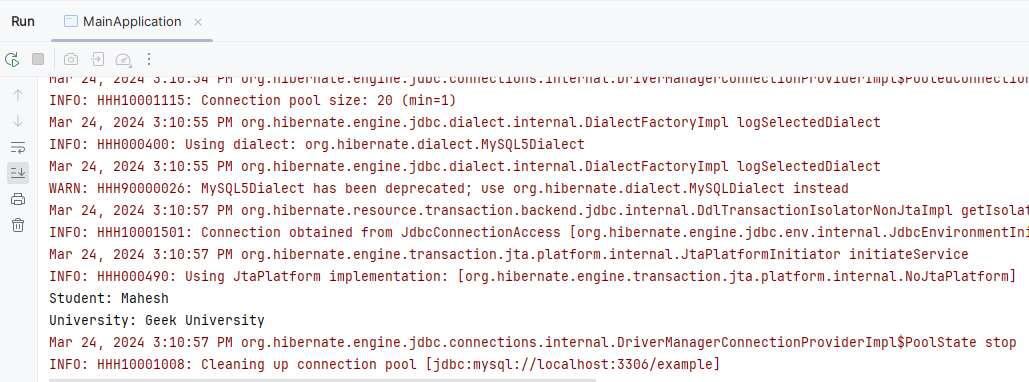
- Finally, a student is retrieved and its associated university is printed, demonstrating the Many-To-One relationship.
Step 7: Output
Console Output:
👁 Output in Console
Database Tables will be created.